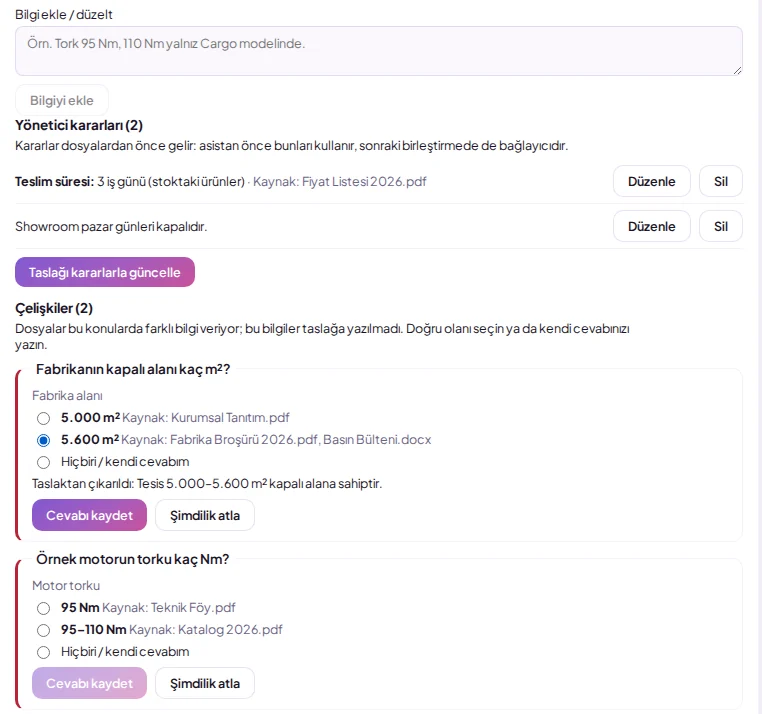
File Repository
Upload your price list, catalogue, or contract; AI summarises it, and once you approve it, your assistant answers customers using this information.
- Company administrator
What is the File Repository?
Upload your price list, catalogue, or contract; AI summarises it, and once you approve it, your assistant answers customers using this information. Who can do this: Company administrator. Open the Management > File Repository screen. Drag files into the upload area or click to select them. Read the summary generated by AI, edit if necessary, and click Approve.
Upload files such as price lists, catalogues, and contracts (PNG, JPG, WEBP, PDF, DOCX, TXT, MD; up to 20 MB per file) from Management > File Repository. AI analyses each file and generates a summary; once you edit and approve the summary, the assistant uses this information to answer customers, and the full text of approved files is also included in search. You can revoke approval at any time or permanently delete a file; save old .doc files as .docx or PDF before uploading. File analysis deducts from your AI token allowance. The repository total is 500 MB; if the sum of approved summaries exceeds the limit that can be passed to the assistant, the dashboard displays a warning.
Steps
Open the Management > File Repository screen.
Drag files into the upload area or click to select them.
Read the summary generated by AI, edit if necessary, and click Approve.
Merging information
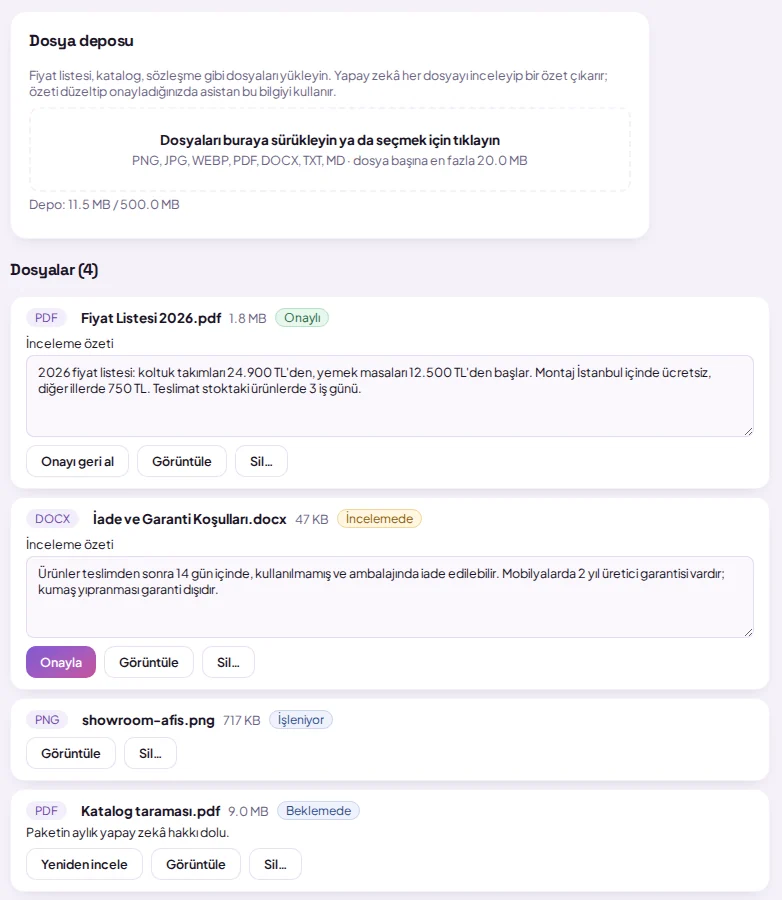
The Merge and deduplicate button in the File Repository combines approved (and optionally reviewed) file summaries into a single text grouped by topics, removing duplicates. AI displays discrepancies found between files without selection under Discrepancies list; you write the correct version into the draft. Once you approve the draft, the assistant uses this text; if files change, a 'not up to date' warning appears, and you can revert to individual summaries using Remove combined summary. Merging deducts from your AI token allowance; the combined text is limited to 7000 characters.
Resolving discrepancies
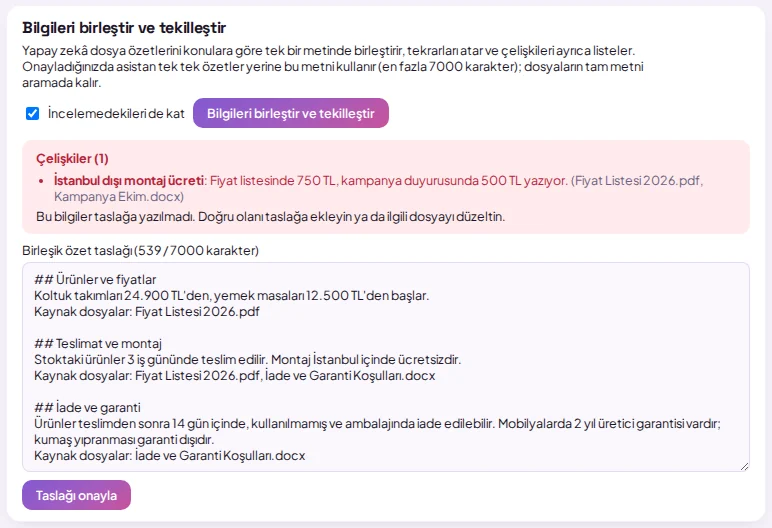
Contradictory information found by AI (e.g., different prices or measurements) is not written to the draft; it appears as a question card under Discrepancies. Select the correct option or write your own answer; you can also add any correction in your own sentence to the Add/correct information box. These administrator decisions take precedence over file content: the assistant uses these first, your decisions are carried over to subsequent merges, and they are added to the draft via Update draft with decisions.