 SmartOperator · representative
A sales representative that converses with visitors on your site
Finds products, adds them to the basket, books appointments; hands over to your team if unsure.
- Setup in two lines of code
- Source of every answer is visible
- Does not read on the payment page
Does more than just write answers; performs tasks on the site
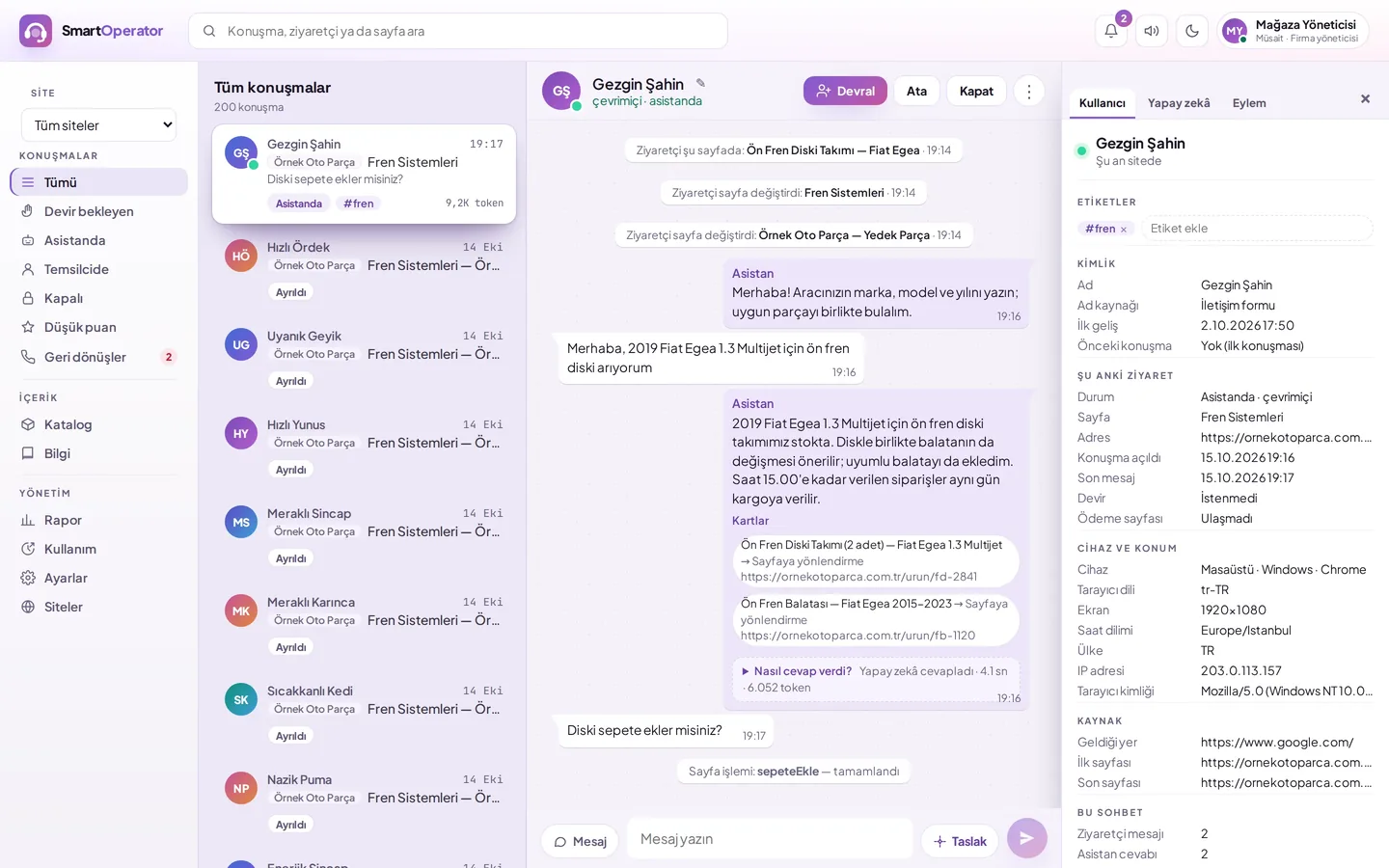
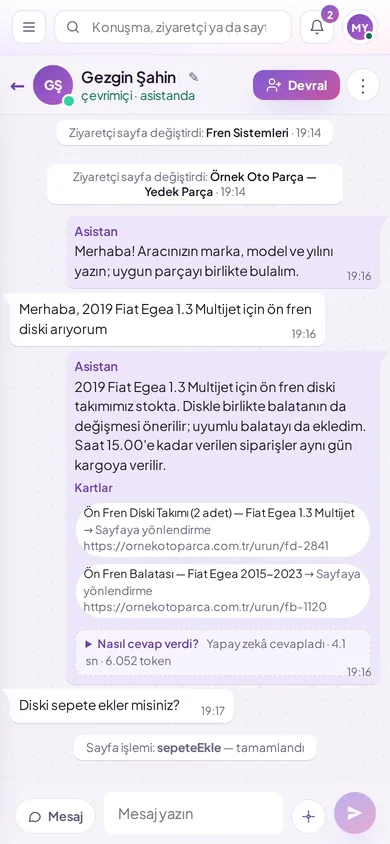
Adds items to the basket, opens appointment forms, and navigates to the correct page using actions defined by your site.
- At a critical step, the visitor says "Confirm"
- The action works within the visitor's own session
- Conversation continues even if the page changes
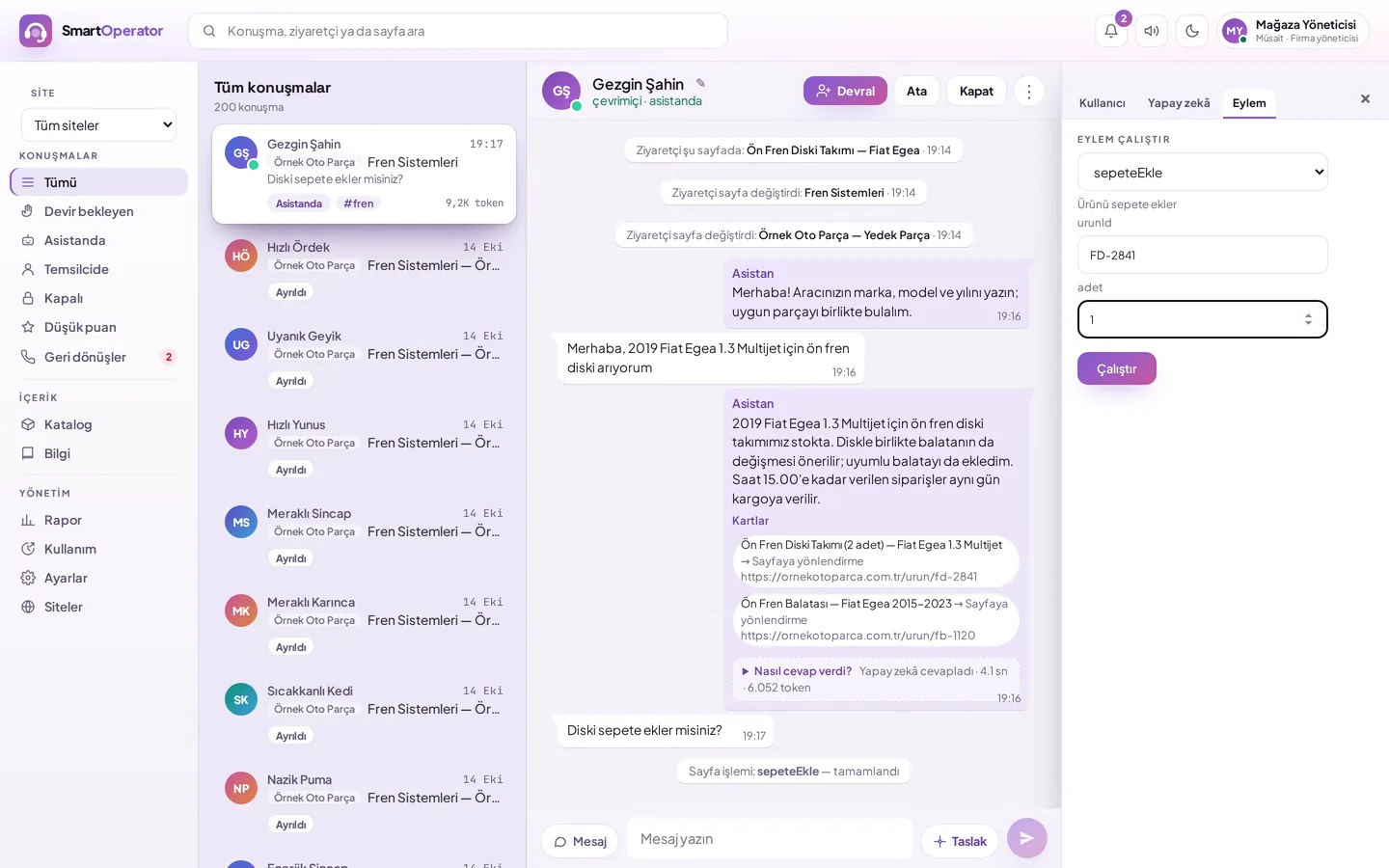
Correct product, correct price among hundreds of thousands
Transferred via catalogue feed or connected as read-only to the store database.
- Only relevant products are searched for in each query
- Price and visuals directly from your data
- Database queries are pre-checked
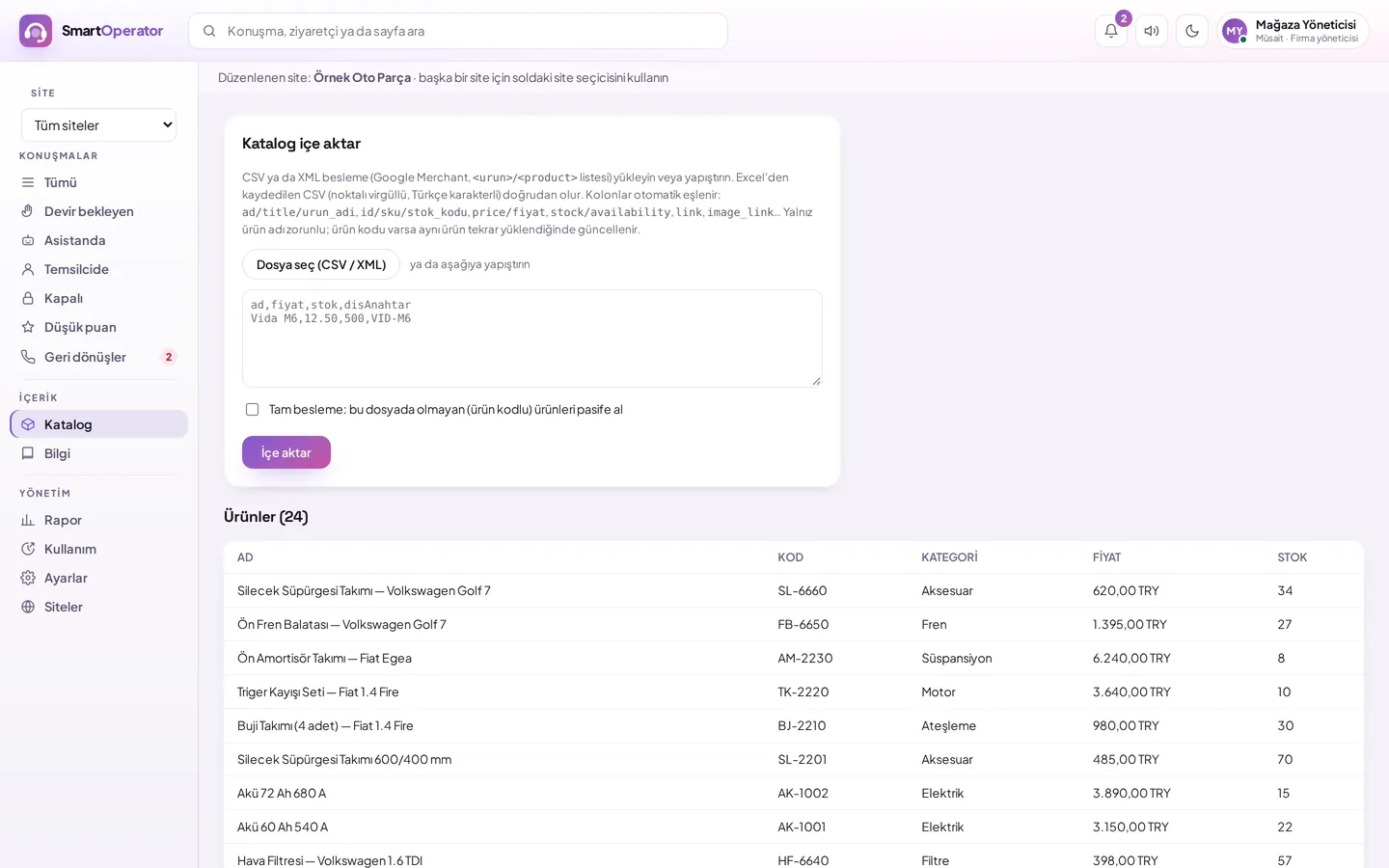
Your team takes over with one click when needed
Live conversations on a single screen; AI stops when taken over and resumes when left alone.
- Ready answers and answer drafts
- Callback request when no one is available
- Conversation assignment and tags
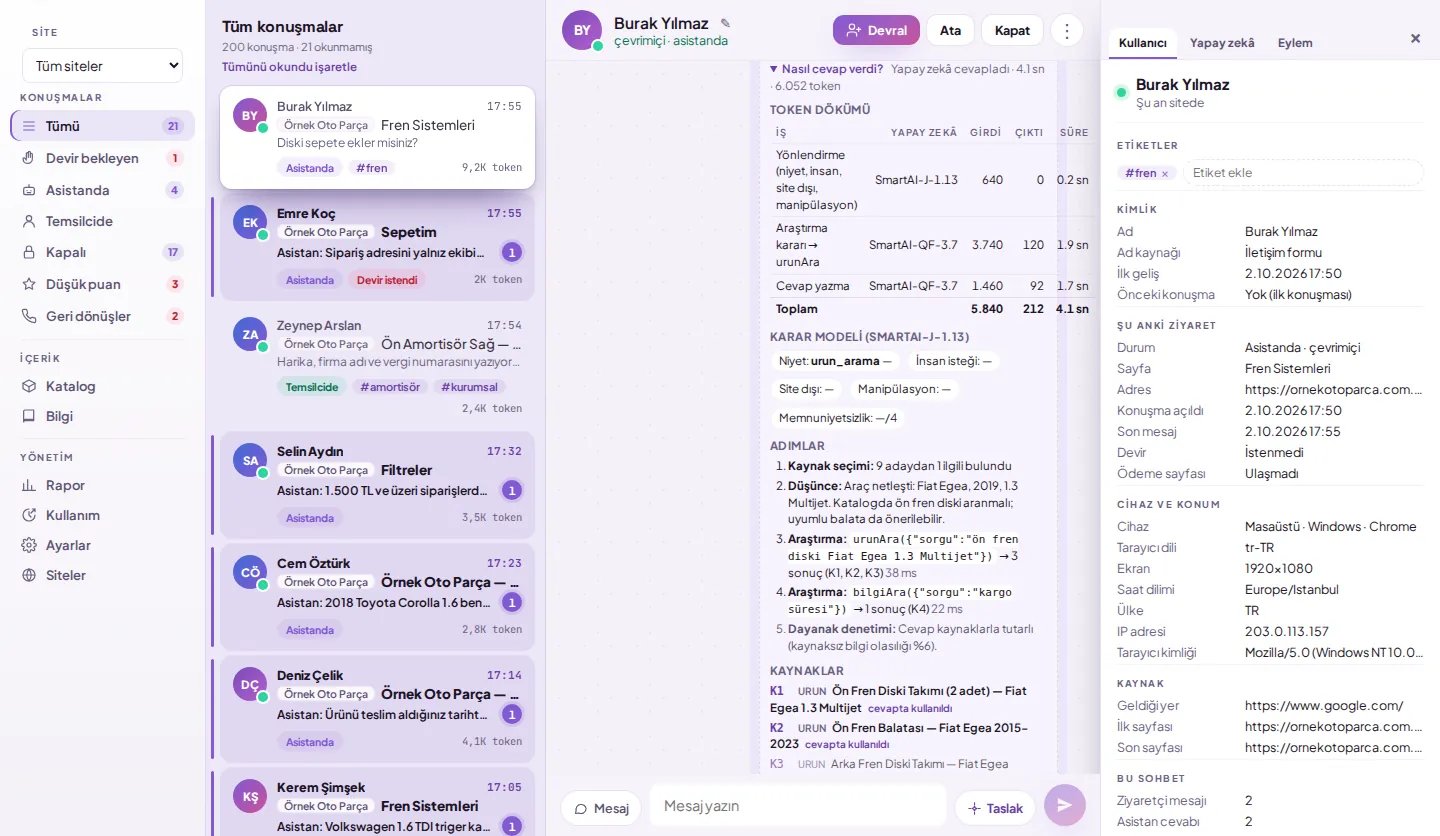
It is visible where each answer comes from
Which information item was consulted and which product was searched for, step by step in the panel.
- Knowledge base question-answer or item
- Answer by reading the current page
- Conversation and handover reports
Details that make your work easier
Sector templates, hidden trial, multi-site and usage limit setup streamline daily operations.
Sector templates
Clinic appointment and spare part search come ready-made.
Hidden trial
Only those who open the trial address on the live site can see it.
Multi-site
Multiple sites managed from a single account.
Usage limit
Daily, weekly and per-visitor limits.
Against misuse
Message limits; suspicious visitors must pass robot verification before writing.
Retention period
Expired conversations are deleted daily.
Vehicle memory
You only need to mention your vehicle once; the assistant searches for the compatible part accordingly and remembers it on your next visit from the same browser.
Two greetings
Try both greeting texts simultaneously; see which one generates more chats and drives visitors to the payment page in the report.
Also on the visitor's phone
The window opens in the bottom-right, bottom-left, side panel, or full-screen; your team uses the dashboard from the phone.
- Script does not block the page
- Window loads on click
- Conversation carries over from page to page
Difference from standard live support tools
Rows show verified capabilities in SmartOperator.
| Feature | SmartOperator | Standard services |
|---|---|---|
| Running site-specific actions | Yes | Mostly message-only |
| Visitor consent for significant actions | Yes | Generally no |
| Priced product card from catalog | Yes | Additional integration |
| Tracing the answer | In every response | Generally invisible |
| Payment page rule | No reading | Same on every page |
| Hidden trial on live site | Yes | Additional configuration |
On your site in three steps
SmartOperator is added to your site in three steps: you add the site to the dashboard, paste the two-line code, and we prepare the representative together.
Add your site
Enter the site name and domain names in the dashboard.
Paste the tag
Add the two-line code to your site's common template.
Let's prepare the representative
Let's prepare the knowledge base, catalog, and actions together.
Let's plan a suitable setup for your site
Write about your site and your expectations from the representative; we will prepare your quote.