 Product catalog
The right product among hundreds of thousands
Your catalog arrives via feed or a read-only connection is established to your store database.
- Price and visuals from your data
- Only relevant products per query
- Queries pre-screened
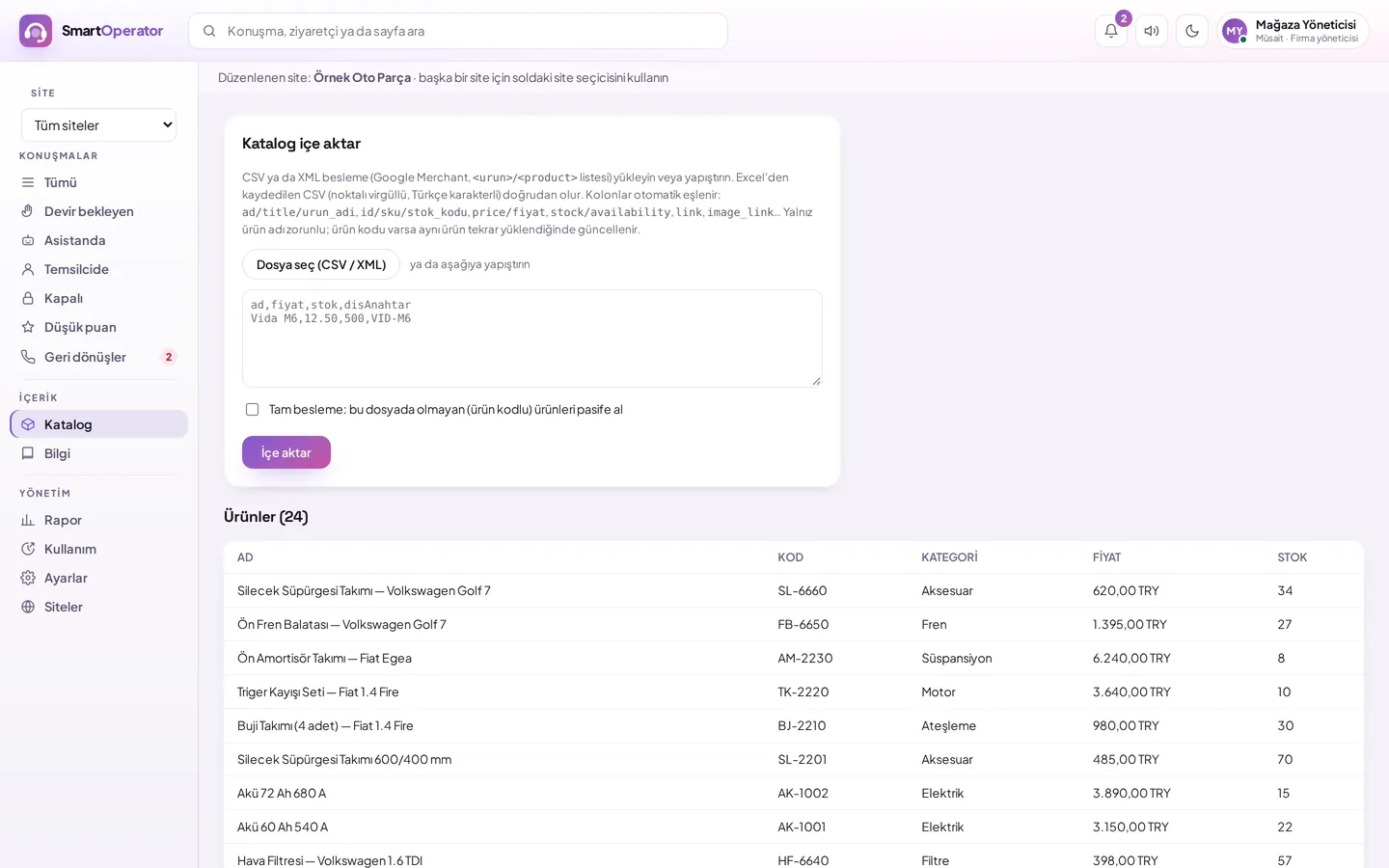
How is catalog imported via feed?
Your product list is uploaded to the Catalog screen as CSV or XML, and fields are automatically mapped.
Prepare the file
Export your product list as CSV or XML; product code, name, price, stock, page, and image are sufficient.
Upload or paste
Select the file or paste the content on the Catalog screen; format is understood from content.
Check mapping
Fields are automatically mapped; which columns are used and unused are shown.
Select full feed
If you wish, products not present in this file are deactivated; they become active when they arrive again.
CSV or XML feed
Products are updated by product code; those not present in full feed are not deleted, but deactivated.
- Common product feed formats recognized
- Turkish and foreign column names
- Product list in panel
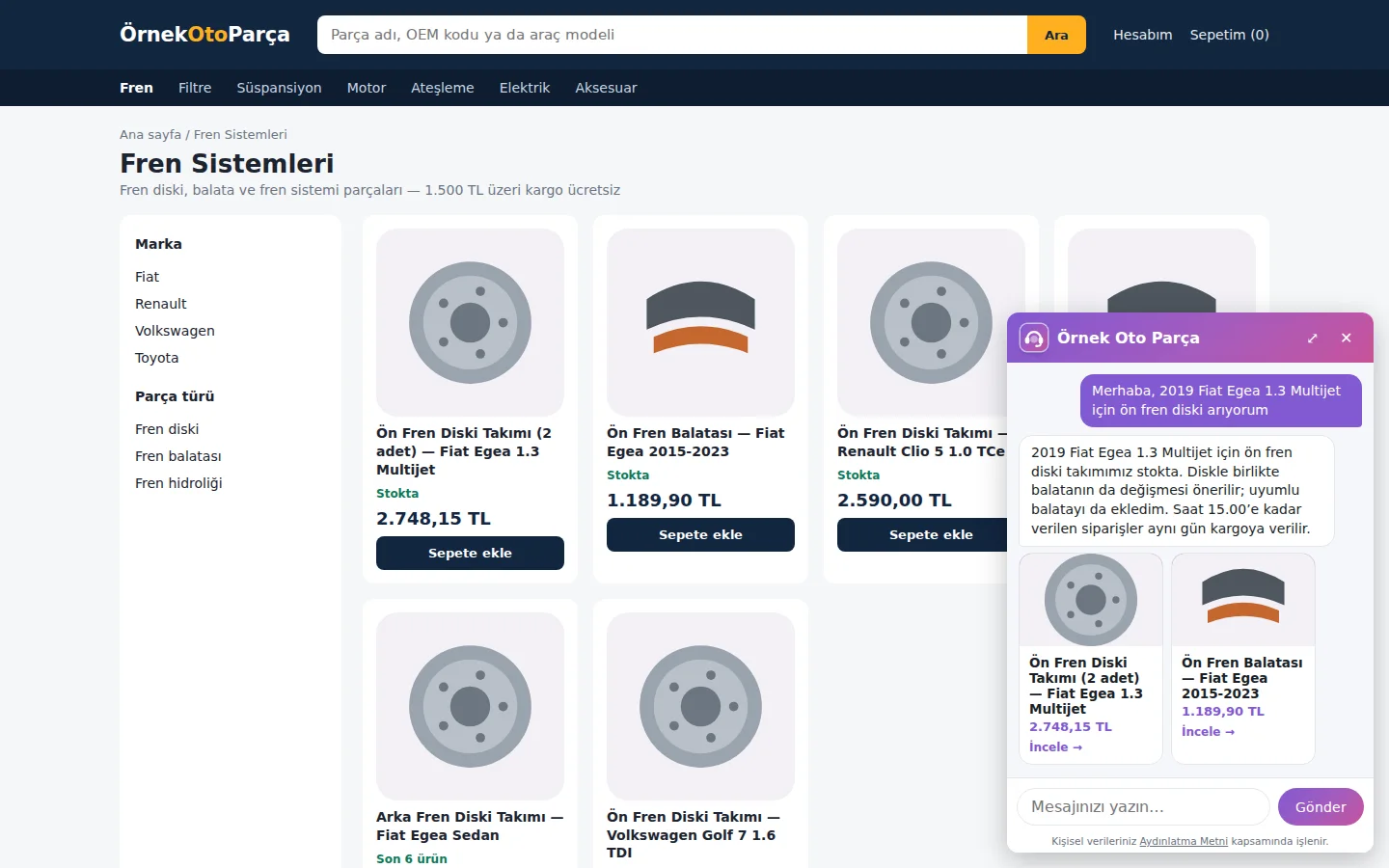
Add to cart from chat
In SmartSales stores, the visitor goes to the cart from the product card shown by the assistant, selects options for configurable products, and can request notification for out-of-stock items.
Add to cart
One click to cart from the product card shown by the assistant.
Notify when in stock
For out-of-stock items, the assistant collects your email address; upon verifying the received confirmation link, the store notifies you when the item comes into stock.
Configurable product
For products with size or colour options, the option is selected directly on the card in the chat.
Part compatible with the vehicle
Tell us your vehicle; if the store has identified compatible vehicles, the assistant shows parts that fit your vehicle and marks the compatible ones on the card.
Read-only, layered protection
Price, stock, compatibility table: the most up-to-date information comes directly from your database. Our team sets up the connection.
Permission audit
If permissions other than read exist, the connection does not activate.
Query audit
Read-only single query; permitted tables and columns.
Read-only session
The session opens as read-only; the query times out after 8 seconds.
Limited results
A maximum of 20 rows are read per query.
Encrypted connection details
The database password is stored encrypted and does not return to the panel.
Three engines
MySQL/MariaDB, PostgreSQL and SQL Server.
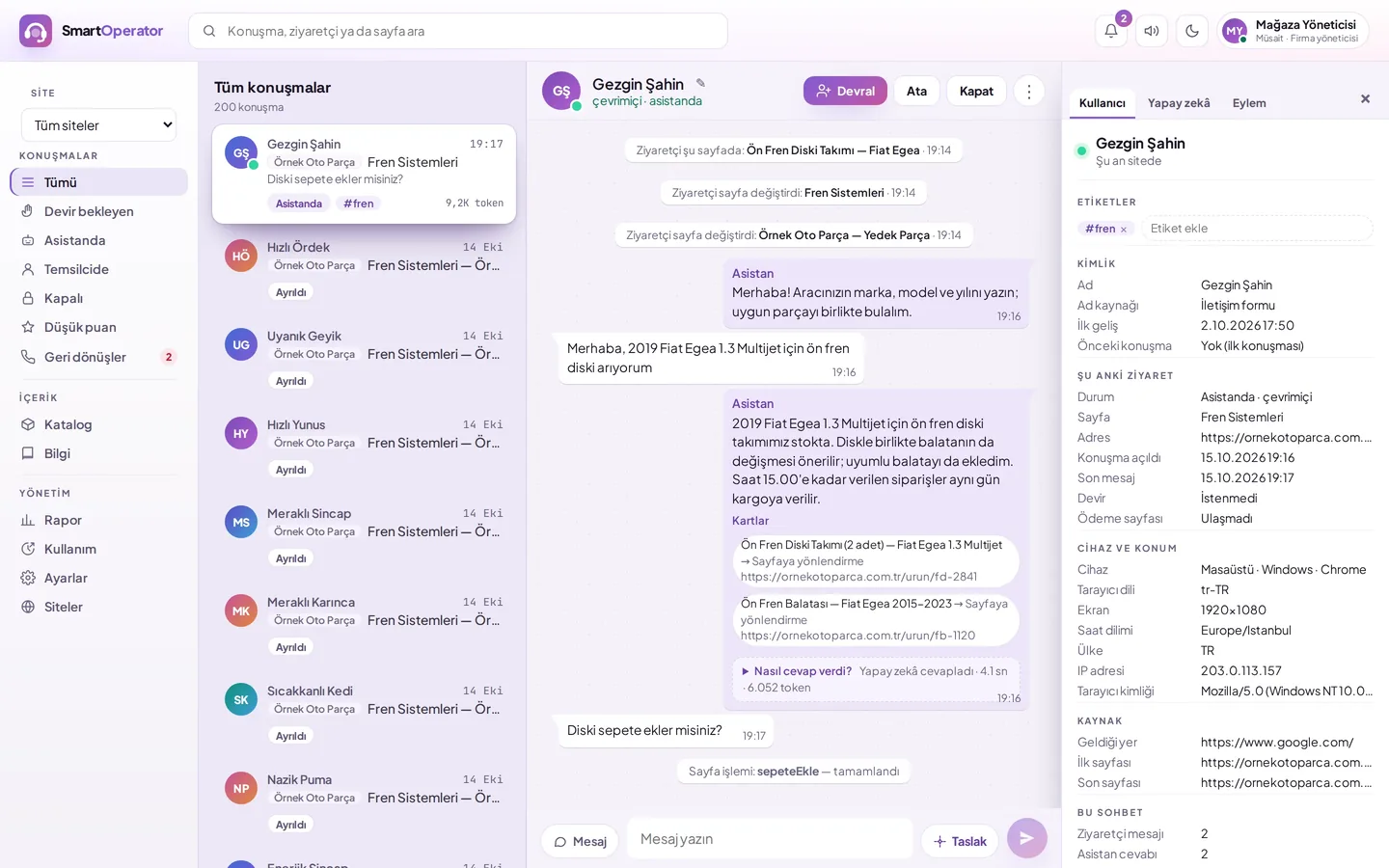
Priced product cards
The name, price, image and link on the cards are not generated by AI; they come directly from your data.
- Link to product page
- Stock status
- Complementary product recommendation
Questions about the catalogue
How do I import my catalogue?
You can upload your product list as a CSV or XML file, or paste the content. The format is inferred from the file content, fields are mapped automatically, and which columns are used is shown.
What happens when my products change?
In a new import, products are updated by product code. If you choose full feed, products not present in this file are not deleted but set to inactive; they reactivate when they appear again.
Is it secure to connect to my store database?
The connection is established with a read-only authorised user; if permissions other than read exist, the connection does not activate. Every query is audited before execution, the session opens as read-only, and a maximum of 20 rows are read per query.
Which databases can be connected?
Connections can be made to MySQL/MariaDB, PostgreSQL and SQL Server databases. Our setup team determines the connection and the tables and columns visible to the representative together with you.
Can the price on the product card be incorrect?
The product name, price, image and link on the cards are not generated by AI; they come directly from your catalogue or database. Whatever the price is in your data is what appears on the card.
How shall we import your catalogue?
Do you have a feed, or would a database connection be more suitable? Tell us about your infrastructure, and let's choose the path together.