Test on site before installation
Before installing the tag, test the assistant on your own site using a bookmark, visible only to you.
- Company administrator
How to test on site before installation?
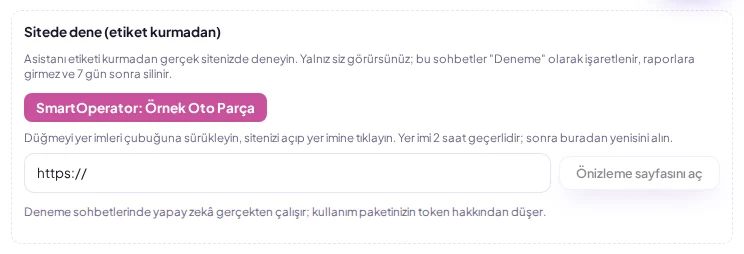
Before installing the tag, test the assistant on your own site using a bookmark, visible only to you. Who can do this: Company administrator. If your site does not allow external scripts, use the preview page. Go to Sites → site → Test on site section. Drag the button to your bookmarks bar. Open your site and click the bookmark.
Sites → site → Test on site: drag the button to the bookmarks bar, open your site and click the bookmark. The assistant works only for you; these chats do not enter reports, are deleted after 7 days, and consume tokens from your plan's AI usage allowance. If your site does not allow external scripts, use the preview page. The bookmark is valid for 2 hours; if it expires, get a new one from the dashboard.
Steps
Go to Sites → site → Test on site section.
Drag the button to the bookmarks bar.
Open your site and click the bookmark.
Share with your customer
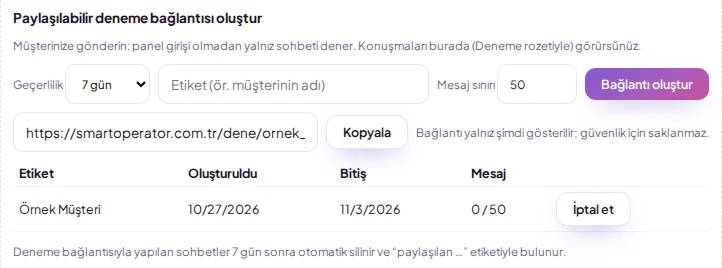
Under Sites > Try on site, use Create shareable trial link to generate a link valid for 1, 7 or 30 days and copy it; you can copy or open the links you have created from the same list later, but expired or cancelled links cannot be copied. Chats made with this link appear in the panel with a Trial badge and the tag 'shared <the label you gave the link>', and are deleted automatically after 7 days; you can close the link at any time with Cancel. By default the link is limited to 50 messages; these chats are also deducted from your AI token allowance.