How to search text in a scanned PDF? How does content search work?
To search within a scanned PDF, the text in the page image must first be converted to text, i.e., optical character recognition (OCR) is required. The converted document is found by any word it contains, regardless of its name; the search result shows the sentence containing the word, allowing you to identify the correct document without opening it.
What is the difference between scanned PDF and text PDF?
In a document prepared on a computer and saved as PDF, text remains as selectable text: copyable and searchable. A scanned document is a photograph of paper. It looks the same on screen, but the file contains no letters; only pixels forming an image.
This is why searching for the word 'termination' in a scanned contract yields no results. Paper documents in the archive, scans of signed contracts, fax outputs and photos of documents taken by phone fall into this group. In most organisations, a significant part of the archive is like this, which is precisely why these are the hardest documents to find.
What is OCR and how does it work?
Optical character recognition is the process of recognising letters in an image and converting them to text. Page images are split into lines, words and characters; the recognised text is stored as the searchable layer of the document.
The quality of the result depends on the quality of the scan. Flat, clean pages scanned at sufficient resolution read well; errors increase on tilted, shadowed or very low-resolution pages. Handwriting and stamps are never reliably readable.
- Scan the page flat and fully framed; pages with cut-off edges are read incompletely.
- If taking photos with a phone, avoid shadows and reflections.
- Scan multi-page documents as a single file; the first pages carry the most important information.
How does in-content search work?
In-content search pre-indexes document text and searches within this index rather than the files themselves. This allows searching through thousands of documents in under a second.
For Turkish, two details are important. First, suffixes: searching for 'contract' must also find 'contracts' and 'of the contract'; therefore, matching is done by the beginning of the word. Second, case sensitivity: in Turkish lowercase, 'I' becomes 'ı', but spellings like 'IBAN' or 'ISTANBUL' should also be searchable with 'i'.
What should be done to make scanned archives searchable?

- "Keep documents in text form. Instead of printing and scanning a document prepared on a computer, save it directly as PDF.
- "Gather scans in one place. Scanned documents should reside in the relevant department area, not in personal folders.
- "Give it a meaningful name. Despite OCR, the filename is the first search point; apply naming rules to searches as well.
- "Add old documents to the index. Ensure the index is fully completed for documents predating the system.
- "Test search results. Search for a few known documents by keyword within them to verify they are found.
What are common search errors?
- "Searching with very short words: Words shorter than three letters are not searched; choose a more distinctive word.
- "Stick to a single word: When multiple words are entered, documents containing all of them are found; the results narrow down and it becomes easier to find the correct document.
- "Do not view the found document’s version: Search operates on the text of the document’s current version; for expressions in older versions, check the version history.
Example: how does a law firm search old files?
A significant part of a twenty-year-old law firm's archive consists of scanned petitions, rulings, and contracts. A lawyer searches for a ruling issued in a similar dispute five years ago; they don't remember the file name, only a phrase mentioned in the ruling.
If documents were not converted to text, lawyers would have to open relevant files one by one. In the text-converted archive, they type the phrase into the search box; results are listed along with the sentence containing the phrase, enabling the correct decision within minutes.
The same search also prevents errors: a lawyer wants to ensure they are viewing the most up-to-date version of a ruling; since the search was performed on the current version of the document, it does not return an old draft as a result.
Checklist to make the archive searchable
- New documents are saved as text wherever possible; they are not scanned unnecessarily.
- Scans are straight, clean and of sufficient resolution.
- Scanned documents are stored in department areas, not personal folders.
- Old documents were added to the content directory.
- Results were filtered by searching within a few known documents using a keyword.
Why must in-content search comply with permission rules?
Hiding a document's name is insufficient; if its content is searchable, a search result could display a sentence from the content to someone who cannot see the document itself. This constitutes a serious leak for sensitive documents such as payroll slips or disciplinary records.
Therefore, content search must follow the same permission rules as the file list: if a person cannot see a document in the list, they should not see it in the search. The same rule applies to documents in restricted folders.
Who should be responsible for scanned archives?
Whether the archive is searchable depends on the habits of the person scanning and saving the document. Each department is responsible for saving their documents correctly in the right area, with meaningful names and readable quality. The system administrator ensures that old documents are added to the index and that permission rules are set up correctly.
The reliability of search results is maintained through regular testing: several known documents are occasionally searched by the words they contain; if a document cannot be found, the quality of the scan or its storage location is checked.
When selecting a new browser or scanning setting, search should also be considered: black-and-white scanned pages with sufficient resolution produce smaller files and are easier to read.
How does SmartFiles solve this?
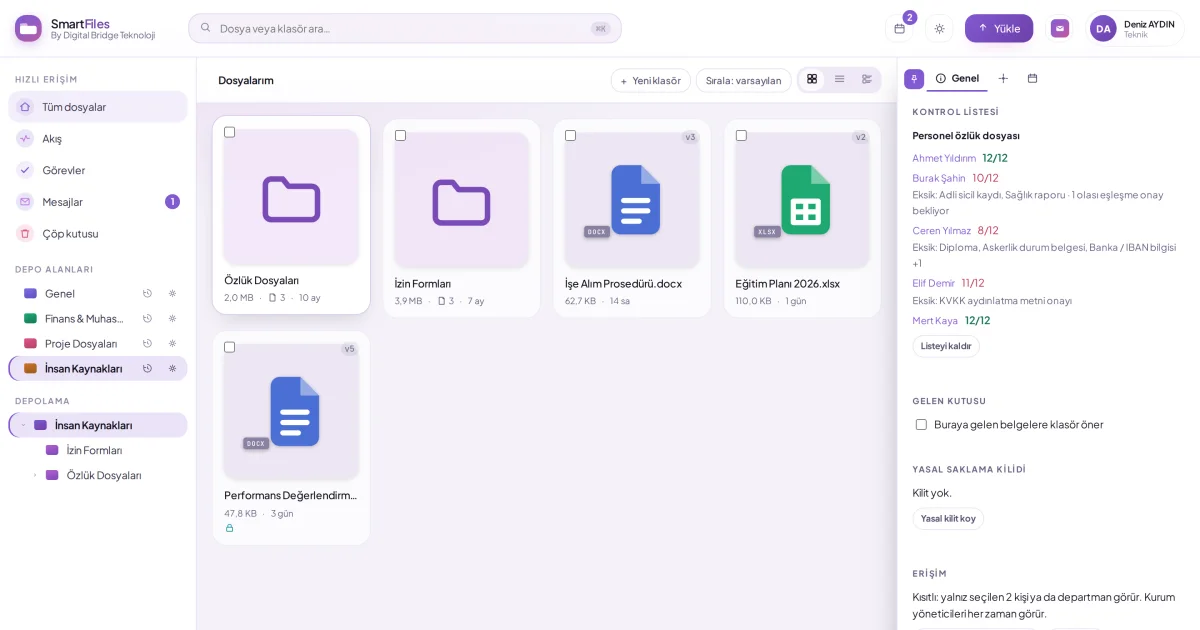
In SmartFiles, the text of uploaded documents is automatically indexed into the content directory. PDFs, Word, Excel, and text files with a text layer are read directly. Scanned PDFs without a text layer have their first 10 pages read using image analysis alongside document analysis when AI is enabled; PNG, JPG, GIF, and WebP images are also evaluated using image analysis.
When at least three letters are typed into the search box, the Documents Containing Text section opens above the file list. Results come from all areas you have read access to and are displayed with the sentence containing the word; documents in restricted folders are not shown to those without permission. Attachments are also matched; when multiple words are entered, documents containing all of them are found; words written with capital "I" and expressions like "ornek.com" can also be searched.
Search always targets the text of the current document version. For previously uploaded documents, the organization administrator completes the index with a single click via the Search in document content section in settings; this process reads only text and does not involve AI usage.
Document analysis with AISearch within documentsComplete the document content indexRead and analyse the AI summary