How are contract end dates tracked?
Contract end dates, termination notices and payment deadlines do not slip away if the date is linked to the document itself and the responsible person is reminded in time. Dates kept in a separate table are disconnected from the document and forgotten; however, a date that stays with the document, enters the calendar and sends a notification to the responsible person remains as visible as the task itself.
Why are document dates missed?
Renewal notification of a lease agreement, end date of a maintenance contract, due date of an insurance policy, termination period in a supplier contract. Most of these dates are written within the document, often in a sentence spanning a few pages. On the day the document is signed, everyone knows the date; months later, no one remembers.
Most organisations try to solve this problem with a separate spreadsheet. The table is kept up to date in the first few months, but maintenance then lapses. New contracts are not added to the table, responsible persons leave their jobs, dates pass, and contracts renew automatically without being requested. A missed termination notice could mean paying for an unwanted service for another year.
Which dates should be tracked?
- Contract end and auto-renewal dates.
- Last day for termination notice (usually some time before the end date).
- Payment terms and instalment dates.
- Most critical dates are usually the final day for termination notice; this must also be added separately.
- Validity dates for health reports, driving licences, or authorisation certificates in personnel documents.
- Notification and application deadlines for official institutions.
What should good date tracking include?
Effective date tracking is not just about recording dates. It must carry these four elements together:
- "Document linkage: The date should be recorded so that the related document can be accessed with a single click.
- "Responsible person: Each date must have an owner; reminders should go to that person.
- "Timely reminders: Tasks such as termination notices require preparation; reminders must arrive sufficiently in advance.
- "Repeat: dates that recur monthly or annually should be defined once and repeat automatically.
How to set up date tracking step by step?
- "Gather documents in one place. Keep contracts in department or customer folders within a single archive.
- "Add dates to the document. Whenever a contract is uploaded, the end and termination dates should be added to the document itself.
- "Select reminder time based on the task. A few weeks’ notice is sufficient for termination notifications, and a few days for payment deadlines.
- "Determine the responsible person. The notification should be received by the person who will do the work, not the person who added the date.
- "Review weekly. Regularly check dates for upcoming days; complete tasks should be closed.
What are common mistakes in date tracking?
- "Record only the end date: The critical date is often the final day for termination notice; this should also be added separately.
- "Leaving the reminder to the last day: Termination notices require preparation, approval, and sending; a reminder arriving on the same day is often too late.
- "Keep dates in the personal calendar: When a person takes leave or leaves, the date should also go; the date must stay with the document and the organization.
- "Failing to close completed tasks: Open old dates shadow new and genuine alerts.
Example: how does a company monitor rental and service contracts?
A company with three branches has nearly twenty contracts: branch rents, cleaning and security services, software subscriptions, vehicle rentals, and insurance policies. Last year, a cleaning contract was automatically renewed for another year because the termination notice period was missed.
In the new format, two dates are added when each contract is uploaded: the end date and the final day for termination notice. A reminder is set thirty days before the termination date, and the unit administrator who owns the contract is selected as the responsible party. Insurance policies are defined as recurring dates annually.
When the unit manager receives the reminder, they evaluate the contract: if it will continue, they complete the work; if it will be modified, they begin negotiations with the other party; if it will be terminated, they send the termination notice on time. The date now resides not in a table row but in the document itself and in the responsible person’s calendar.
How is the success of date tracking measured?
- "Number of missed dates: Dates that have passed without action despite reminders.
- "Late-closing tasks: Reminders completed after their due date.
- "Unsigned contract ratio: The proportion of contracts in the archive that do not have a date added.
- "Unassigned date: Dates not assigned to anyone, appearing only on the creator's calendar.
How is termination notice period calculated?
Most contracts contain a clause such as 'the contract extends for one year unless either party gives notice at least thirty days before expiry'. In this case, the key date to track is not the expiry date itself, but the date thirty days prior to expiry. Since notification may take time to reach the other party, reminders should be set even earlier than this date.
Calculations should be based on the contract itself: some contracts count business days, others calendar days; some require written notification via a specific method. When these details are noted alongside the date, the person receiving the reminder knows what action to take.
Who is responsible for contract tracking within the organization?
The owner of the contract is the unit benefiting from the service: administrative affairs for rental agreements, IT for software subscriptions, the relevant branch for cleaning services. Reminders should go to the manager of that unit, as they make the decision to continue, modify or terminate.
If it is the purchasing or legal department, it monitors the list of all contracts and upcoming dates to ensure decisions are made on time. When the date coincides with the document, these two roles view the same information; one performs the task, the other verifies it has been completed.
In small businesses, these two roles are often held by the same person. In that case, it is important that the history is assigned to a person and stays with the document; when the person changes, responsibility passes to the new person without waiting for a separate table transfer.
How does SmartFiles solve this?
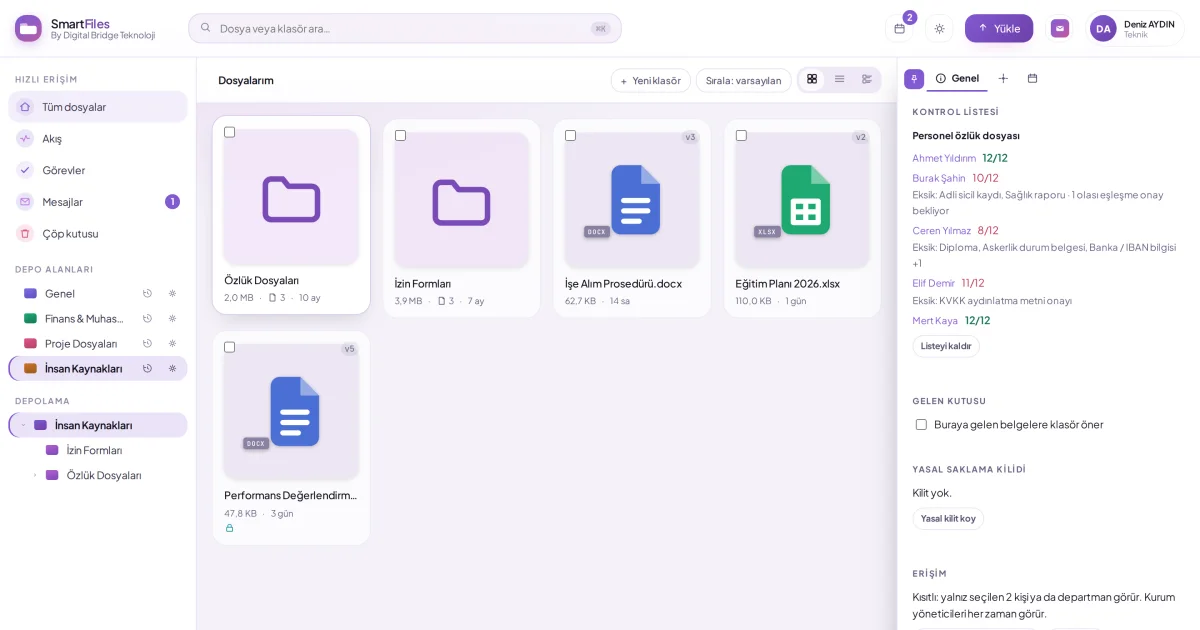
A user with write permission in SmartFiles adds a date to a document or folder: they choose what it is, the day, and how many days before it should remind them. They can assign the date to another person or set it to repeat monthly or yearly. If AI is enabled, Find dates in document suggests expiry, termination, and due dates in the document; the user adds their choice with a single click.
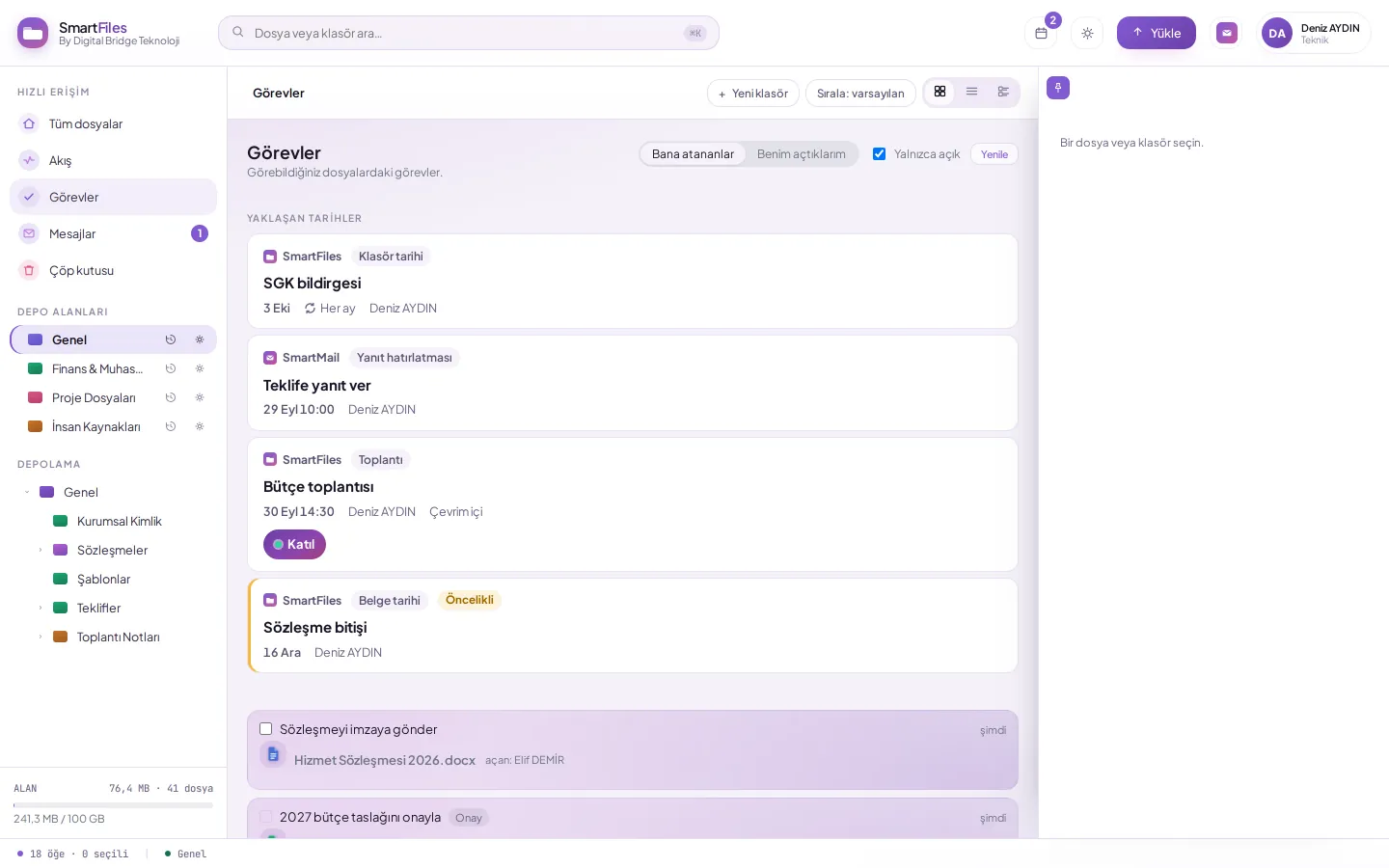
The added date is entered into the person’s DBLinx calendar and appears across all DBLinx products. When the time comes, a notification is sent to the responsible party; if the date was added to a document, a task with that due date is also created in Tasks. In SmartFiles, the Upcoming dates section above the Tasks screen lists upcoming days.
The number above the calendar icon in the top bar shows today's open calendar items; if any item is overdue, the number is red. Calendar history shows who added, completed, or removed what in a document's calendar. When a document is permanently deleted, its associated dates are also deleted.
SmartFiles featuresAdding calendar date to document or folderView today's calendar from the top barTrack and complete my tasks