How to collect files from customers? Requesting documents without creating an account
The most organised way to collect documents from customers or suppliers is to send a time-limited upload link for the folder where the documents will go. The other party uploads their file without creating an account, cannot see the contents of the folder; each incoming file lands in the correct place with sender information, eliminating the need to chase email attachments.
Why is document collection so difficult?
An accounting office requests invoices and receipts from its customers every month. An HR team expects ID, diploma, and health reports from a newly hired employee. A law firm requests power of attorney and contract copies from its client. In all cases, the same table repeats: documents arrive in fragments, through different channels, under different names.
Documents collected via email remain in the recipient's mailbox. Files hitting the attachment size limit arrive via cloud link, which expires. Photos from messaging apps stay on whoever's phone they were saved on. Eventually, someone has to download all parts and copy them to the correct folder; another list is maintained separately to check if any document is missing or complete.
This clutter is not just a waste of time. Documents containing personal data leave copies in unmonitored mailboxes and devices of the organisation. When asked which document came from whom and when, a definitive answer cannot be given.
What are the methods for collecting documents?
It is possible to group the methods used by organizations into four categories; each has a different cost:
- "Email attachment: A method everyone knows, but the document stays in the recipient's mailbox and archiving depends on someone remembering to do so.
- "General cloud link: Used for large files; access, duration, and uploader identity are often outside the organisation's control.
- "Creating an account for the counterparty: Controlled, but gives the customer a new password and opens a door to the entire organisation’s file system; a heavy-handed method for a one-off document.
- "Folder-specific upload link: The other party doesn't need an account, can only drop files into that folder, cannot see inside; the link is time-limited and revocable.
What should a good upload link provide?
Every link opened to collect documents is an external door to the organisation’s file system. This door must have the following features:
- Should only be able to write to a single folder; the uploader should not be able to see other documents in the folder or those uploaded by others.
- It must be time-bound and cancellable with a single click when the job is done or doubt arises.
- Password and file count limits should be configurable when necessary.
- It should be able to request the sender's name and email, and record every upload with its date.
- It must not overwrite a document with the same name; it must not accept dangerous types such as executable files.
- When the employee who opened the link leaves the organization, it should automatically become inactive.
How to set up the document collection process step-by-step?
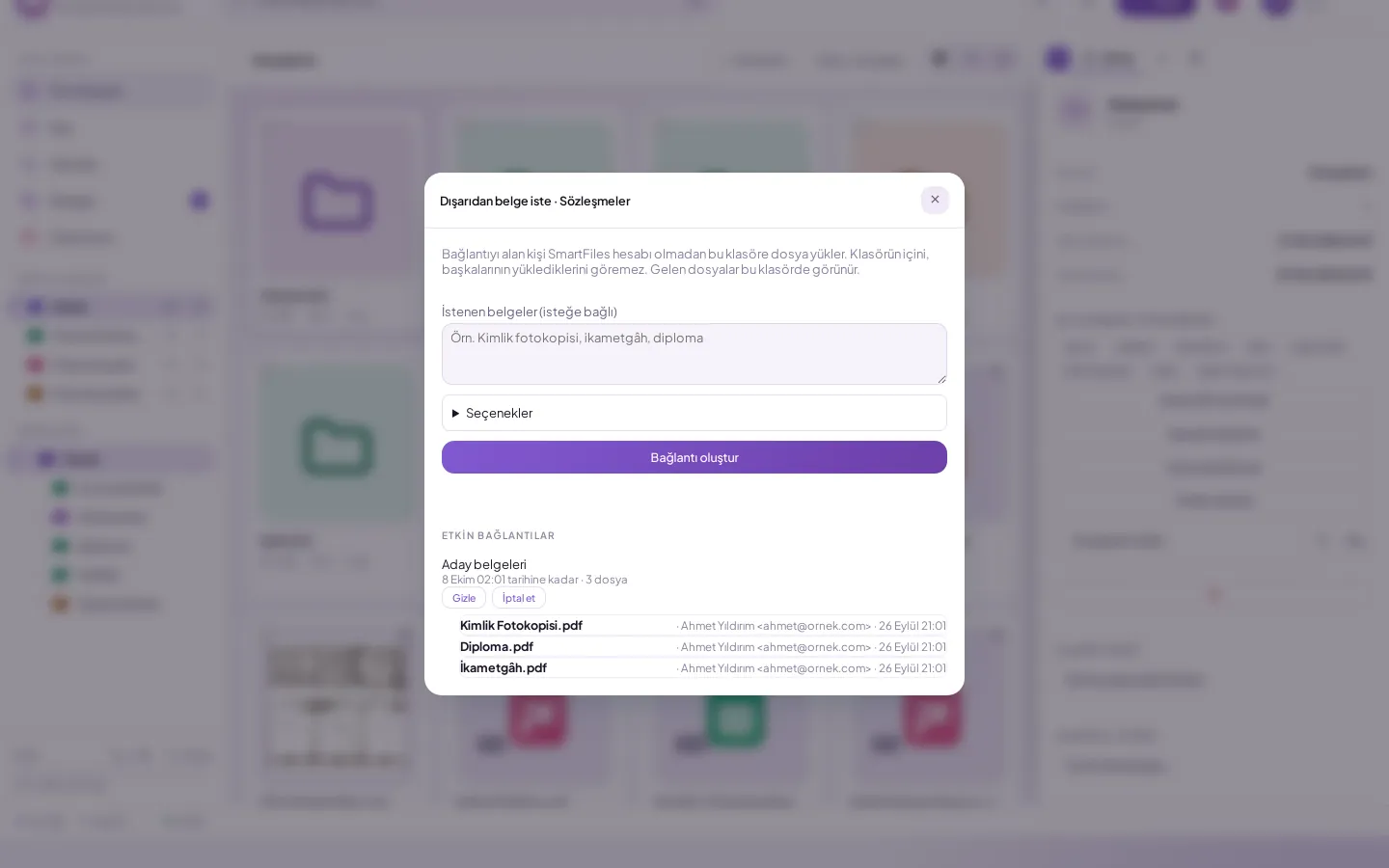
- "Prepare the target folder. Create a folder for each customer or staff member; documents fall directly into it.
- "Write down the requested documents. Clearly specify which documents you are waiting for along with the link; do not force the recipient to guess.
- "Choose duration based on the task. A few days are sufficient for one-off requests; for periodic document collection, set the duration according to the end of the period.
- "Set password and file limits if needed. For documents containing personal data, send the password via a channel separate from the link.
- "Check incoming items. View every uploaded document with its name and sender, and remind the other party of any missing items.
- "Cancel the link when work is finished. An open link is like a door left unnecessarily ajar.
Which errors break document collection?
- "Collecting from everyone with a single link: Documents from different customers mix in the same folder; use separate folders and separate links for each customer or record.
- "Indefinite link: A link that works months later gives anyone who finds the address the ability to upload.
- "Not specifying what is needed: The other party sends incomplete or incorrect documents, prolonging correspondence.
- "Do not rename incoming files: “IMG_2041.jpg” from a phone conveys no information in the archive; correct the name according to the organization's naming convention.
Example: how does an accounting office collect monthly documents?
Consider an accounting office with forty customers. At the beginning of each month, customers are requested to send sales and purchase invoices, bank slips, and expense receipts. In the old way, each customer sends their documents through a different channel: some via email, some via messaging app photos, some via a cloud link. On the tenth day of the month, an employee spends half a day figuring out which customer sent what.
In the new layout, each customer has a folder, and each month a valid upload link is sent to that folder until the end of the month. The link lists the documents expected for that month. Customers drop their documents directly into the folder via their phone or computer; the office sees every received file with the sender’s name and date. At the end of the month, the link expires, and a new one is sent for the next month.
The biggest benefit of this process is visibility: it becomes clear which customer's documents are missing without checking a separate table, and reminders are sent only to those lacking items.
How is the success of the document collection process measured?
After the process is set up, it should be monitored with a few simple metrics:
- "Completion time: The period from the day the request was sent until the day all documents were received.
- "Reminder count: How many reminders are needed until documents are completed.
- "Incorrect document rate: Avoid incoming documents that are wrong or unreadable.
- "Number of open links: Links that haven't been cancelled despite work being finished.
How to handle personal data when collecting documents?
Most collected documents contain personal data: ID copies, health reports, bank details. These documents should be stored in a single location monitored by the organisation, shared with no more people than necessary, and access revoked when work is complete.
The person requesting a document must clearly state to the other party why it is needed and where it will be stored. Unnecessary documents should not be requested; if only the front of an ID is sufficient for an application, the back should not be requested. The fewer copies left by the collection channel, the easier it is to control personal data.
How does SmartFiles solve this?
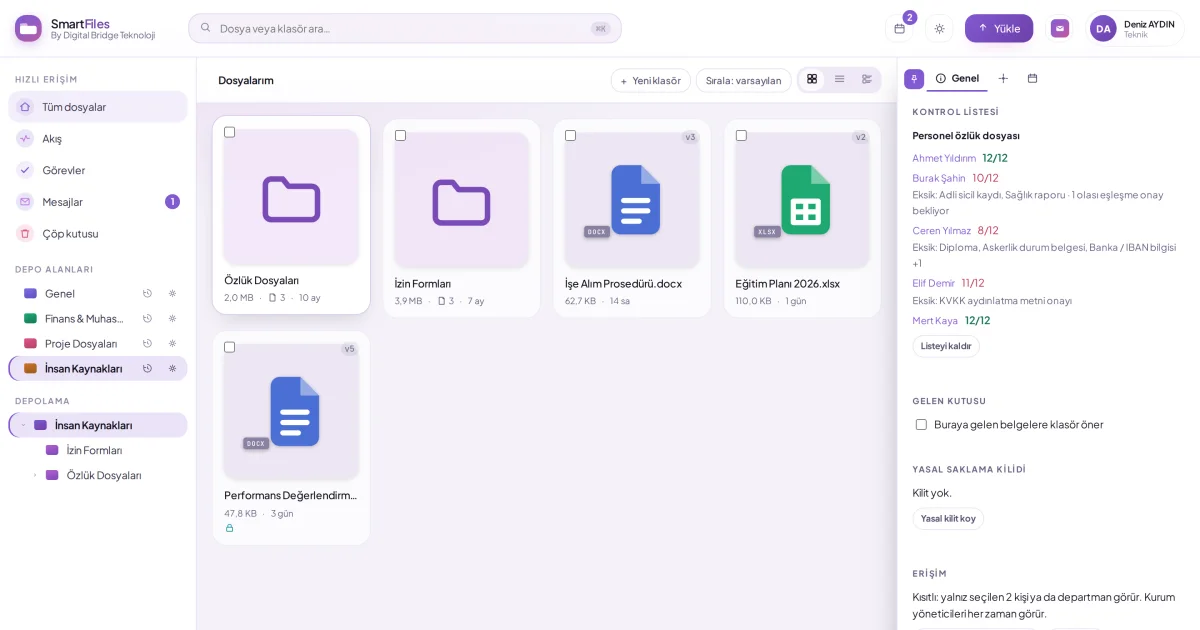
A user with write permissions in SmartFiles creates an upload link via Request Document Externally from the folder's details panel. The recipient uploads files without creating an account but cannot see the folder's contents or what others have uploaded. External sharing is an organisation setting and is disabled by default; links can only be created after the organisation administrator enables it.
The link is valid for 14 days by default; the duration can be selected between 1 and 90 days. Password and file limit are optional; the file allowance decreases upon completion of upload, and an incomplete attempt does not consume a quota. The uploader's name and email are requested; a single file can be up to 250 MB, and dangerous file types are not accepted. If a file with the same name exists, it is not overwritten; '(2)' is appended to the new file's name.
Incoming files appear in the folder and in the Incoming list with the sender’s name and date; a notification is sent to the link creator via the mobile app. The link address is shown only at creation and can be cancelled at any time. The link becomes inactive if the opener leaves the organisation or the area is archived. In a folder with an applied checklist, Request missing items opens a pre-filled upload link window listing the missing documents.
Collaboration and external sharingRequesting a document from outside (upload link)Opening external sharing linksApply a checklist to a folder (tracking missing documents)