 Features
Each feature, with its own screen
The following images are taken from the product itself; content is illustrative.
Layout and permissions
Who sees what at a glance
Storage areas
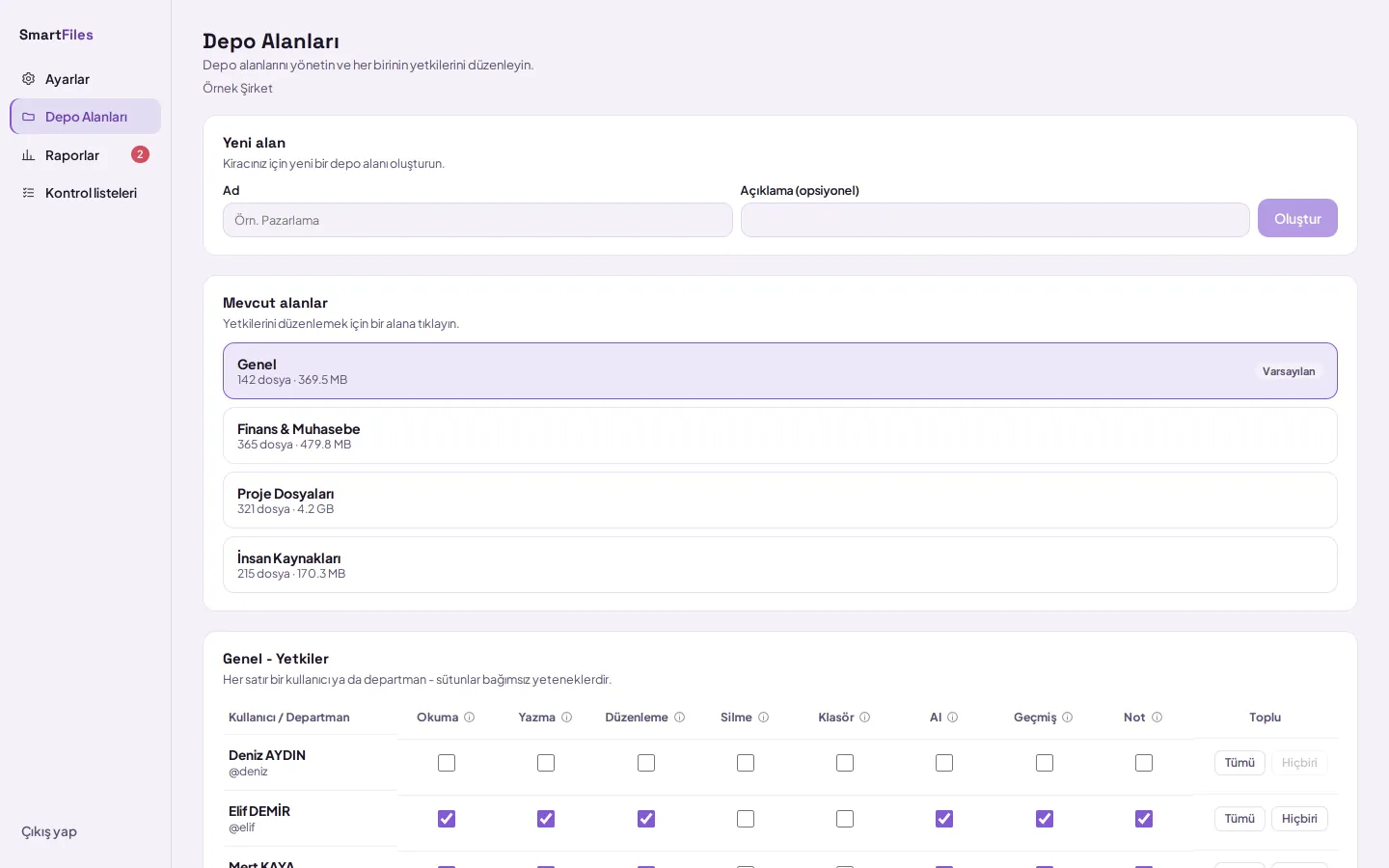
- Read, write, delete separately
- Permissions granted to the department apply to its members
- Folder-specific access
Files
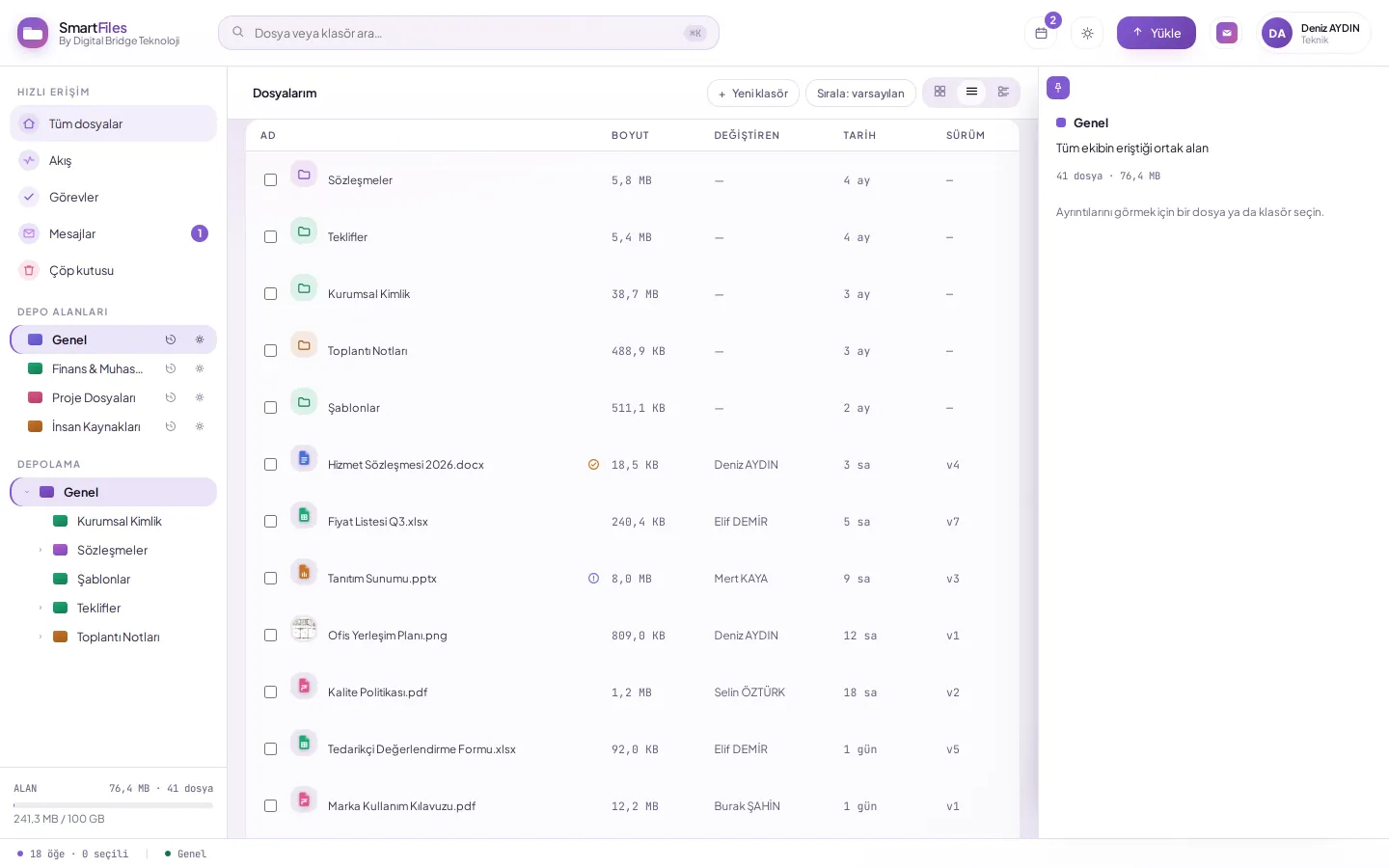
- Folder size with subfolders
- Version column on every row
- Right-click menu
Flow
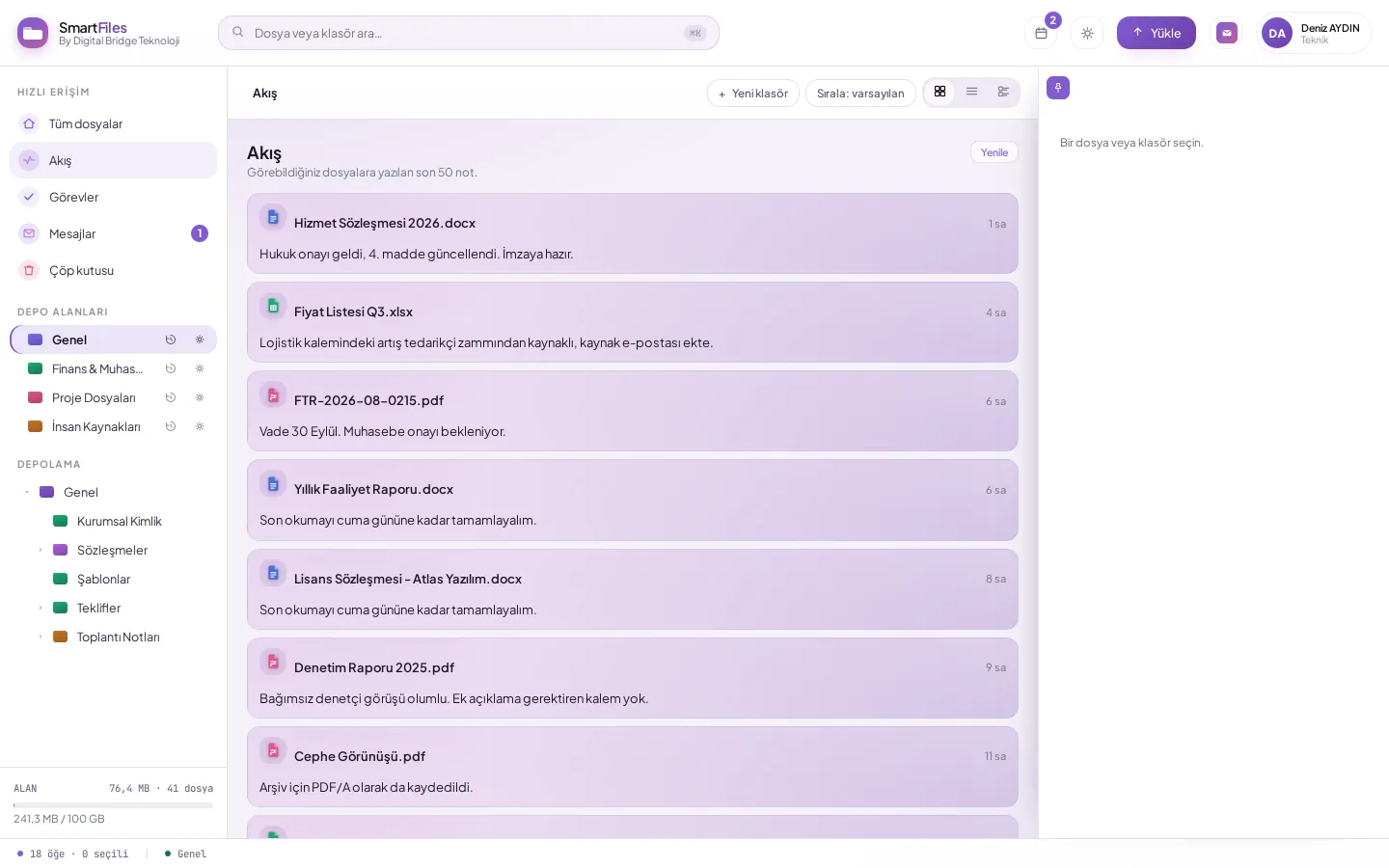
- A note is written to the file
- Task assigned, documents linked
- The screen refreshes automatically
Settings
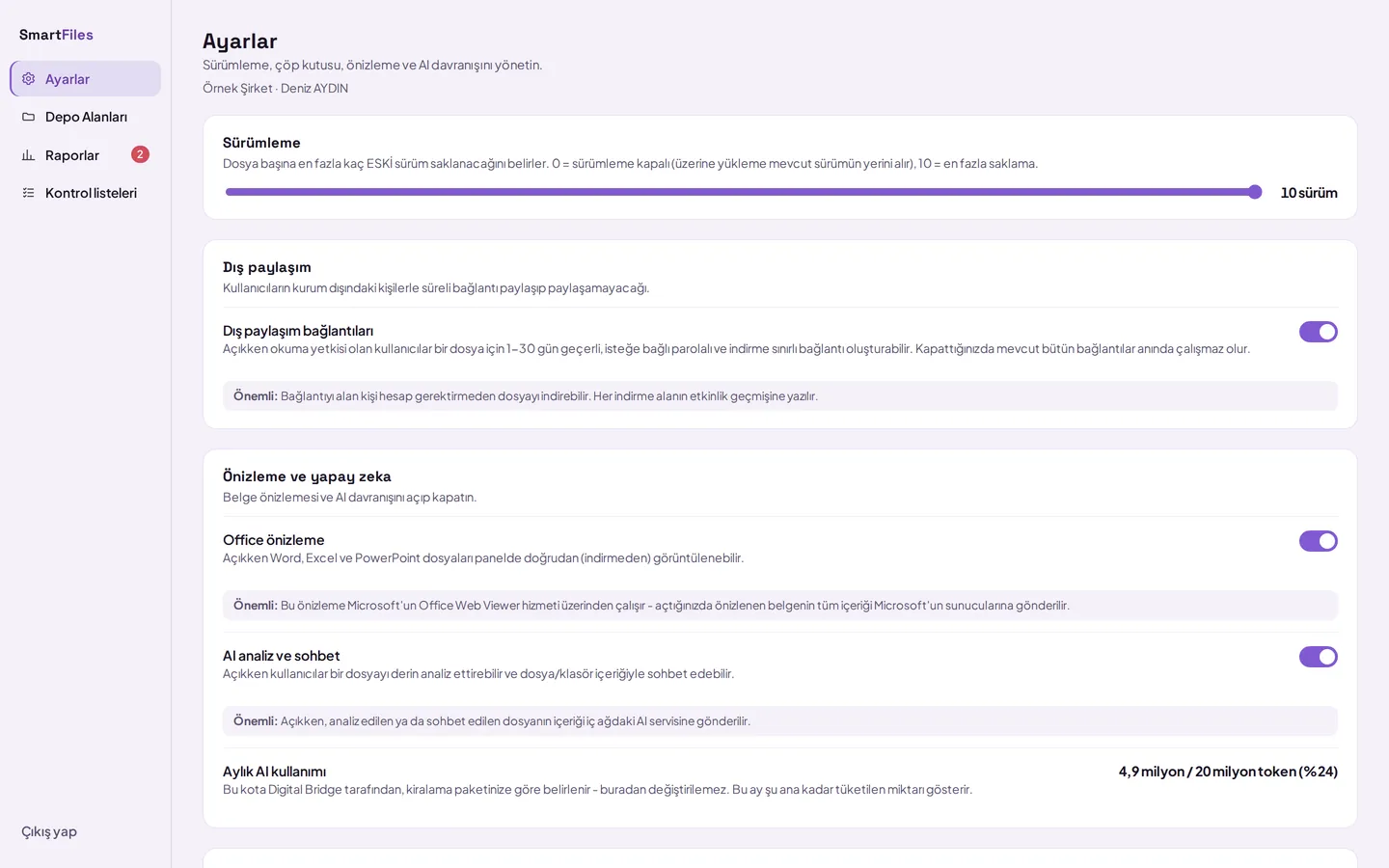
- Up to 10 versions per file
- Trash defaults to 30 days
- AI is enabled or disabled across the organisation
Artificial intelligence
Understand without opening the document
Document details
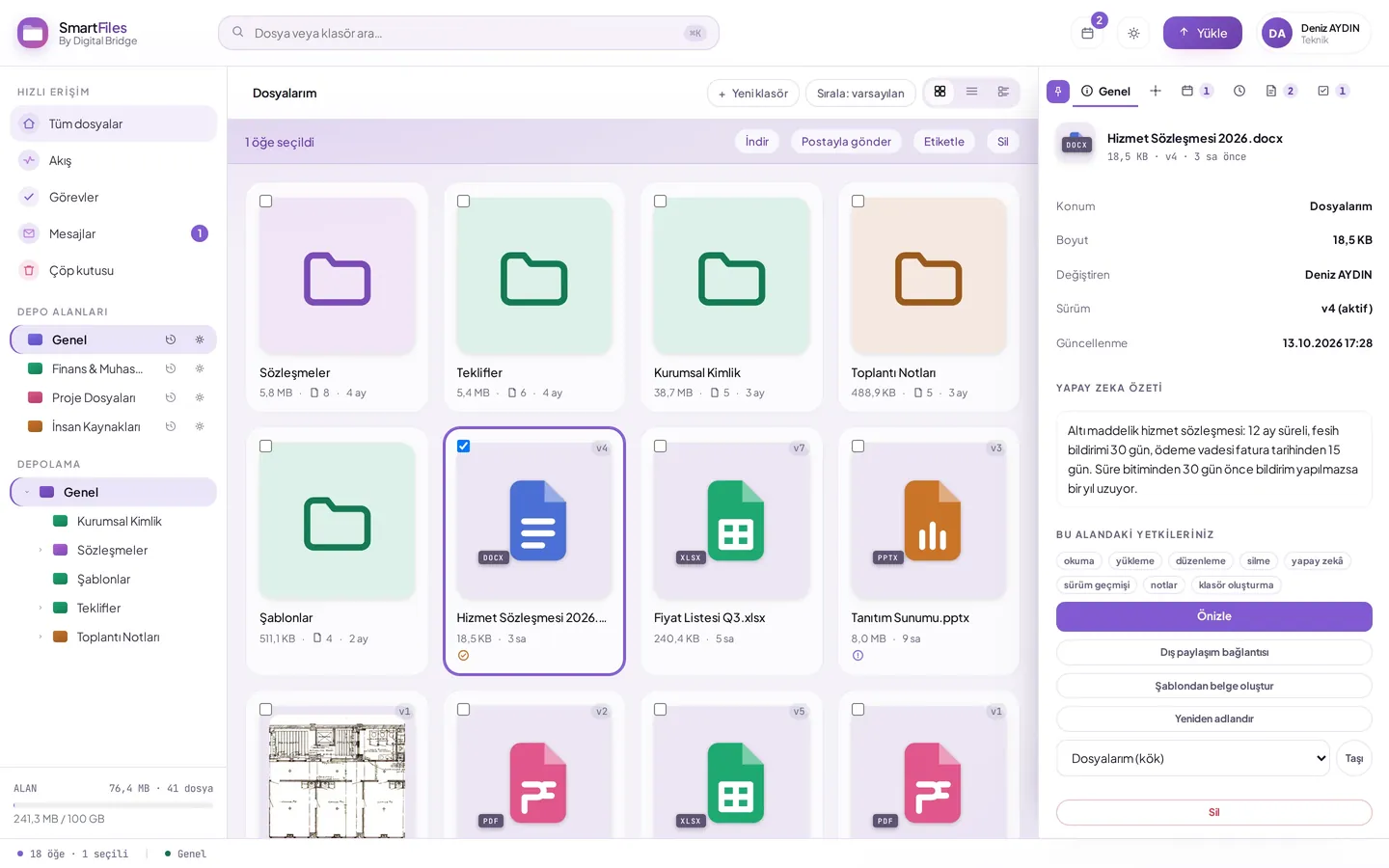
- Summary, Key Points, Structure, Notable Details
- Questions can be asked about documents and folders
- First ten pages of scanned PDFs are read
Inbox
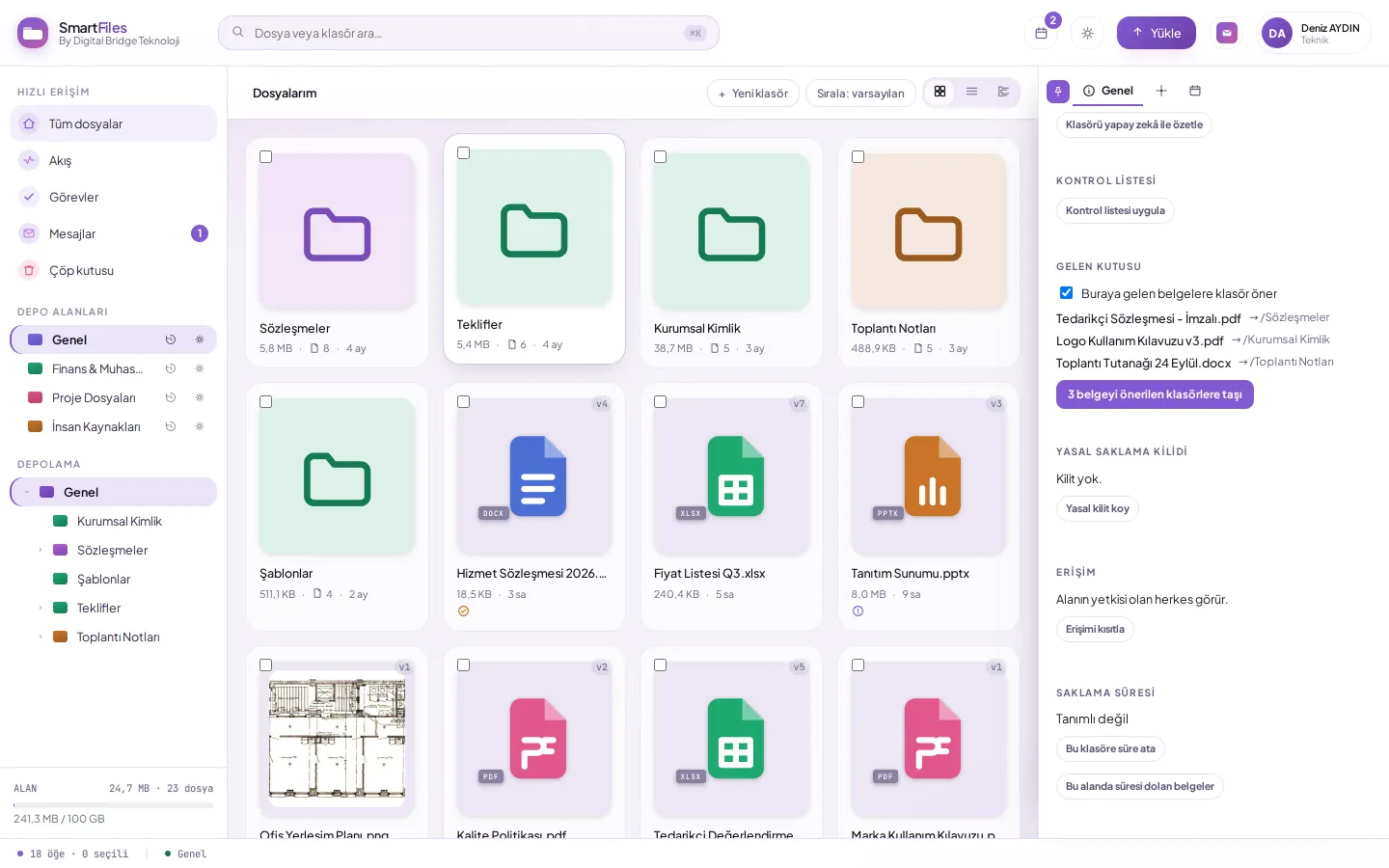
- Invoices to invoices, contracts to contracts
- Automatically moved, moved with a single click
- Permissions remain exactly as they were
Extract invoice information
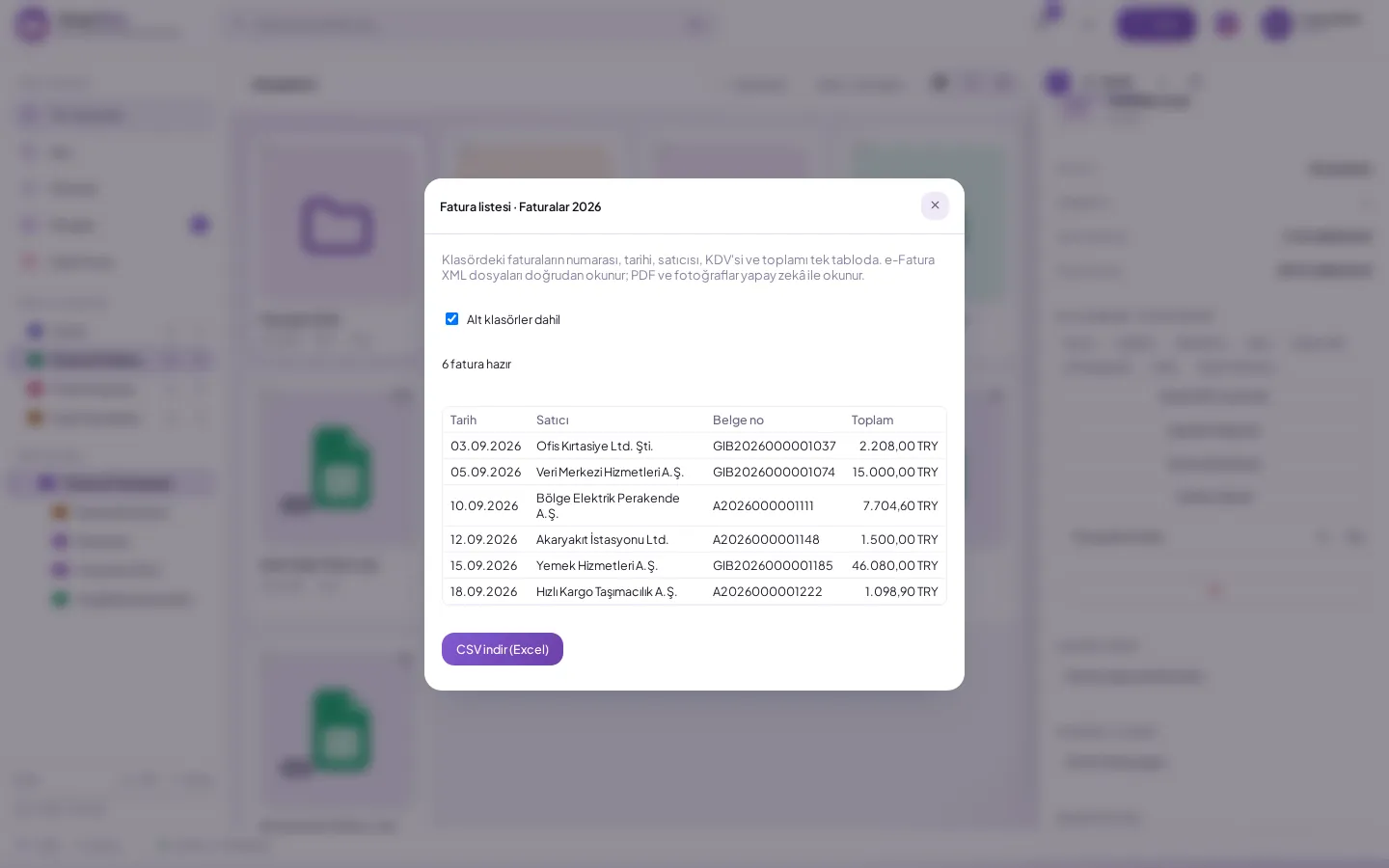
- e-Invoice and e-Archive XML directly
- PDF invoice and receipt photo is read
- Downloaded as CSV
Checklist
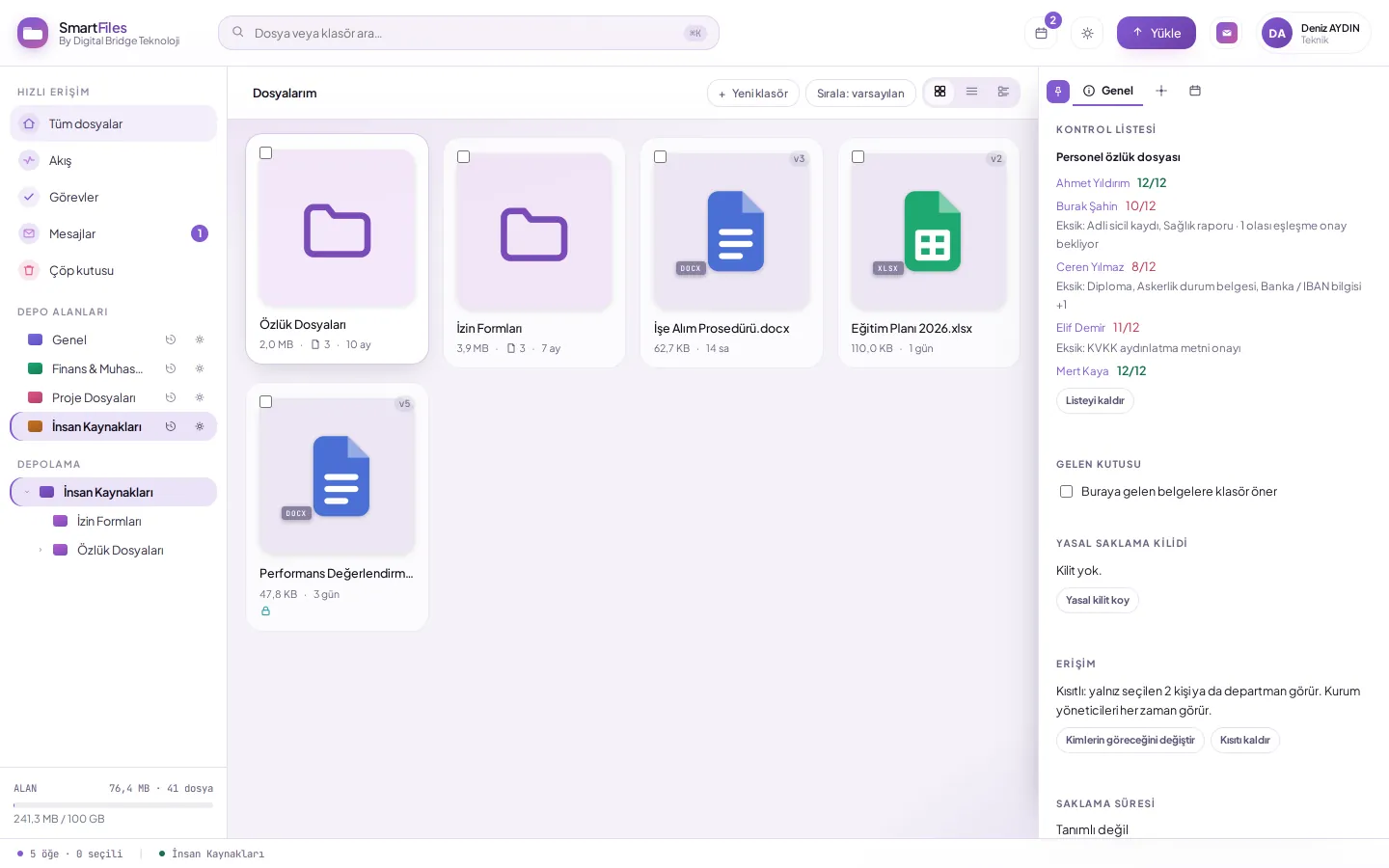
- HR, project, and customer files are ready
- The organization creates its own list
- Missing items are requested via upload link
Sharing and aggregation
Document exchange without creating an account
Used when the administrator enables external sharing.
Request document externally
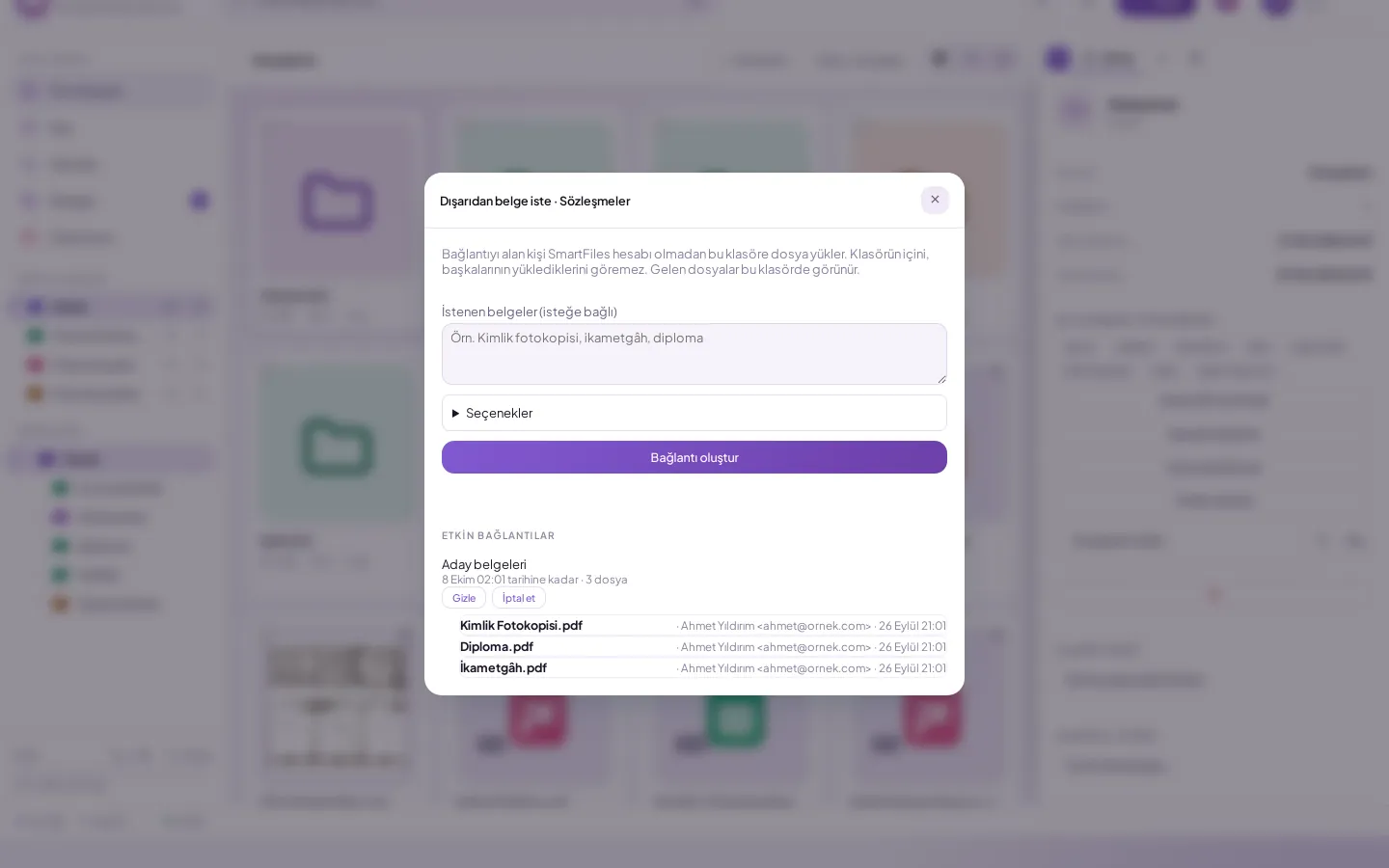
- Cannot see inside the uploading folder
- Sender information in incoming files
- With a single tap on mobile
View only
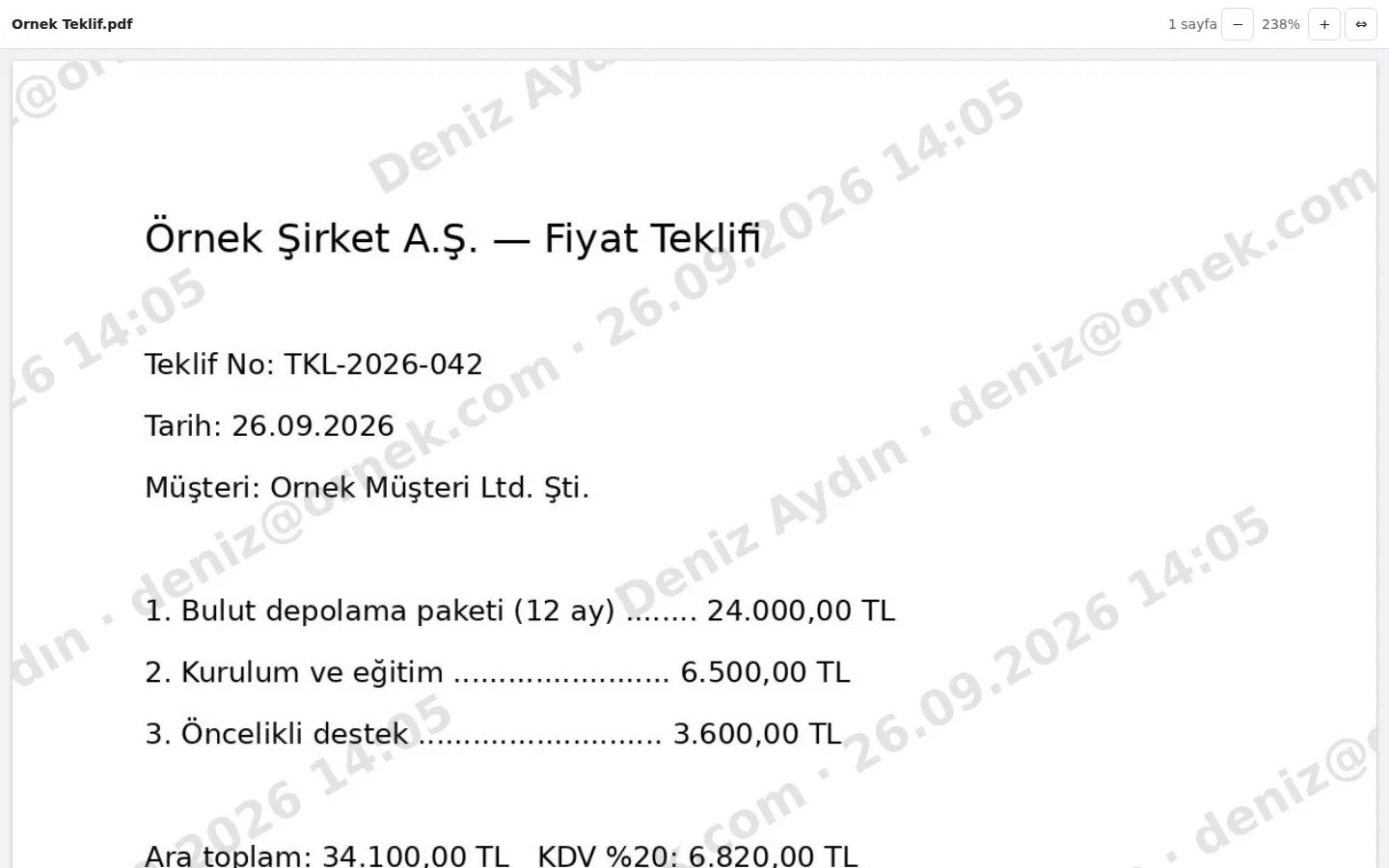
- In PDFs and images; recipient cannot download
- Recipient watermark on each page
- Link valid for 1–30 days
Document from template
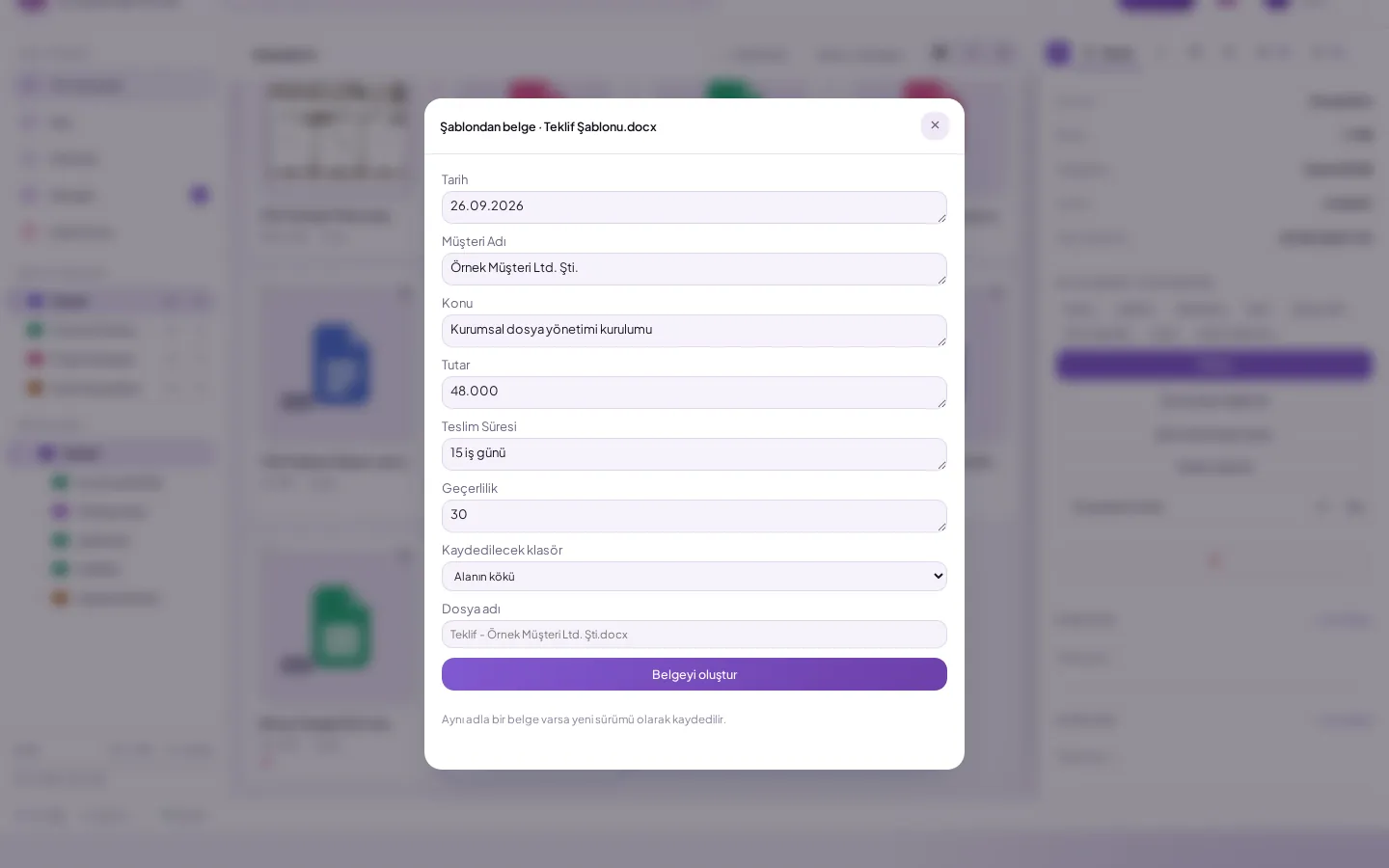
- {{Field}} markers become boxes
- Saved as Word in the selected folder
- Document with the same name becomes a new version
Tasks and calendar
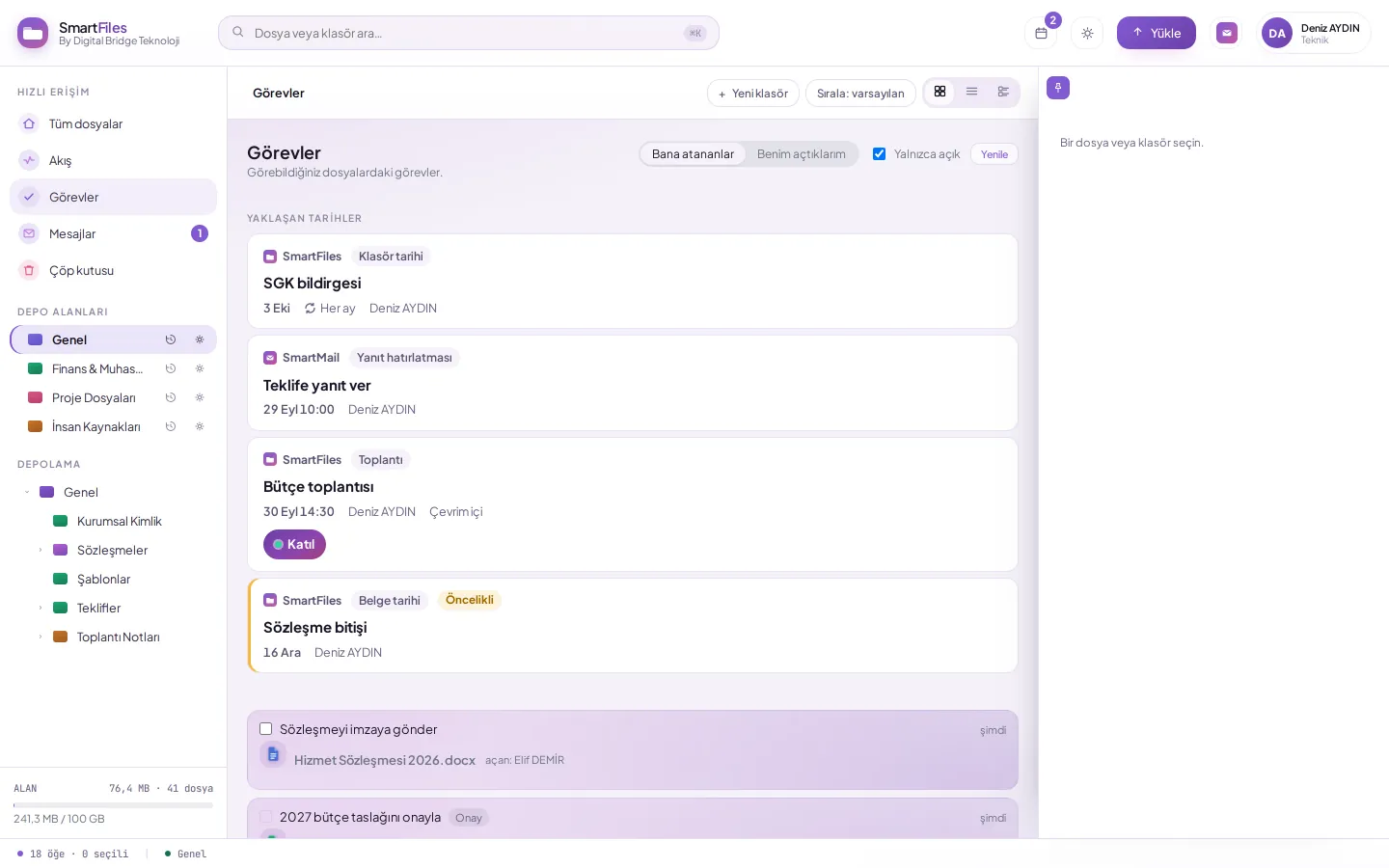
- Notification to assignee when due
- Weekly, monthly, annual recurrence
- Add meeting invitation to calendar with one click
Audit and compliance
Audit-ready archive
Reports
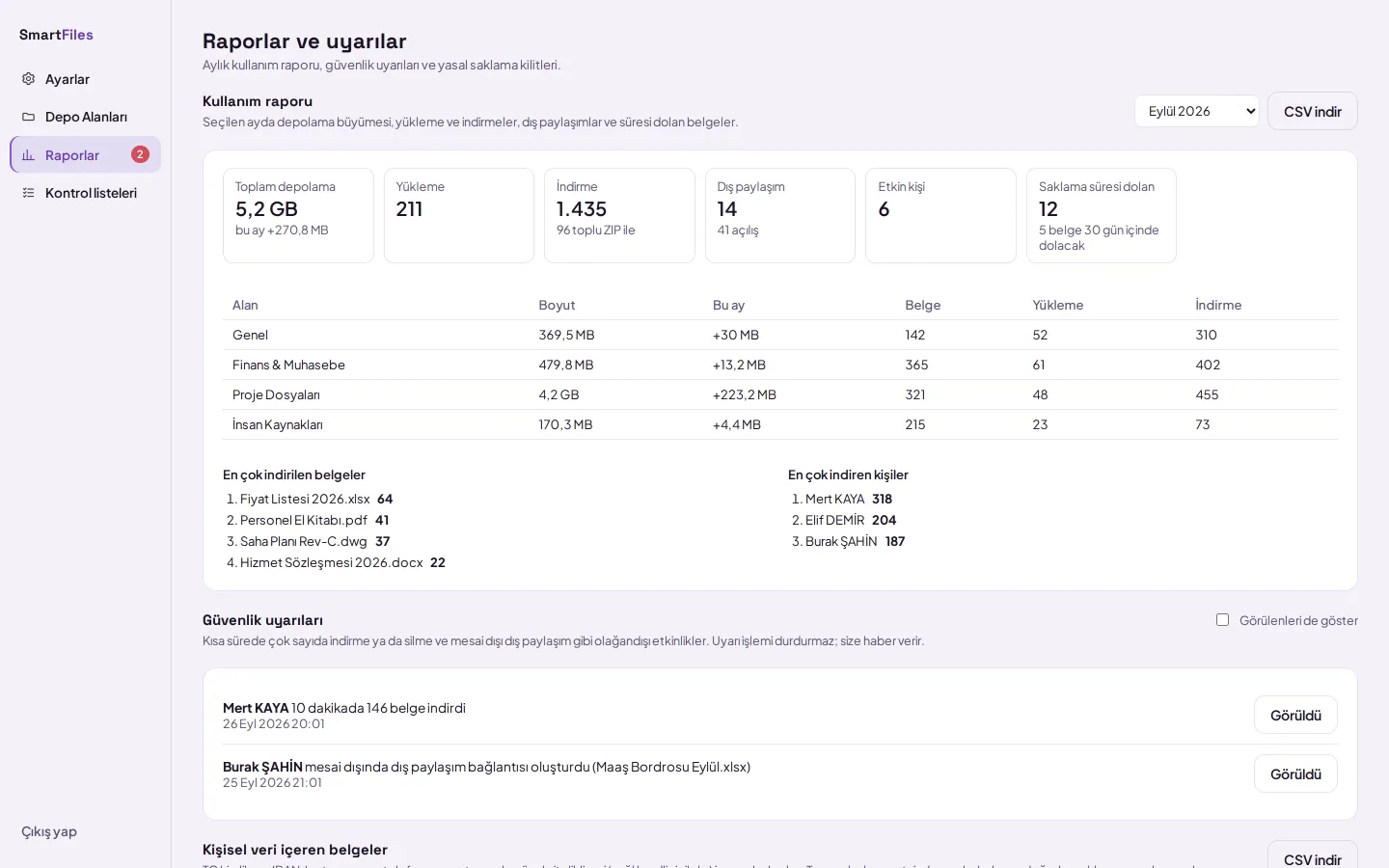
- Upload, download, external sharing
- Unusual activity warning
- Downloaded as CSV
Personal data
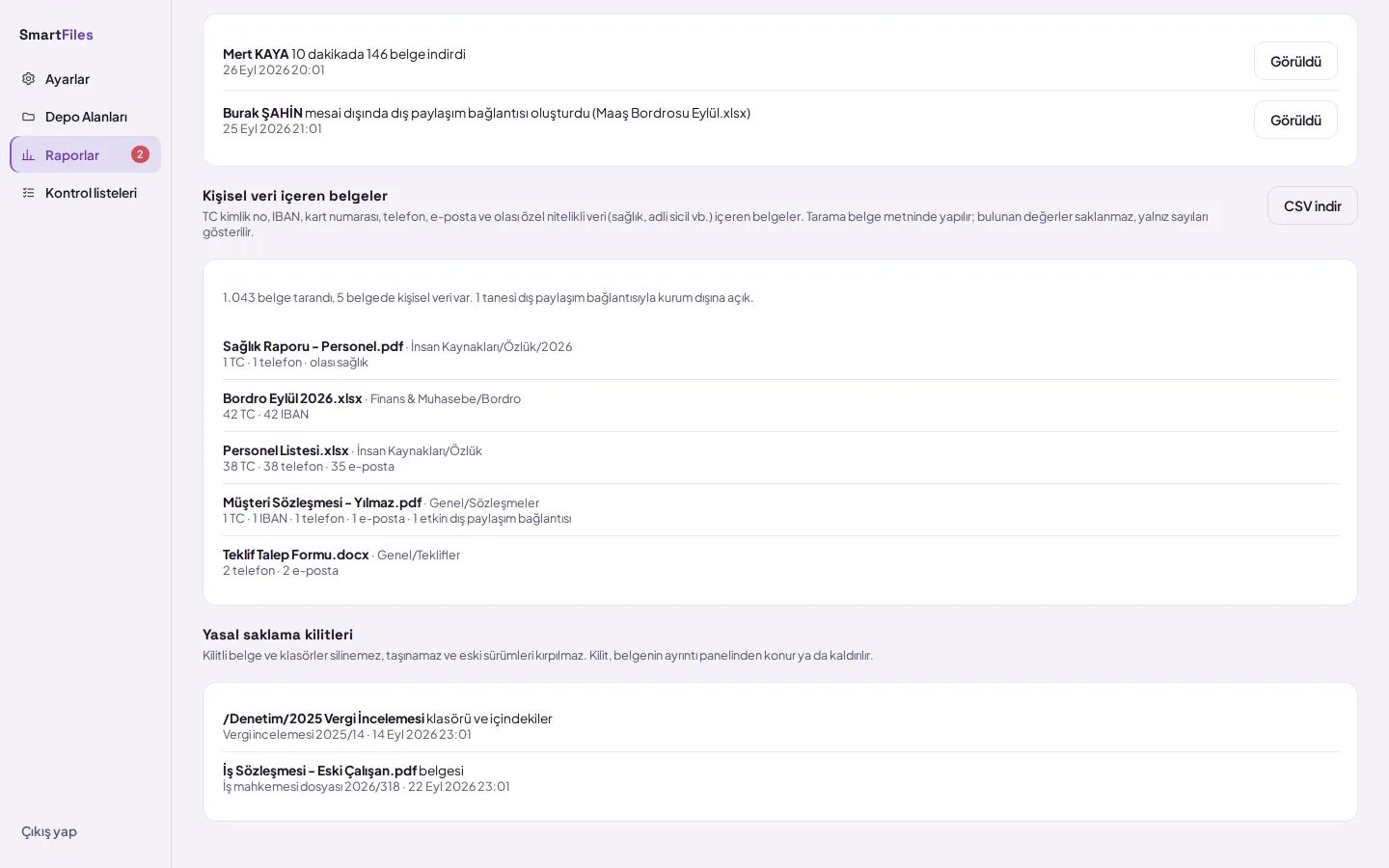
- TC ID, IBAN, card, phone, email
- Values are not saved, only numbers
- Legal hold lock: cannot be deleted
Details in documents
Every step is detailed with screenshots.