How are missing documents tracked? Viewing missing items in personnel and customer files
Missing document tracking is done by converting required documents for each file type into a checklist and comparing them with documents in the folder. When the list stays with the folder, it is visible at a glance which staff member, which customer's file is missing what; missing items can also be requested directly from the other party, eliminating the need for a separate table.
Why are missing documents not noticed?
An employee's personnel file should contain an ID photocopy, residence certificate, diploma, health report, criminal record, employment contract, and social security start-of-employment notification. A customer file requires a contract, power of attorney, signature circular, and tax document. These documents arrive over time; one arrives, another is delayed, and a third never comes.
The person viewing the file sees what has arrived but not what has not. Missing documents are only noticed when needed: during an audit, an application, or a dispute. Completing the document at that point often takes days.
A solution frequently used by organizations is to maintain a separate table for each file with 'received / not received' markers. Since the table is independent of the document, it quickly becomes outdated: the document may be placed in the folder but not marked in the table, or the table may be marked but the document placed in the wrong folder.
Which files require a checklist?
- "Personnel files: documents required upon hiring and periodic documents (health report, driver’s licence).
- "Customer files: Identity, authorization, and contract documents requested when services begin.
- "Project files: Quotes, contracts, business plans, commissions, and handover minutes.
- "Supplier files: Tax registration certificate, trade registry gazette, quality certificates.
- "Application and license documents: Document sets that must be prepared completely for an official application.
How to create a good checklist?
Checklists are prepared according to file type and should reflect the organization's actual needs. The shorter and clearer the list, the easier it is to implement; individual document names should be written instead of vague items like 'other documents'.
Naming documents is also important for the list to match them. When the document name contains the searched term, matching happens automatically; for example, for the item 'Insurance policy', it is sufficient for 'insurance' or 'policy' to appear in the file name.
How to set up missing document tracking step by step?
- "Set up the file structure. Create a separate folder under the main folder for each staff member, customer, or project.
- "Define the list. Write down the required documents for each file type one by one; adapt a ready-made list to your organisation.
- "Apply list to folder. When the list is applied to the main folder, each subfolder is treated as a separate record.
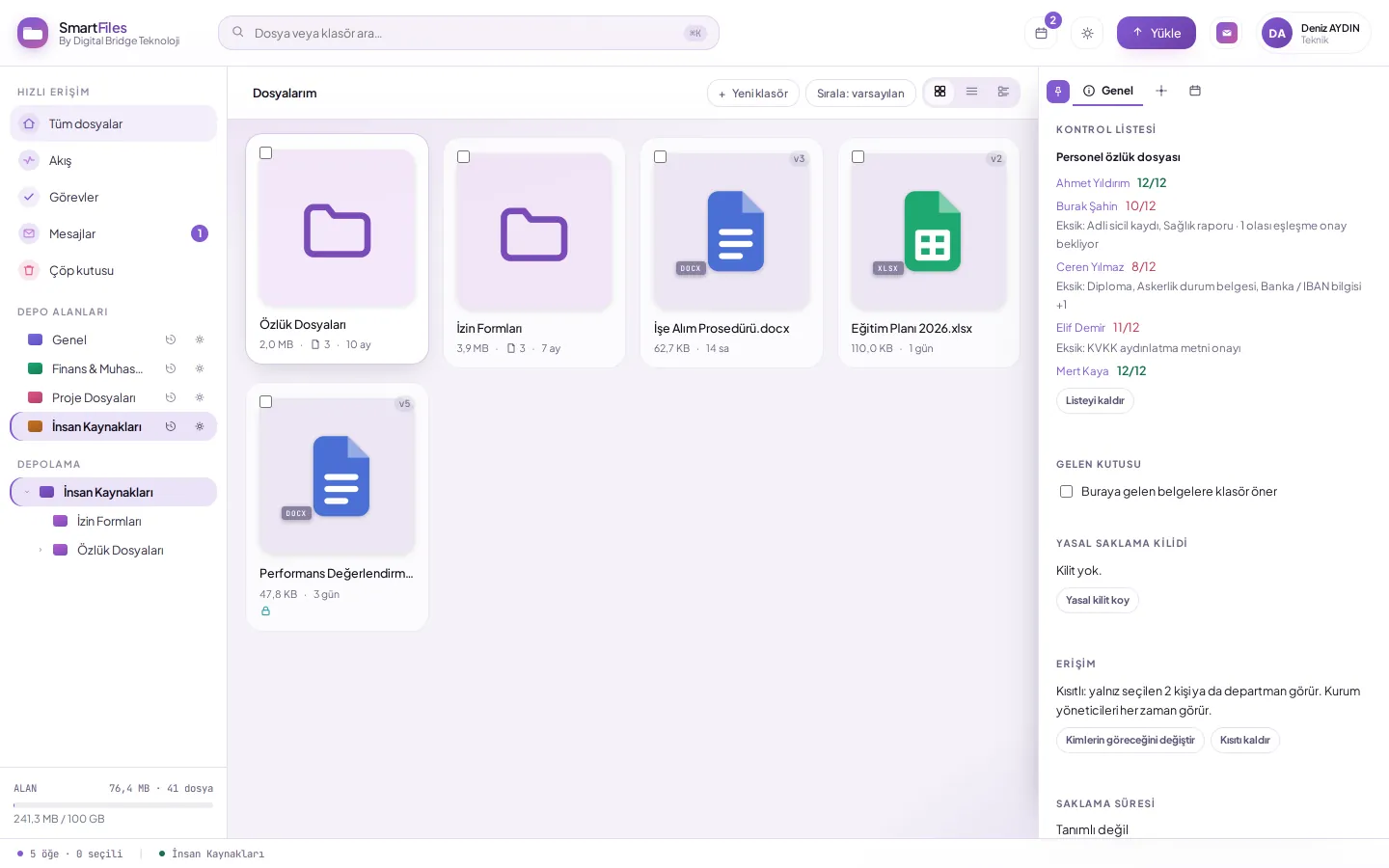
- "View missing items. In the main folder, you can see how many documents each record has complete and what is missing.
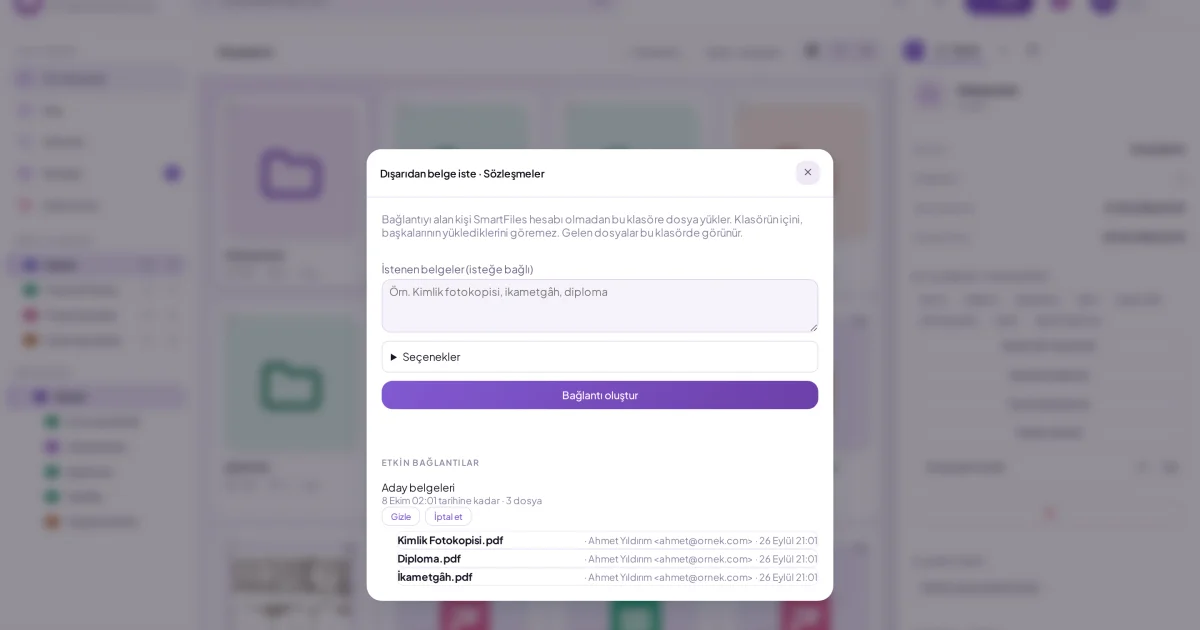
- "Request missing items. Ask the other party for missing documents via an upload link provided together with the list of missing items.
- "Keep the list updated with incoming documents. The list should update automatically as new documents are uploaded, without requiring manual marking.
What are common mistakes in tracking missing documents?
- "Keep the list separate from the document: A separate table quickly becomes outdated; the list should remain with the folder.
- "Write separate lists for everyone: A single list should be used for documents of the same type; the difference should be visible on a per-record basis.
- "Saving documents with meaningless names: "Scan001.pdf" matches no specific item; saving the document with its name from the list facilitates matching.
- "Only note deficiencies: Missing items should be requested immediately from the other party; otherwise, the list becomes just a document recording missing items.
Example: how does an HR team complete personnel files?
An HR team at a company with 150 employees must demonstrate that all personnel files are complete before an audit. The files have been maintained by different people over the years; some lack health reports, others lack criminal record checks, but no one knows which file is missing what.
The team applies the employee personnel file list to the main folder, which contains a subfolder for each employee. Within a few minutes, it becomes visible in the main folder how many documents each employee has completed and what is missing. Documents appearing missing due to name mismatches are matched manually; for those truly missing, upload links are sent to employees along with a list of the missing items.
The list updates automatically as employees upload their documents. When the audit day arrives, the team can display a complete list of files and remaining gaps on a single screen.
How is the success of missing document tracking measured?
- "Completion rate: What percentage of records have all documents in the list completed.
- "Average completion time: The time elapsed from opening a new record until the file is completed.
- "Approvals pending matching: Documents marked as possible and awaiting approval.
- "Documents nearing expiry: Time-bound documents such as health reports that require renewal.
How are periodic documents distinguished from missing documents?
Some documents arrive once and stay in the file: diplomas, employment contracts. Others must be renewed at regular intervals: health reports, driver's licenses, professional competency certificates. The checklist shows whether a document is in the file; it does not show if it has expired.
For time-bound documents, a date tracking system should be set up alongside the checklist: upon uploading the document, its validity end date is recorded, and the responsible person is reminded when renewal is due. This ensures the file remains complete and up to date.
Who is responsible for tracking missing documents in the organization?
The unit owning the file type determines the checklist: HR for personnel files, the relevant service unit for customer files, and the project manager for project files. It is the responsibility of that unit to ensure the checklist reflects the organisation's actual needs and is updated when necessary.
If they are the person requesting and tracking missing items, they are the daily owner of the file. When the list stays with the folder, the administrator can see which files are completed and where delays are occurring, without requesting a separate report.
How does SmartFiles solve this?
A user with editing permissions in SmartFiles applies a checklist to a folder: personnel records, project files, customer files, or the organization’s own template. If each subfolder of the folder represents a person or project, Each subfolder is a separate record is selected; in the main folder, it is visible how many documents per record are complete and what is missing.
Documents in the folder automatically match items in the list by their names. Possible matches found from the AI summary are presented to you for confirmation as “Possible” and do not count as complete until confirmed; correct documents can also be matched manually. The list updates automatically as new documents are uploaded.
"Request missing items opens a ready-to-upload link window with a list of missing items; the recipient uploads the missing documents directly to that folder without needing to create an account. The organization administrator creates their own templates on the Control Lists page in settings; one document is written per row, and words to search for in the filename can be added after the “|” symbol.
Department-based file areasApply a checklist to a folder (tracking missing documents)Creating your own checklist templateRequesting a document from outside (upload link)