What is a legal hold lock? How are documents that must not be deleted protected?
The legal hold lock is a protection that prevents the deletion, relocation, or alteration of relevant documents during a lawsuit, audit, or official investigation. From the moment it is applied until it is removed, it overrides normal retention and cleanup rules; it records who locked the document and why, and the lock is consciously removed once the process ends.
When is a legal retention lock required?
Organisations store documents for specific periods and regularly clean up expired ones. This routine applies under normal circumstances; however, when a dispute arises, a tax audit begins, or an organisation requests documents, those relevant documents must be excluded from the standard cleanup flow.
Deleting a document in these situations can have serious consequences, even if accidental: loss of evidence, failure to meet obligations, or suspicion that the organisation deliberately destroyed the document. Legal retention lock eliminates this risk: locked documents cannot be deleted by anyone.
- When a lawsuit or mediation process begins, for contracts, correspondence, and delivery documents related to the dispute.
- For tax or social security audits, for invoices and payslips related to the audited period.
- For an internal investigation, regarding documents of the relevant individual and unit.
- Until the request is fulfilled, in case of a document request from an official institution.
What is the difference between retention period and legal lock?
Retention period determines how long a document type should be kept under normal conditions: for example, keeping documents in a folder for ten years. When the period expires, the document is reviewed and deleted if necessary.
If it is a legal hold, the duration is ignored. Even if a document's retention period has expired, it cannot be deleted while the hold is active. A hold is tied to an event and is removed once that event ends. They work together: retention period manages the normal state, while holds manage exceptional circumstances.
Which documents should the legal hold cover?
Keeping the lock scope narrow or wide both carries risks. A narrow scope leaves a document unprotected if it is later understood to be relevant. An overly wide scope unnecessarily halts routine work: documents cannot be moved or edited in a locked folder.
A practical approach is to lock the folder defining the dispute or audit subject: customer folder, project folder, or the audited period's folder. The lock applied to the folder applies to all subfolders and documents within it; documents added later to that folder are also protected.
How is the legal retention process carried out step by step?
- "Define the incident. The name and number of the lawsuit, investigation or request will serve as the reason for the lock.
- "Define the scope. Determine whose documents, which period, and which project are relevant; decide together with legal counsel or financial advisor.
- "Lock it. Locks are applied to relevant folders with a reason; who locked it and when is recorded.
- "Inform the team. Staff should know that documents cannot be moved or deleted in a locked folder; work should be planned accordingly.
- "Regularly review locks. Check the list of all locks in the organisation to verify which processes are still ongoing.
- "Remove the lock after the process ends. Removal is also recorded; documents revert to standard retention rules.
What are common mistakes when applying a legal lock?
- "Locking too late: The lock must be applied as soon as a dispute signal is received; waiting for litigation to commence may lead to document loss during interim cleaning rounds.
- "Unjustified lock: A lock with unknown origin leaves unanswered the question of whether it needs to be removed years later.
- "Forgetting the lock: A lock that remains stuck even after the process ends prevents unnecessary work in the folder; regular review is essential.
- "Lock only the main document: Attachments, old versions and correspondence may also be relevant; locking the folder is safer than locking just the document.
Example: how is locking used in a supplier dispute?
A manufacturing company wishes to apply the contractual penalty clause due to its supplier's late delivery; the supplier objects and the matter is referred to mediation. The company's legal advisor requests preservation of the following documents on the first day: contract and appendices, orders, delivery records, correspondence, and quality reports.
These documents reside in the supplier’s folder and the relevant project folder. The two folders are locked due to 'Arbitration 2026/58'. The purchasing team continues to add new documents to the folders; each added document falls within the scope of the lock. Routine archive cleanup does not touch these folders, and it is impossible for an employee to accidentally delete a document.
When the process concludes with an agreement, the legal advisor requests the lock to be removed. The removal is recorded; documents revert to standard retention periods.
Legal hold checklist
- The reason for the lock was written with the event name and number.
- Scope was determined at the folder level; attachments and old versions are also preserved.
- Relevant teams have been informed of the lock's existence.
- The list of holds is reviewed at least once a month.
- Upon completion of the process, lock removal was assigned to a responsible party.
How are lock and personal data deletion requests managed together?
When a person requests deletion of their data and the same data relates to an ongoing legal process, two obligations may appear to conflict. In this case, the decision should be made through legal assessment: documents necessary for the process are kept under lock, while personal data unrelated to the process is deleted.
The important thing is that the reason for the decision is recorded. When the reason and scope of the lock are clearly stated, a clear answer can be provided later to the question of why a document was not deleted.
Who is responsible for legal retention in the organisation?
Legal retention is not the responsibility of a single individual. The legal or compliance officer decides whether locking is required and its scope. The IT or system administrator applies and removes the lock. The relevant department manager knows how their team works in locked folders and organises daily operations accordingly.
Pre-defining these roles prevents time loss when conflict signals arise. When it is documented who makes the decision, who implements it, and who reviews it, the lock is applied promptly and removed without being forgotten once the process ends.
How does SmartFiles solve this?
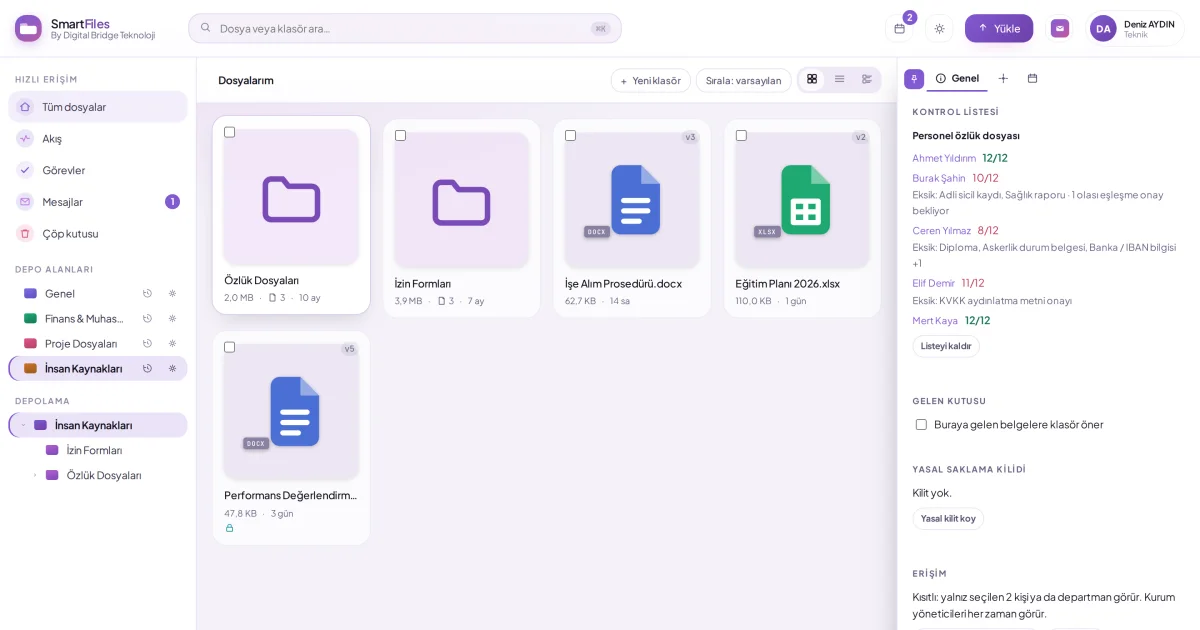
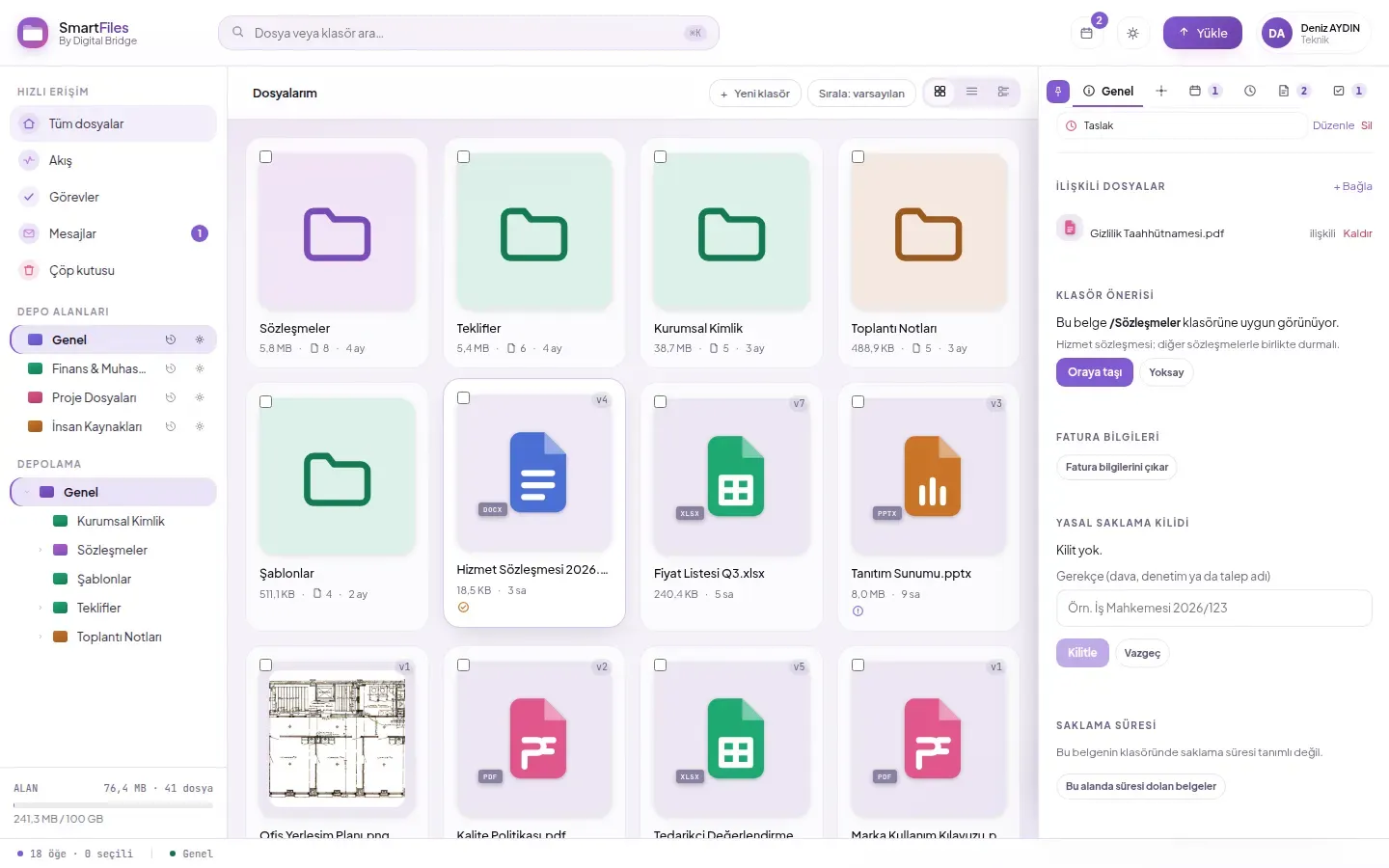
In SmartFiles, only the organisation administrator can apply and remove legal retention locks; a reason is mandatory (3 to 300 characters, e.g., lawsuit or audit name). A lock can be applied to a document or a folder; a lock applied to a folder extends to all subfolders and documents within it. This ensures the scope and owner of the lock are always clear.
As long as locked, locked documents and folders cannot be moved to trash, permanently deleted, or moved elsewhere. Automatic trash cleanup and version limits do not affect locked documents: old versions are not trimmed. Anyone who can view the document can see the lock status in the details panel.
Locking and unlocking are recorded in the activity log along with the reason. All locks in the organization appear in a single list on the Settings > Reports page, making it easy to review which processes are still open.
Version history and retentionApplying a legal retention lock to a document or folderAssign retention period to folderExporting activity records as CSV