


 AI
AI
Everything you can do with AI in DBLinx
Speeds up reading, understanding and replying to email and documents. Everything works within the person's permissions, using the organization's usage allowance.
What can AI do in the DBLinx family?
Email tasks in SmartMail and document tasks in SmartFiles; document analysis and chat are available in both products.
SmartMail
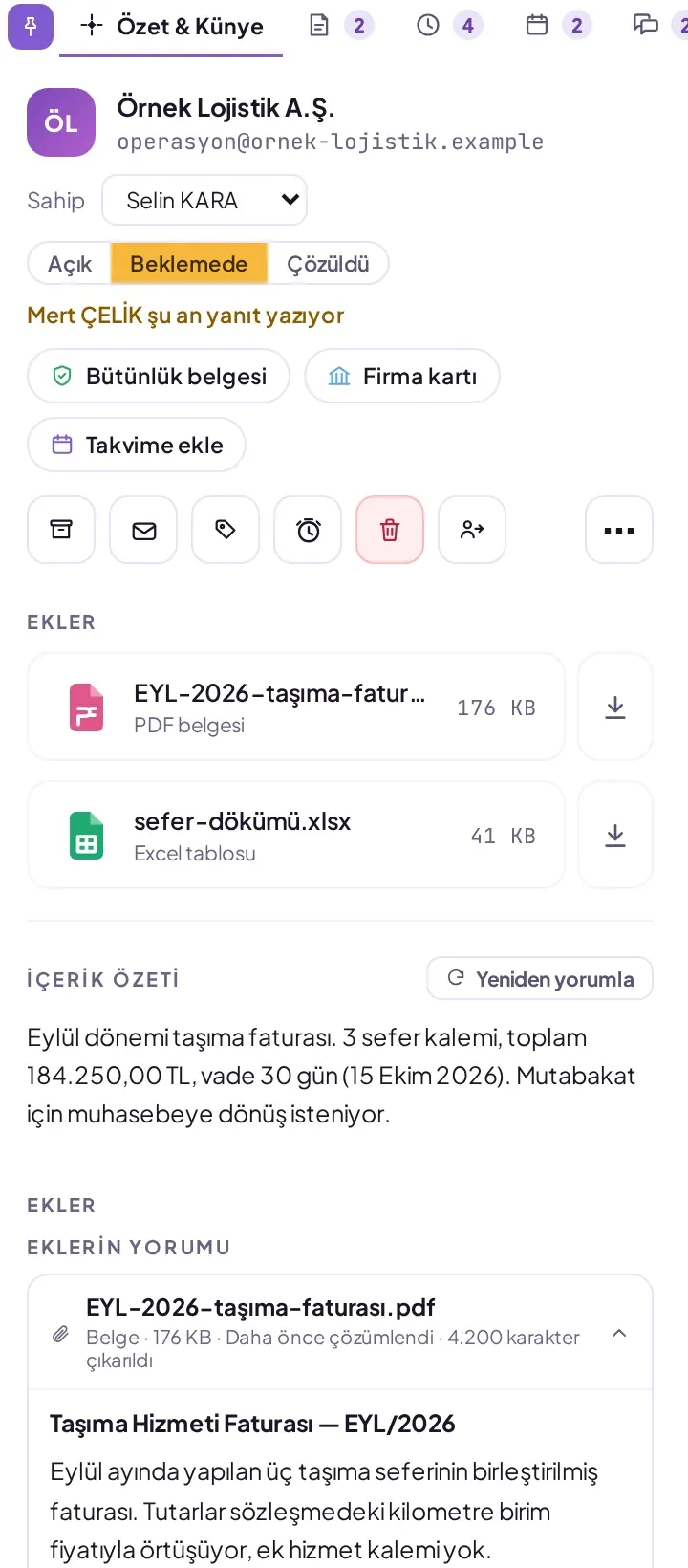
7 tasks- Email summary
- Attachment analysis and document card
- Content classification
- Security assessment
- Chat about an email
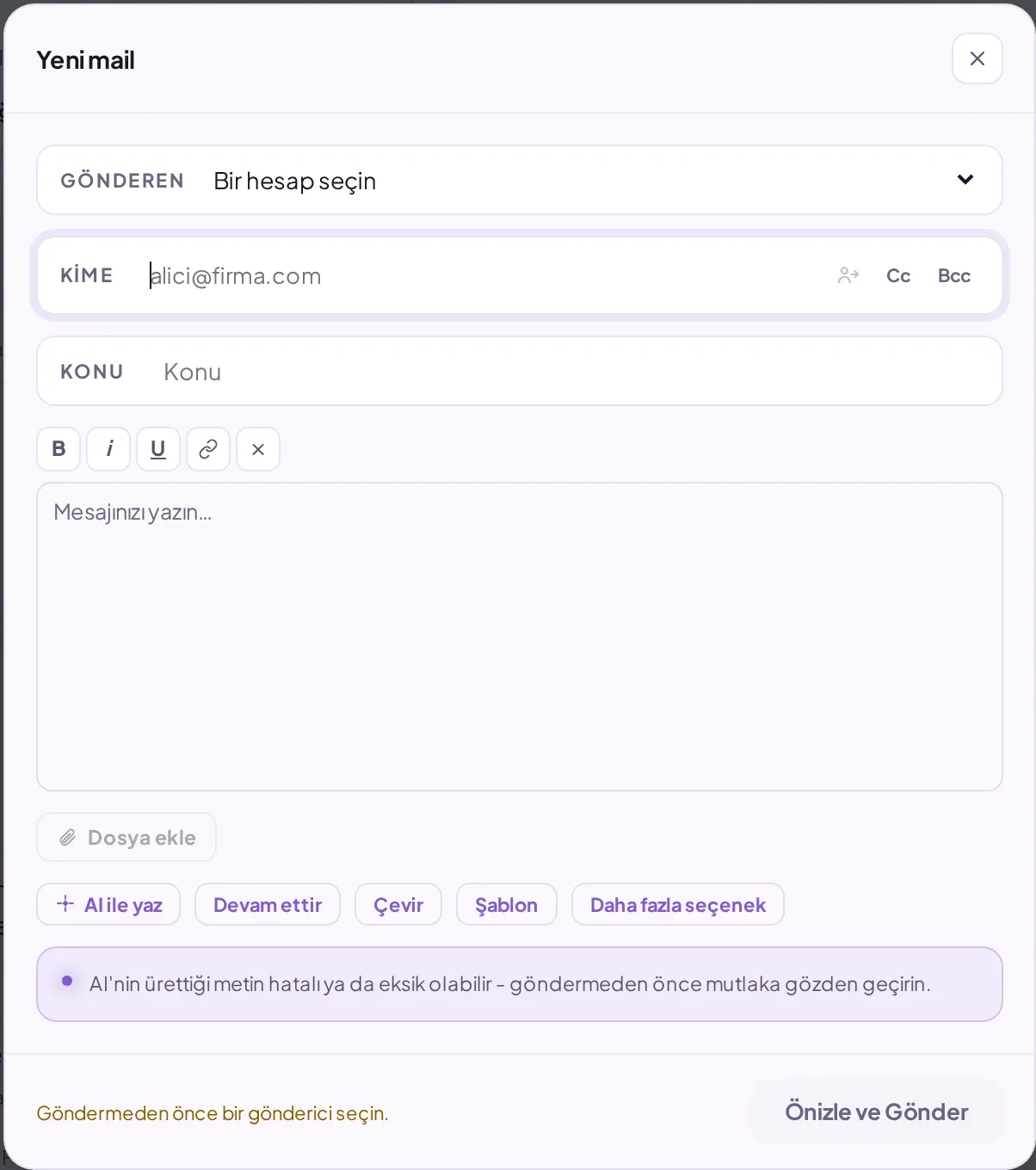
- Writing assistance
- Translation
SmartFiles
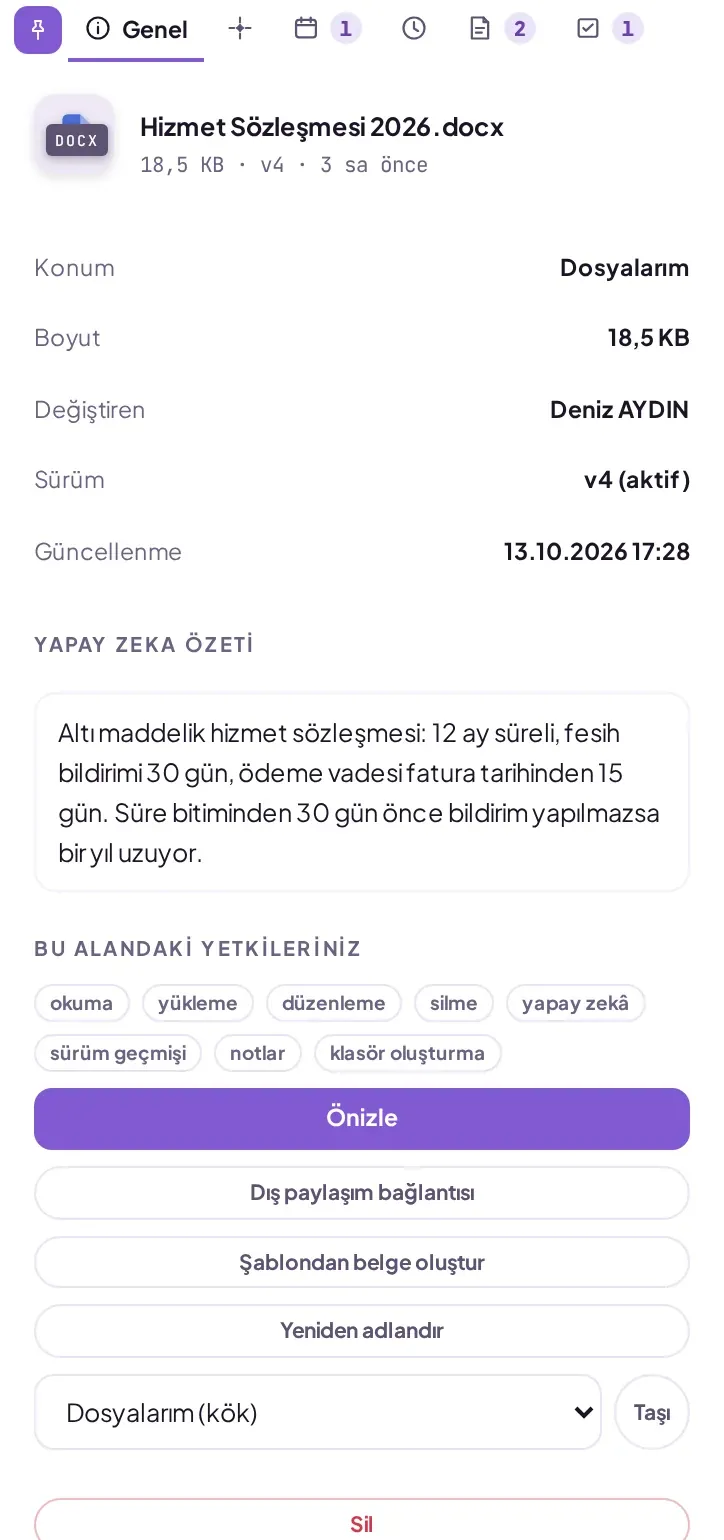
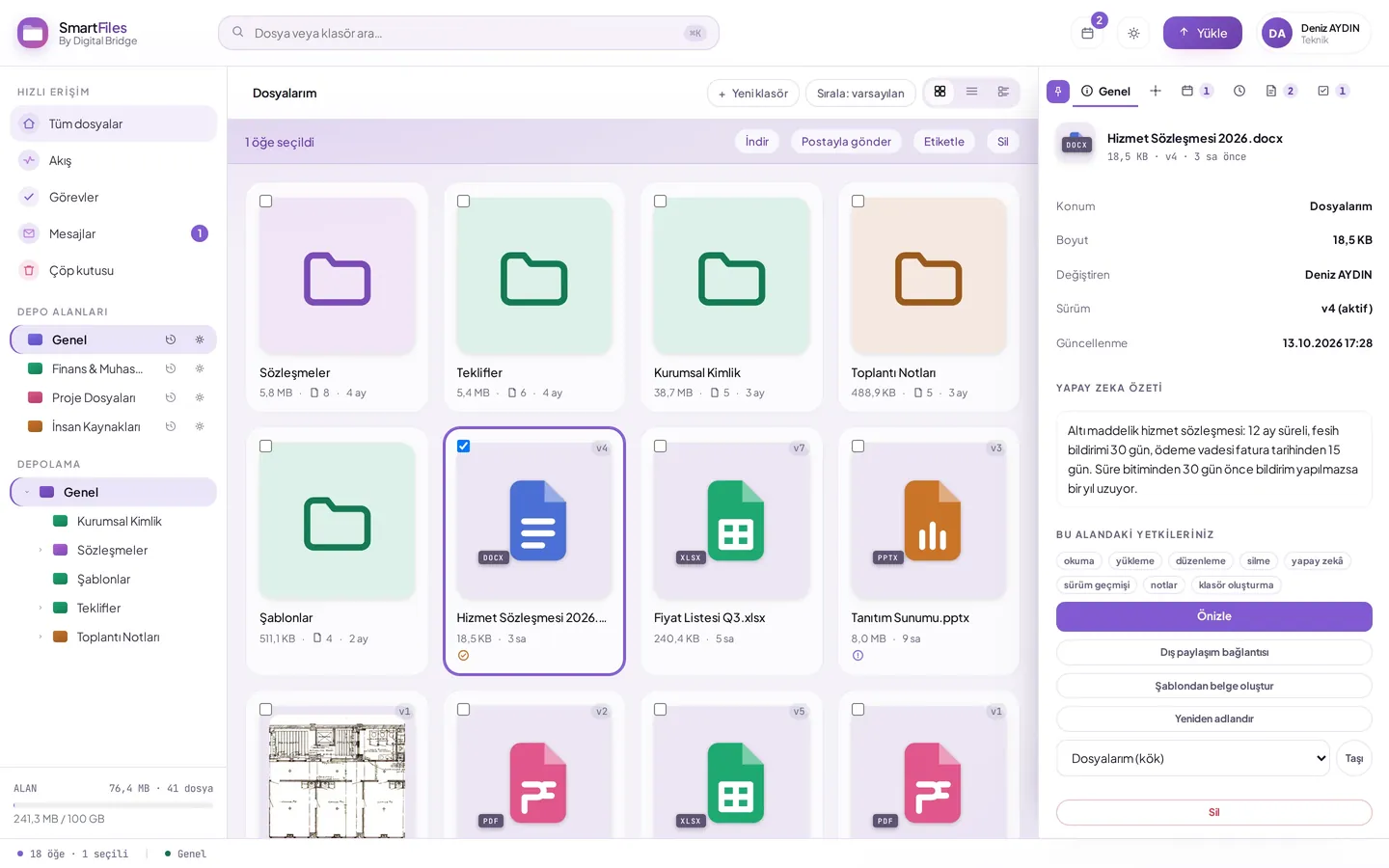
5 tasks- Document report
- Chat with a document
- Chat with a folder
- Folder summary
- Invoice data extraction
SmartOperator
3 tasks- Answers from the knowledge base
- Answers from the catalogue
- Running defined actions
What does AI bring to business email?
You can see what an email asks for without reading it: the amount, due date and required action are written in the summary.
- Attachments turn into a document card without being opened
- A question asked of an email is answered with the source of the answer shown
- A security decision is written with its reasoning
- Draft from instructions, text refinement and reply drafting
What does AI add to document management?
It reads every uploaded document on its own and writes a short summary in the file list.
- Report: Summary, Key Points, Structure and Notable Details
- Chat with a document finds the clause you're looking for without opening the document
- Chat with a folder reads every report in a project together
- 15 formats, including PDF, Word, Excel, text files and images
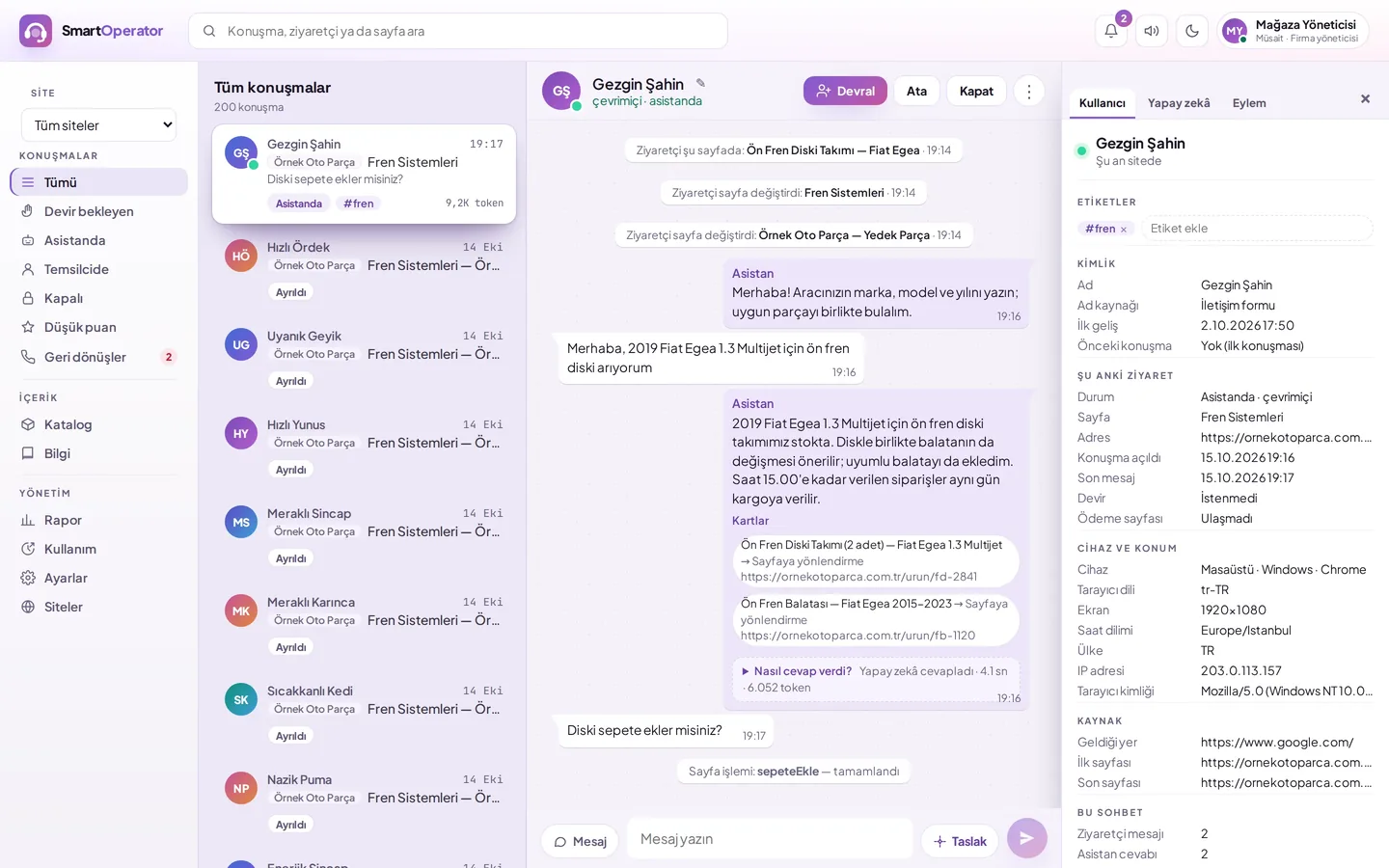
An AI customer representative that talks with your website's visitors
Answers visitors' questions from your knowledge base and catalog.
- Runs the actions your site defines
- Shows in the dashboard what information each answer is based on
What limits does the AI operate within?
Chat only reads the mailboxes and files the person can already access; AI is a separate permission granted per person in SmartMail and per area in SmartFiles.
Central layer
Products reach the AI through DBLinx's central layer.
Separate data per organization
Mail and documents stay in the organization's own separate database; they are never shared with another organization.
Automated actions marked as such
Actions the AI takes on its own appear in the audit log as "System".
Monthly usage allowance
Once the defined cap for an organization or person is reached, AI actions pause until the next period.
How is AI usage managed?
Usage statistics in the organization dashboard show how the allowance is used product by product.
- In SmartMail, an administrator can set a separate allowance per person
- SPF, DKIM and DMARC checks keep running even once the allowance is used up
- File access isn't cut off even once the allowance is used up
AI operates within the person's own permissions
In a sensitive archive, it can be opened to specific people only.

