 DBLinx ecosystem
Compatible applications managed from a single dashboard
Users, departments, product access, domains, plans and billing are all managed from a single dashboard.
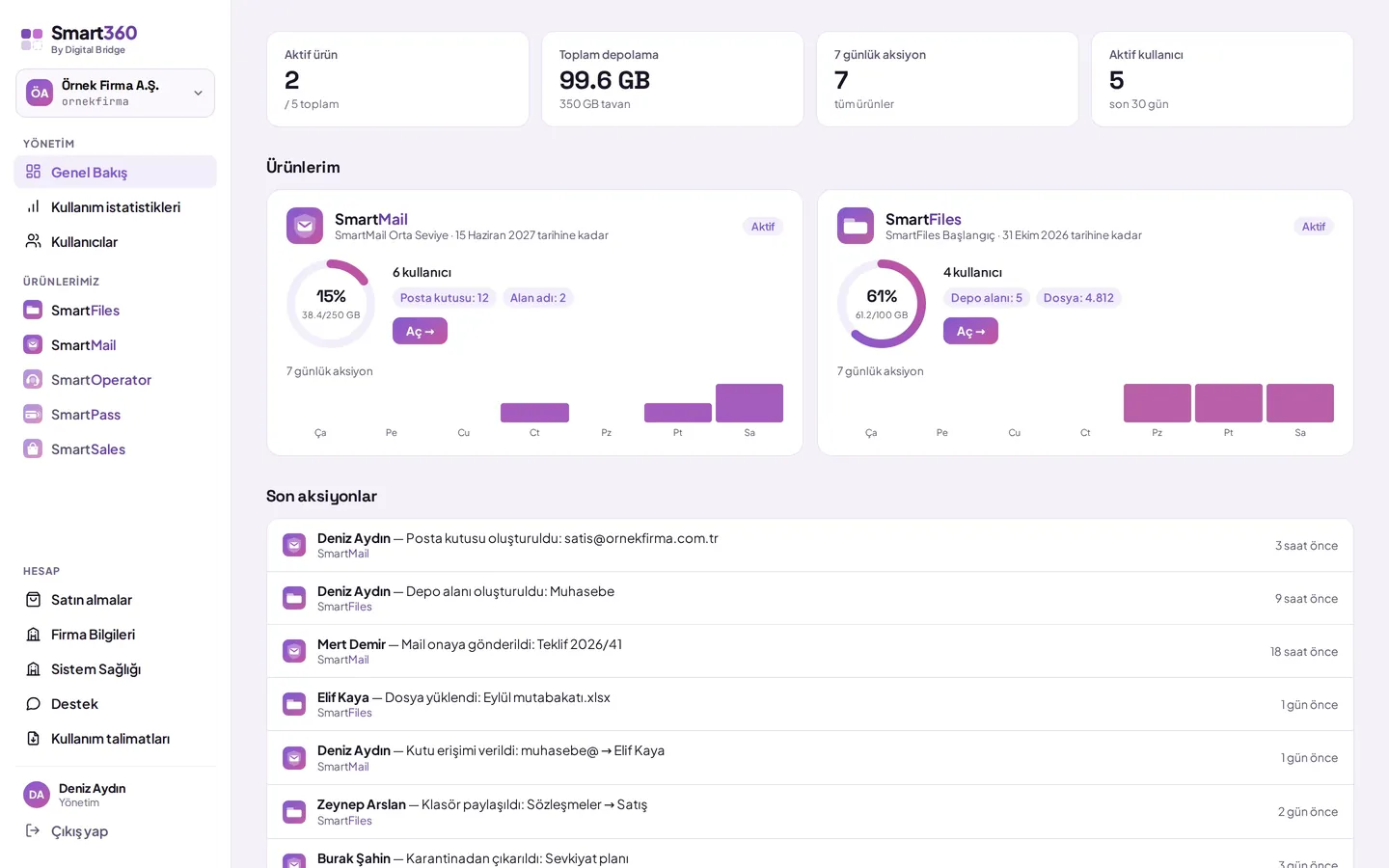


- Users
- Departments
- Product access
- Domains and DNS
- Plans
- Invoice information
- Usage
- Support
What can be managed from a single dashboard?
Each product stays focused on its own job; the organization's structure lives in one place.
- OverviewRemaining usage allowances and recent activity from every product, in a single screen
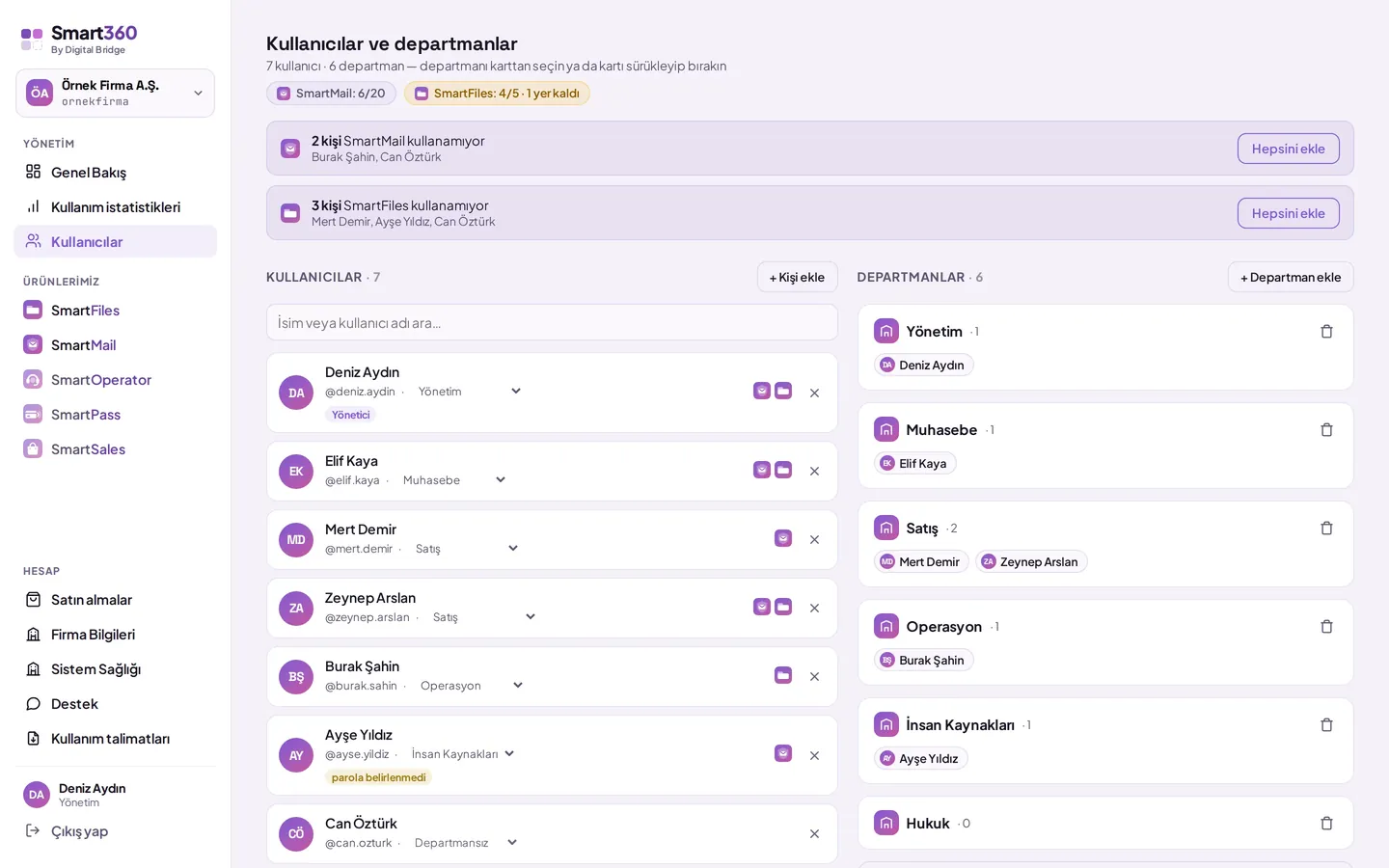
- TeamInvitations, roles and department assignment
- Usage statisticsA product-by-product breakdown of storage and AI usage
- System healthDomain and DNS records for each product
- SupportOpening a support ticket from the dashboard and tracking replies
How do employees sign in to the products?
Employees sign in to every product with a single identity, SmartID. Moving between products never asks for a password again.
- An employee is defined once in DBLinx; no second account is created
- A single device, or every other device, can be signed out remotely
- Sessions on every device end when the password changes
- Multiple company accounts can be kept in the same mobile app
 SmartMail
 SmartFiles
How do you access mailboxes without sharing a password?
Access is a permission, not a password: it's granted from the administrator's screen, and revoked from the same screen.
- The password is generated by the system and stored encrypted; employees sign into mailboxes with their own identity
- There's no need to change the team's password when an employee leaves
- Who did what in which mailbox is recorded under that person's name
SmartMail · purchasing@Mailbox permissions- Viewgranted
- Write and sendgranted
- Notegranted
- Deletenot granted
- Quarantinenot granted
SmartFiles · Purchasing areaArea permissions- Readgranted
- Writegranted
- AIgranted
- Deletenot granted
- Editnot granted
One identity, permissions detailed in every product
How do the apps work together?
Files in SmartFiles are sent through SmartMail, and an email attachment can be saved to SmartFiles in one click.
SmartMail
SmartFiles
In both directions, the person's SmartFiles and SmartMail permissions are checked. The attachment is saved to a location the person chooses from the spaces and folders they have write permission for.
Shared notification centre
Email and file events arrive through the same notification infrastructure on web and mobile.
Shared preview and storage
Documents are previewed in both products without being downloaded.
Shared security
Each product's data is kept in a separate database for each organization.
How does the website customer agent connect to the ecosystem?
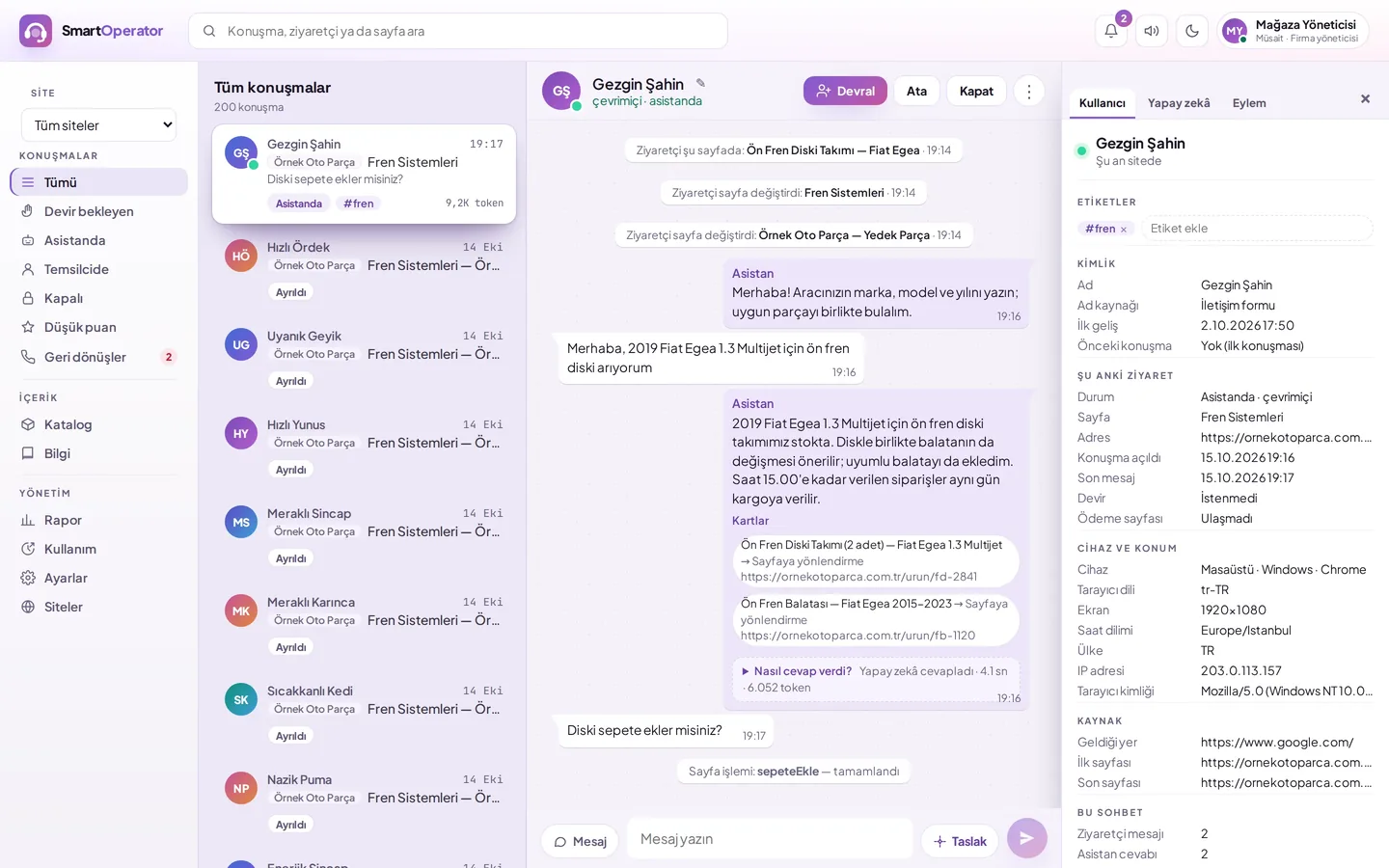
Your team also signs in to the SmartOperator dashboard with their DBLinx identity; no separate username or password is kept.
- Users, subscription and billing are managed from the DBLinx dashboard
- No separate password is needed to take over a live conversation
- In the clinic template, the agent writes the appointments it books to the shared calendar
Five products, one account, one identity
A new product is added to the same account, the same user list.