 Corporate email
AI-powered corporate email
Shared mailboxes in a single dashboard; passwords are not shared, everyone accesses only as much as their work requires.
- Nine permissions per mailbox
- Reasoned analysis in every email
- Same rules on web and mobile
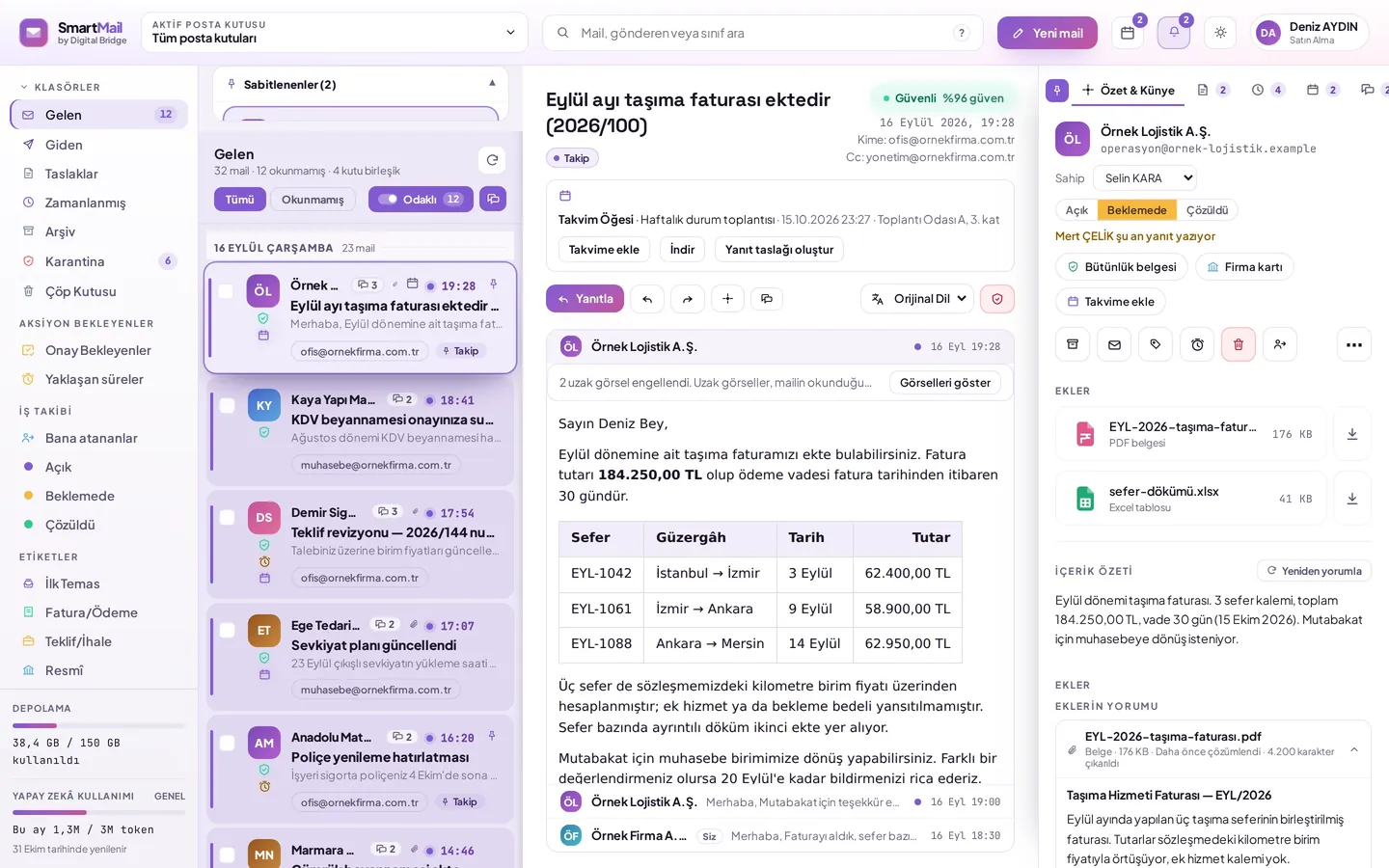
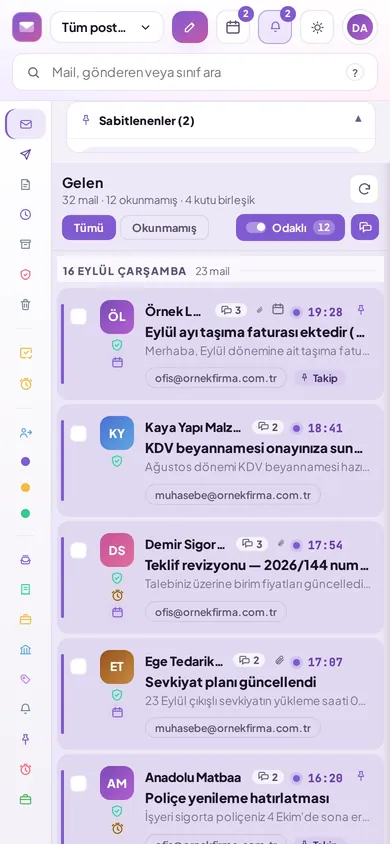
A short recording from the demo
Navigating between emails and security analysis.
The four known issues of the shared mailbox
The dashboard structure is built around the answers to these four.
It is clear who did what
Access is granted per person and per mailbox; passwords are never shared.
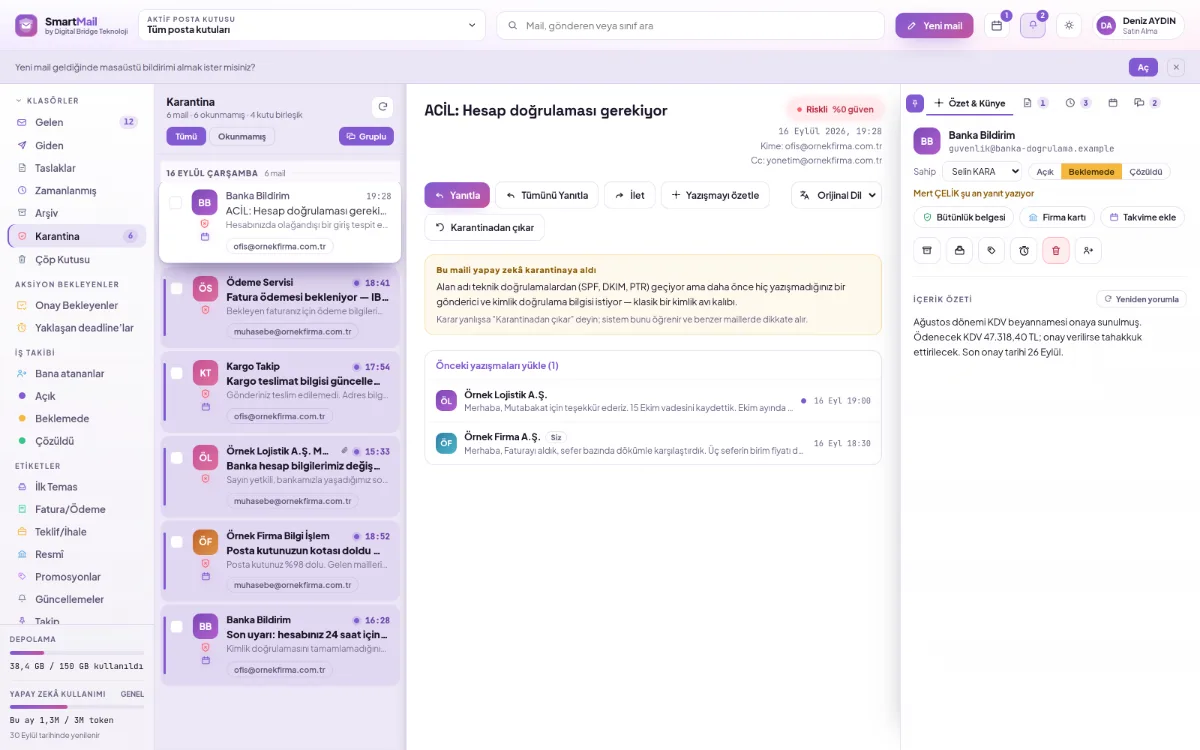
Fake invoice will not reach the inbox
Scored due to similar domain and deceptive link.
Mail sent on behalf of the organization is approved
The approver sees the entire email; the decision is recorded with its date and time.
The departing person's access is removed automatically
Scheduled email is rechecked at the moment of sending.
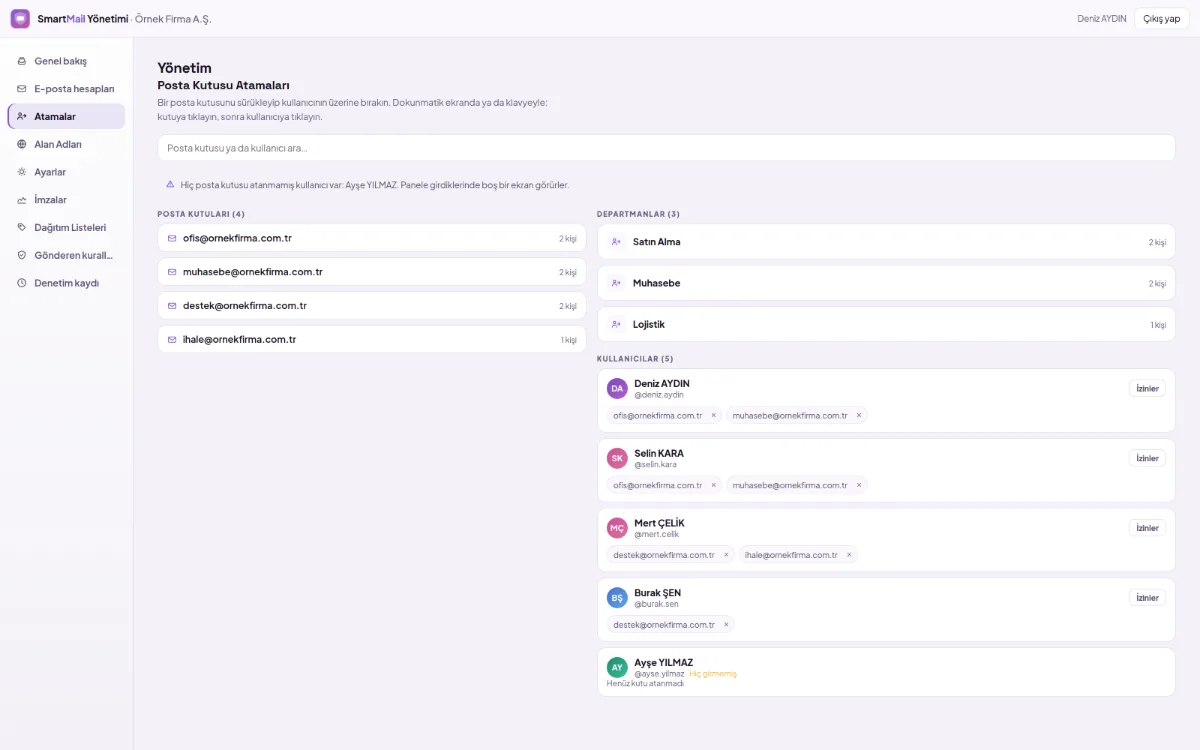
Everyone accesses only what their work requires
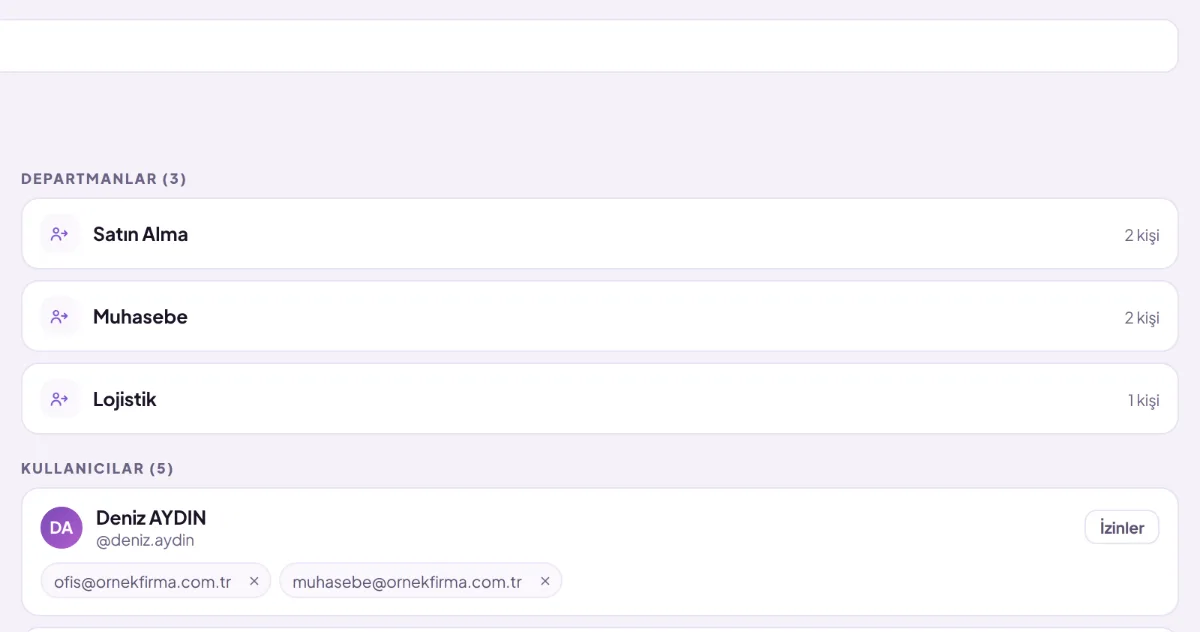
The mailbox is accessed with the person's own account; permissions are separate per person.
- Deletion and quarantine off in new assignment
- Mailbox can be assigned to a department
- Access is revoked when someone leaves the department
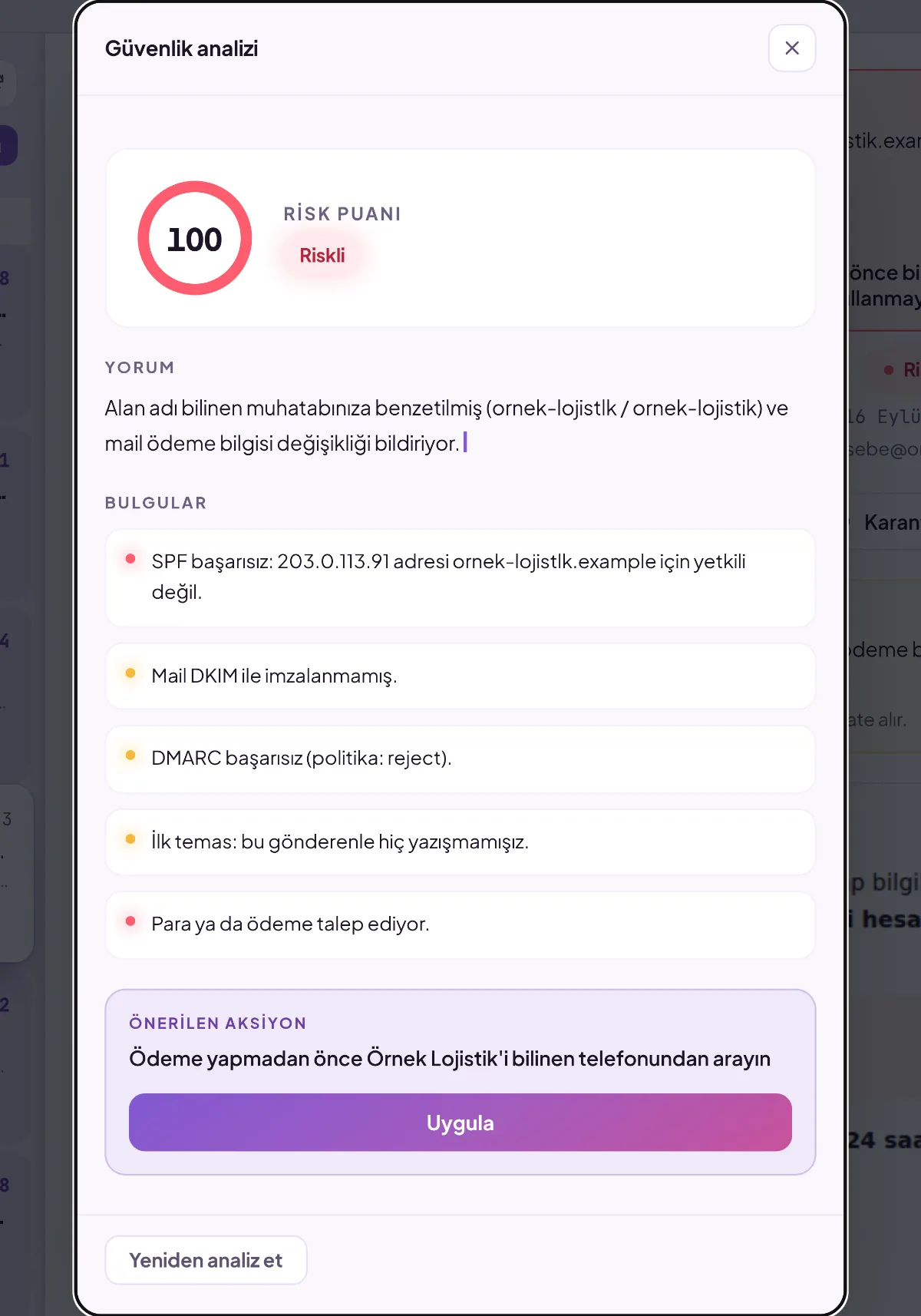
The reason for the suspicious email is stated
The sender is verified; impersonation and fake links are measured separately.
- Which signal increased the risk is shown individually
- Emails below the threshold do not land in the mailbox
- The administrator sets the threshold
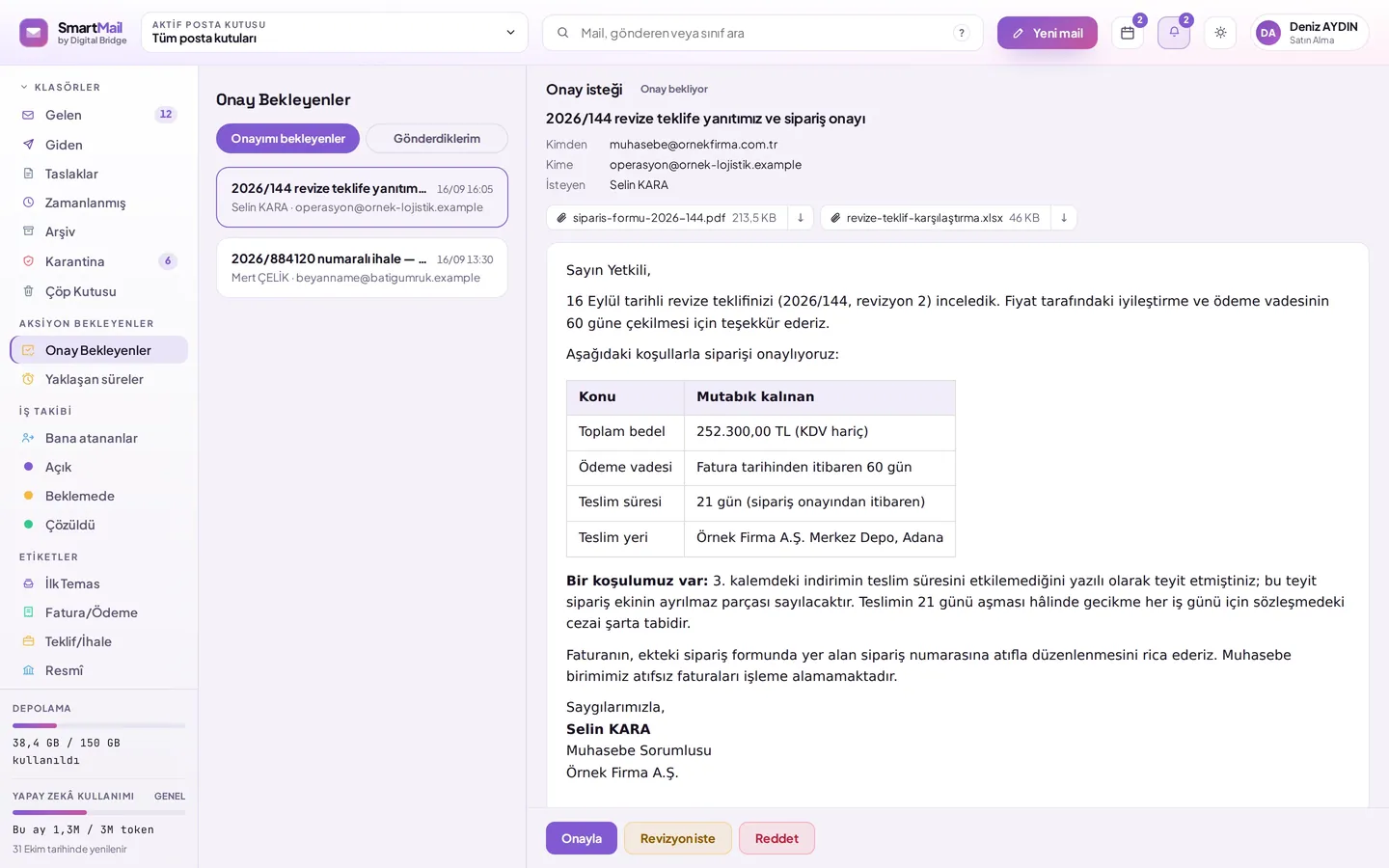
Mail sent on behalf of the organization must first be approved
One or more people approve; the rule is selected per email.
- Approve, request a revision or reject
- Every step recorded with its date and time
- Access is rechecked for scheduled email
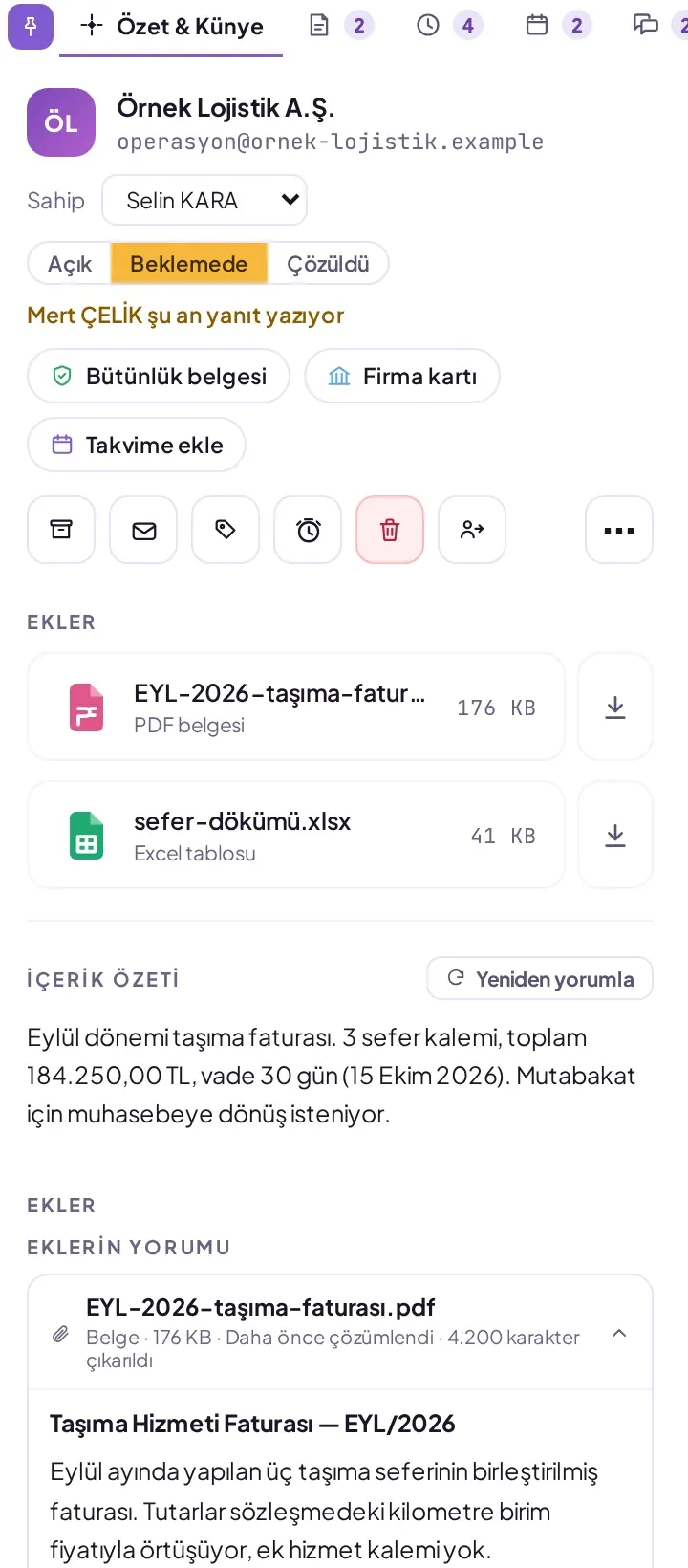
Understand a long email and its attachment without opening them
The mail and its attachments are summarized, questions are answered from the content.
- The attachment becomes a document card with its type and amounts
- Content type without writing a rule
- Draft writing, improvement, translation into 30 languages
Details that are useful every day
Team note
Not sent to the recipient; team members viewing the mailbox will see it.
Response time
A reminder one hour before expiry to everyone who can see the mailbox.
Timed sending
Scheduled for a later time, can be cancelled until the moment of sending.
Domain and DNS
The DBLinx team sets up the records; you monitor them from the dashboard.
Archive
Every email is archived in its raw form with its attachments and can be restored individually.
Audit log
The action is logged with the person who performed it, the time and the IP address.
The same rules on the phone
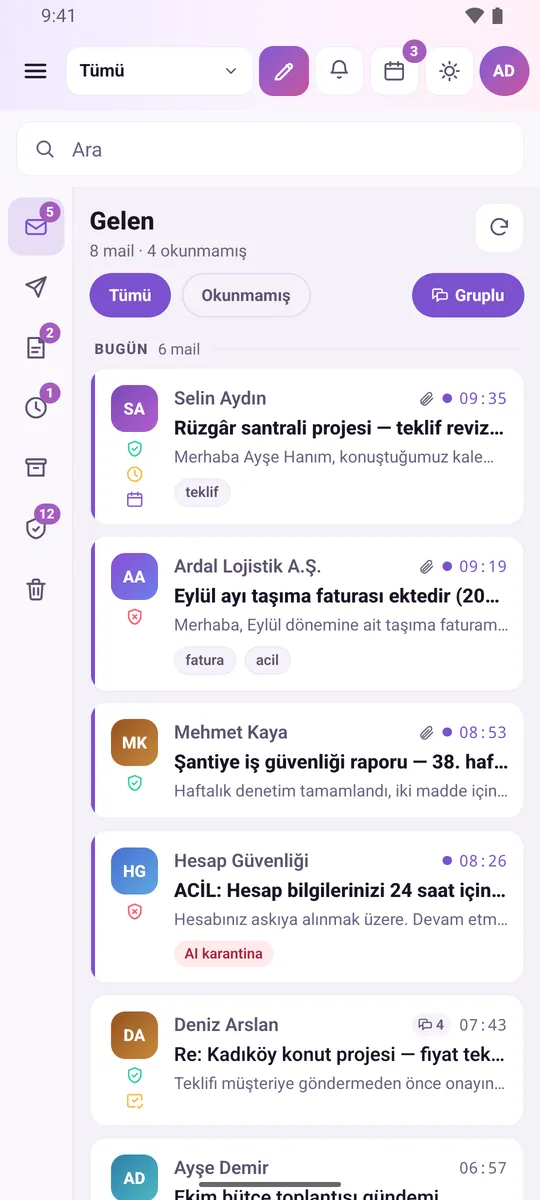
The only thing that shrinks is the screen; permissions, security analysis and the approval flow remain the same.
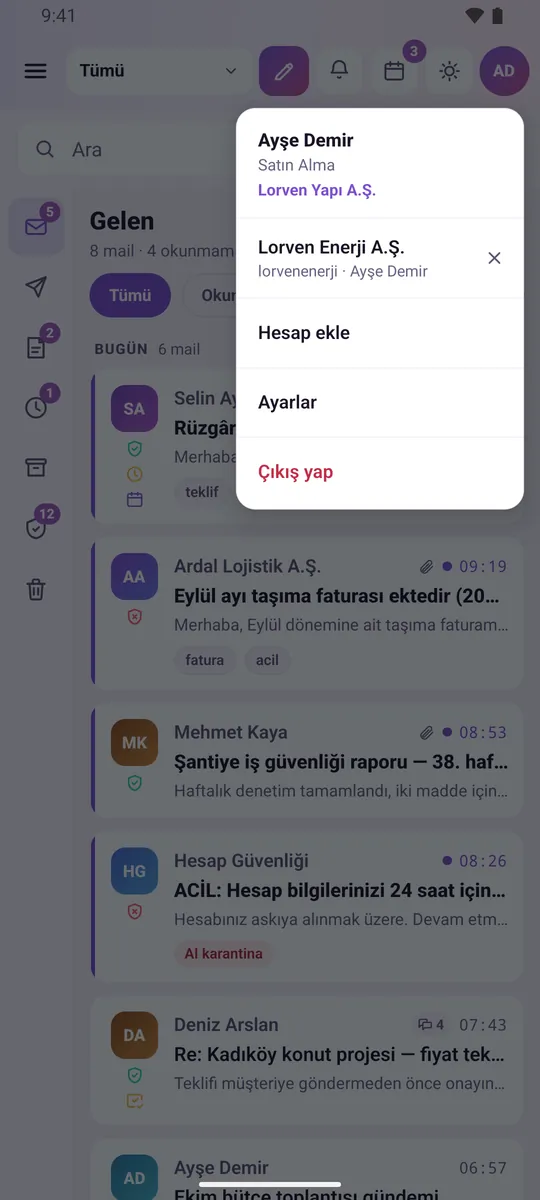
- Multiple company accounts in a single app
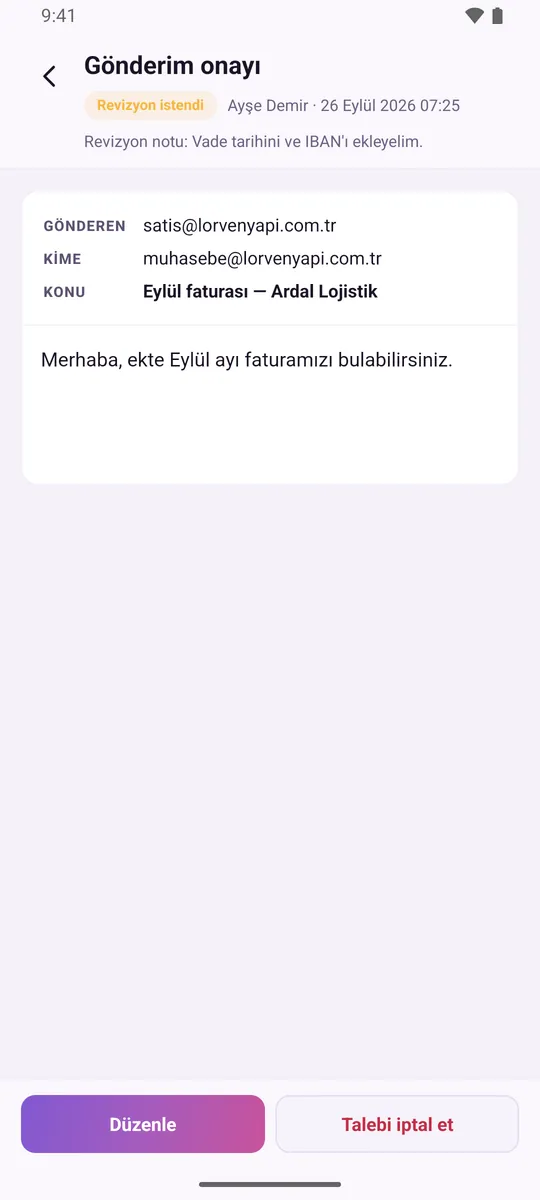
- Critical emails are not sent without approval
- Risky email with justification on the phone


FAQs
What is SmartMail?
SmartMail is an AI-powered corporate email service that manages organizations' shared and personal mailboxes from a single web dashboard. It checks every incoming email with SPF, DKIM and DMARC, defines nine separate permissions for each mailbox, and can submit emails to be sent on behalf of the organization for approval before sending.
Does setup require infrastructure work?
Not necessary. SmartMail works in the cloud; there is no server to be installed or software to be maintained on the organization's premises. Corporate mailboxes are defined from the panel; address and name are sufficient. The DBLinx team prepares and sets up your domain's DNS records.
Do employees have to know the shared mailbox password?
Employees sign in to the shared mailbox with their own DBLinx credentials; they do not need to know the mailbox password. The system generates the password and stores it encrypted. Access is granted and removed from a single screen.
What happens when an employee leaves?
Access is removed from a single screen; if the mailbox is assigned to a department, it is enough for the person to leave the department and access is revoked automatically. Scheduled emails they set up do not go out on behalf of the organization because access is re-checked at send time; they remain in the list with the reason.
Does AI read emails, and what happens to the data?
Email content is processed for classification, summarisation and security assessment. Each company's data is kept in its own separate database and is not shared with another company. AI chat only reads mailboxes to which the person has access. Code-based security checks such as SPF, DKIM, DMARC and similar domain checks run independently of AI; even if the AI allowance is used up, this protection continues.
Let's plan SmartMail for your organization
Select the number of mailboxes and start now. Migration and analysis of your old emails are free during the initial setup.
- Nine permissions per mailbox
- Reasoned analysis in every email
- Same rules on web and mobile