The offer of 'Free shipping above a certain amount' directs the customer to add another product to the basket. But if the threshold is too low, you bear the shipping cost; if it is too high, no one tries to reach it. The threshold is determined by figures, not intuition.
Which figures should you look at?
- Average basket value: the average of your recent orders.
- Average shipping cost: the actual cost to you for a package (varies by volumetric weight).
- Profit per product: which additional products cover the cost of free shipping?
- Regional difference: If shipping costs to distant provinces are higher, the threshold may not apply there.
A simple way to calculate the threshold
- Find your average basket value.
- Choose a threshold slightly above this amount, reachable by the customer with just one additional product.
- Check that the shipping cost is covered by your profit on an order reaching the threshold.
- Check the average basket value again after a few weeks; update the threshold accordingly.
Example: If your average basket value is £600, setting the threshold at £750—achievable with just one additional item—grows the basket without pressuring the customer. These figures are illustrative only; calculate based on your own shipping costs and margins.
Show the remaining amount to the customer
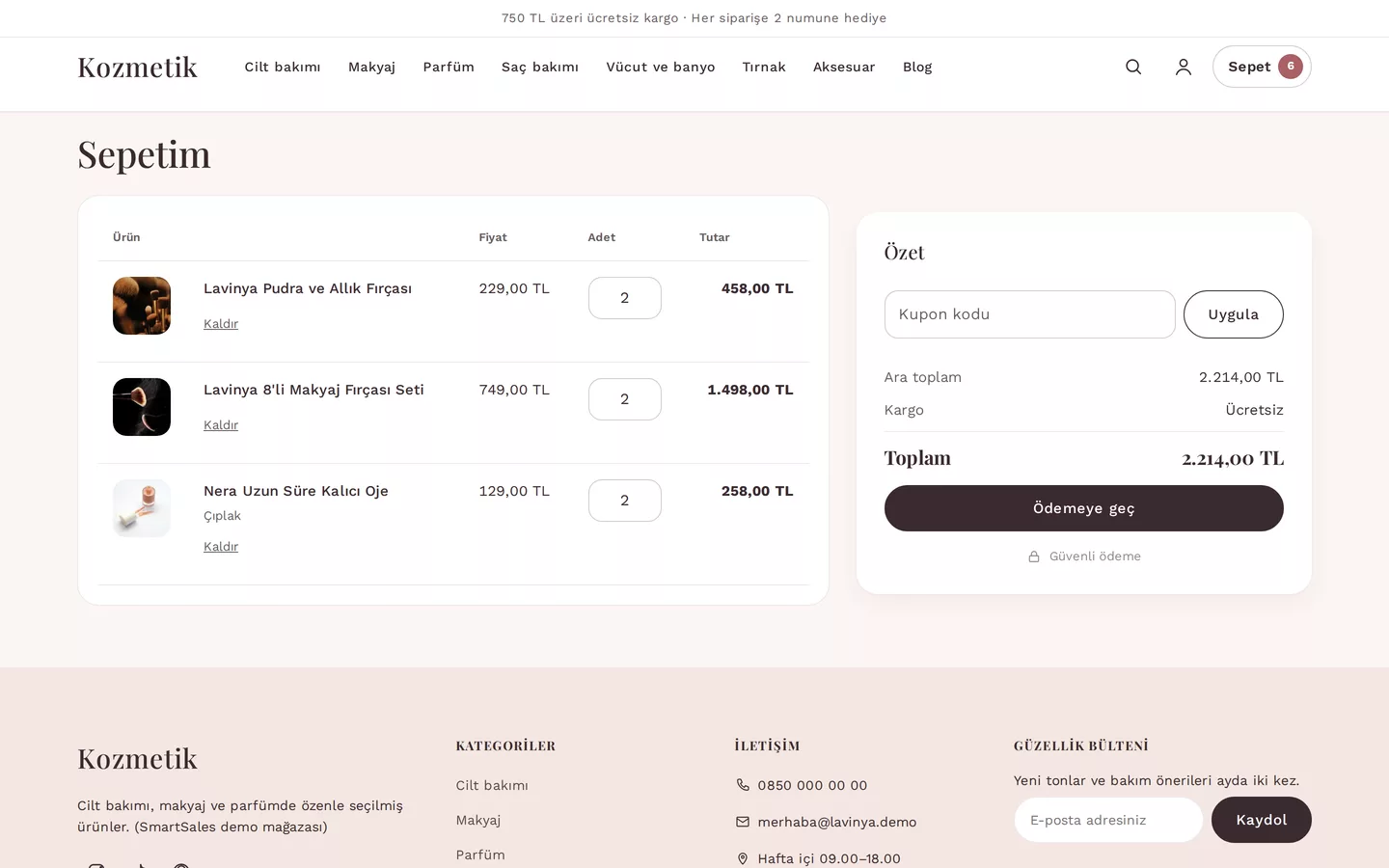
Setting the threshold is not enough; the customer must see how much is remaining. In the SmartSales storefront, if the threshold is not reached, the basket automatically displays the line 'Add … more for free shipping'. This line does not appear in baskets consisting solely of digital products.
Consider alongside dimensions and provincial rules
Shipping costs are calculated based on volumetric weight tiers or a fixed fee; separate or additional fees can be defined per province. You can also choose to exclude certain regions from the threshold; if free shipping in a remote province causes losses, the threshold does not apply there. Since the cart, checkout step, and panel preview use the same calculation, the cost shown to the customer is identical to what you see.
As a free shipping campaign
You can also set the threshold as a campaign valid on specific days rather than a permanent rule. Campaigns work with start and end dates; once ended, the basket automatically reverts to the previous rule.
How SmartSales solves this
- Rule engine: Volumetric weight tiers, fixed fees, amount thresholds, and provincial rules are managed from a single screen.
- Remaining amount message: The cart automatically shows the customer the remaining amount needed to reach the threshold.
- Single calculation: The cart, checkout, and panel preview all compute the same cost.