Skip to content
Campaigns and coupons

Campaigns that grow the cart, without losing control

Campaigns do not combine by default; the most advantageous one for the customer is applied automatically.

yourstore.smartsales.com.tr
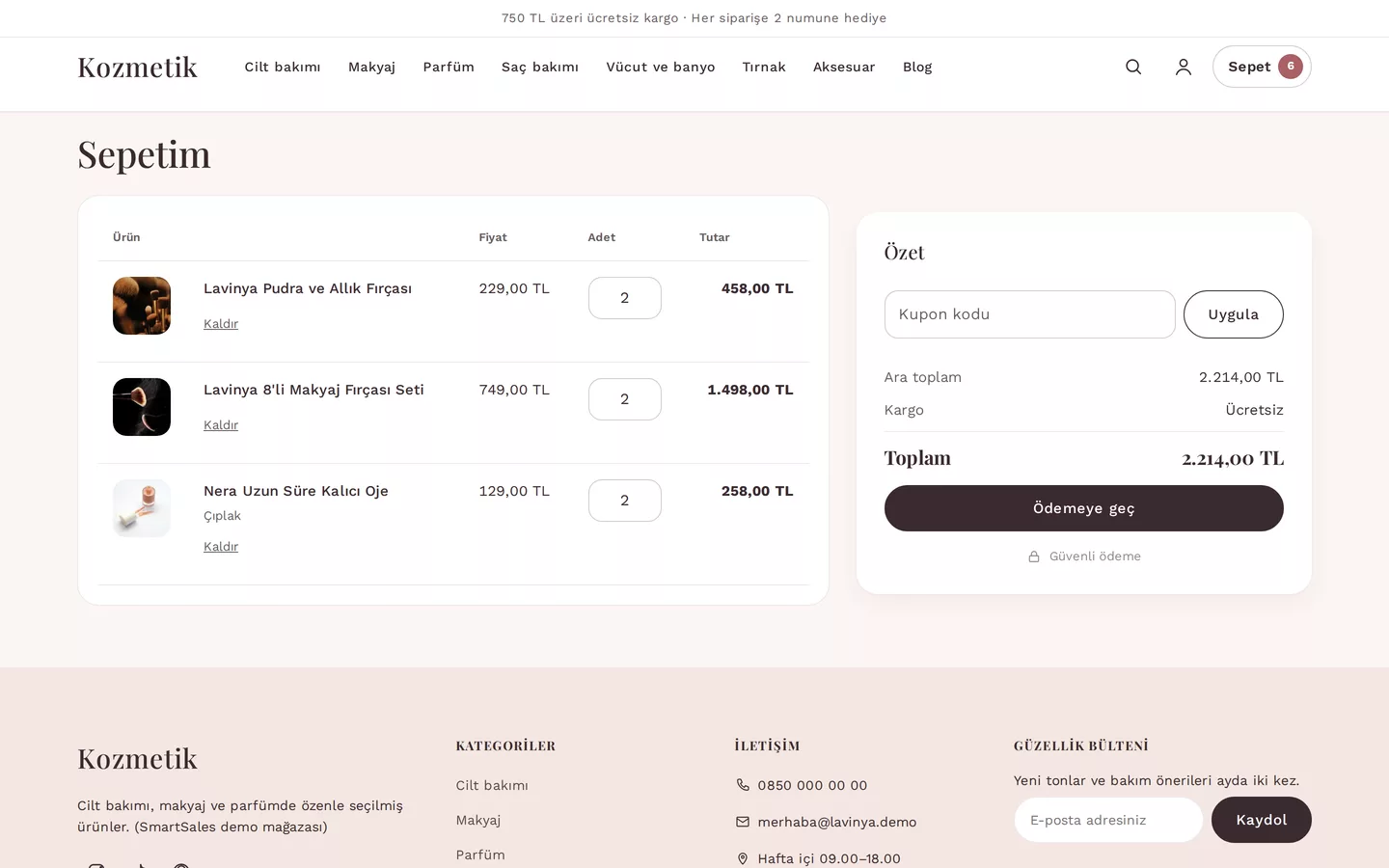
Cart in example store: coupon code field, subtotal, and shipping

Do campaigns apply together?

By default, no. The most advantageous campaign matching the cart is applied automatically. Campaigns defined as combinable are added on top of the best campaign. In all cases, the cart value never drops below zero and order discounts are distributed proportionally across line items; refund amounts are calculated accordingly.

How does the coupon usage limit work?

Coupons are defined with a total usage allowance. Orders awaiting payment count towards this allowance; simultaneous orders cannot exceed the limit. Per-person usage limits are checked at the time of order based on phone number and email address. Customers enter the coupon code in the cart, and the discount appears immediately in the cart total.

Cart value discount

fixed amount discount

Cart percentage discount

Buy X get Y free

cheapest items in the cart become free

Tiered discount

the applicable rate is the tier that the cart value exceeds

Free shipping

How to create a campaign?

You can stop a campaign at any time using Stop and restart it using Start. The list shows the status (Live, Scheduled, Stopped, Ended, Limit reached) and number of uses for each campaign.

  1. Open the Campaigns screen in the panel and press New campaign.

  2. Enter the campaign name; customers see this name in their cart.

  3. Select the type: percentage discount in cart, fixed amount discount in cart, buy X get Y free, tiered discount or free shipping. Enter the rate or amount and, if desired, the minimum cart value.

  4. If the campaign is valid only with a coupon code, add the coupon codes and optionally set a usage limit per code.

  5. If necessary, set product or category, start and end dates, per-customer and total usage limits from Advanced options; choose whether it applies alongside other campaigns. When you press Create, the campaign applies immediately in the cart.

panel.magazaniz.com.tr

Non-cascading discount

  • Campaigns marked as "Combinable" are added on top of the best campaign
  • The cart value never drops below zero
  • Per-person usage limit is checked at the time of order based on phone number and email address
  • Order discounts are distributed proportionally across line items; refund amounts are calculated correctly

Coupon codes

Coupon codes are 3–40 characters long; they use uppercase letters, digits, hyphens and underscores, and do not support Turkish characters. Orders awaiting payment count towards the per-code usage limit; simultaneous orders cannot exceed the limit. Customers enter the code in the cart, and the discount appears immediately. Used coupons cannot be deleted; you can stop the campaign.

Emails and suggestions to bring sales back

  • Stock arrival notification (email)
  • Abandoned cart reminder (email)
  • Frequently bought together product suggestions on the product page

Let's plan your store together

Enter your sector and number of products; let’s clarify your theme and offer together.