 Customer access
Same plan as your customer, only for what you open
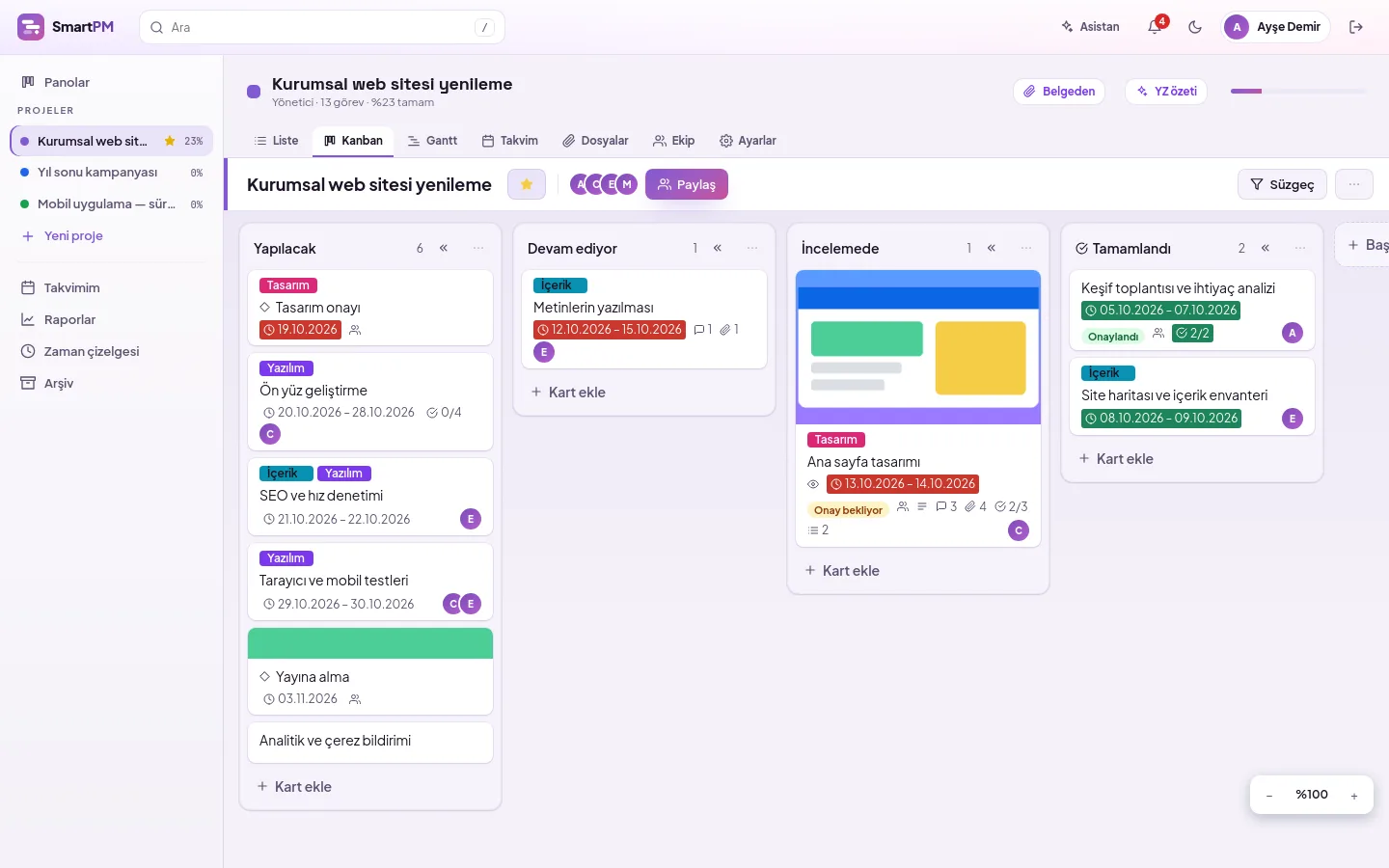
SmartPM customer access is a project role that adds your customer to the project so they can view only the tasks you open for them. Add your customer to the project with the Customer role. They can see the status and dates of tasks opened for them, and add comments; your team's internal work remains invisible to them.
Who sees what, and what can they do?
| Permission | Administrator | Member | Viewer | Customer |
|---|---|---|---|---|
| View tasks in the project | All | All | All | Only those open to the customer |
| Add and edit tasks | ✓ | ✓ | — | — |
| Write comments | ✓ | ✓ | — | To open tasks |
| Attach files | ✓ | ✓ | — | Only to open tasks |
| Requesting approval | ✓ | ✓ | — | — |
| Approve or request changes | — | — | — | In approvals requested from them |
| Log time | ✓ | ✓ | — | — |
| Manage team and columns | ✓ | — | — | — |
| Create new project | ✓ | ✓ | ✓ | — |
Add the customer to the project in three steps
Add the user
Add your customer as a user from the DBLinx tenant panel; login details are sent to them via email.
Assign the Customer role
On the project's Team tab, select the person and set their role to Customer.
Open tasks
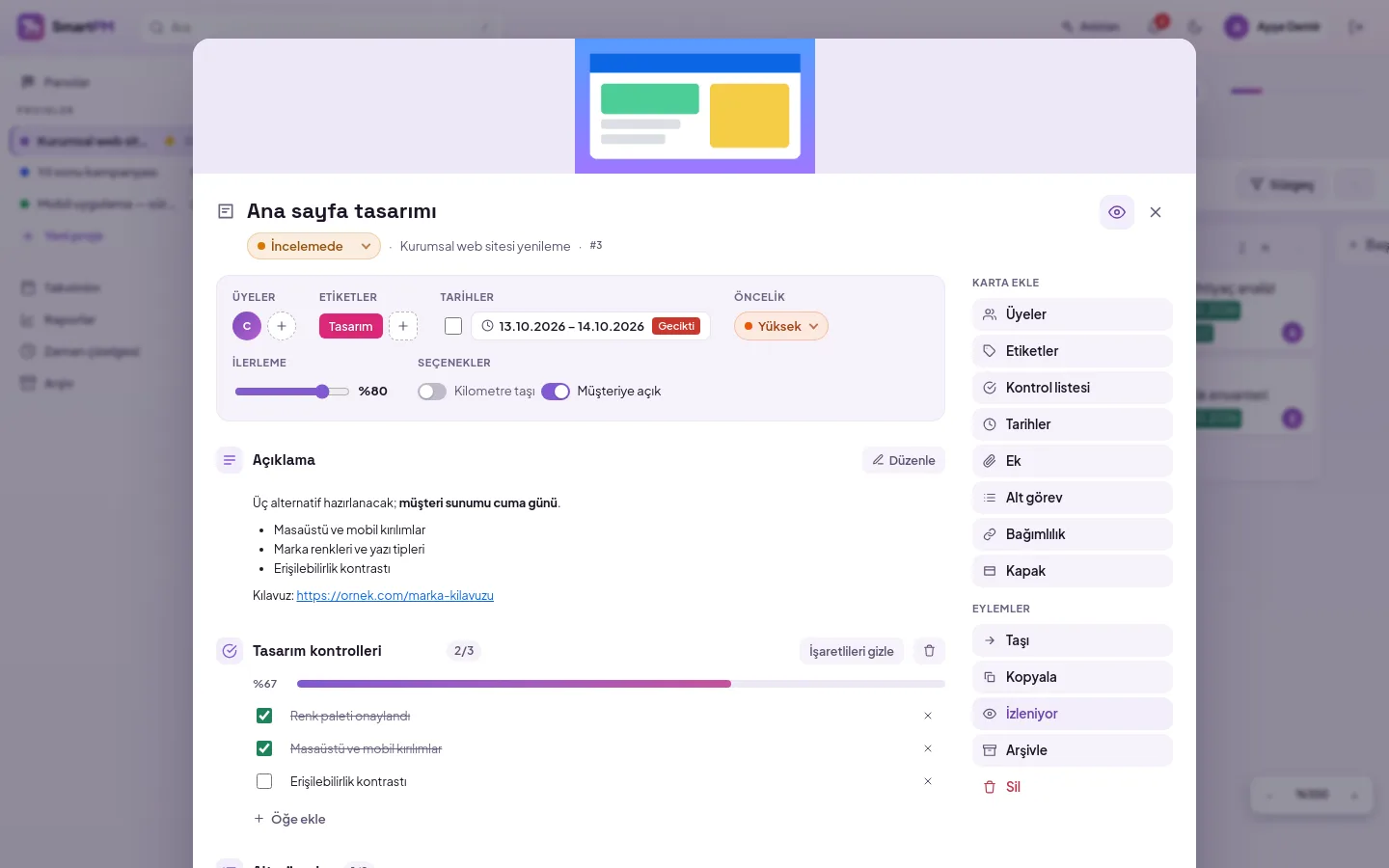
Check the "Open to Customer" box on the tasks you want the customer to see.
Internal tasks remain internal
By default, every task is closed to the customer. You open specific tasks you wish to share, such as designs awaiting approval or publication dates; these are marked with an eye icon in the list.
- The customer reads and writes comments only on open tasks
- The team requests approval; the customer approves with one click or requests changes with a note
- Status updates shared by the project manager with the customer are also visible to the customer, who receives notifications
- Files for open tasks are also accessible to the customer; you share project files individually
- Time records and the team list are hidden from the customer
- Customers cannot open projects as long as their role is set to Customer only
Frequently asked questions
Does the customer need a separate account?
Your customer is an ordinary DBLinx user; they do not have a separate portal account. They are added as a user from your DBLinx tenant panel and count towards your organisation's user limit. In SmartPM, you assign them the Customer role on a per-project basis.
Will the customer see other projects?
No. A person with the Customer role sees only the projects they are added to as a member. If a customer in one project is a member in another, they see only what their role permits in each project.
How do customer comments reach the team?
Comments written by the customer appear in the task's comments section in the same stream as the team's comments, showing the author's name. The team replies in the same place; the customer sees comments only on tasks open to them.
Include your customer in the plan
Let us plan the setup suitable for your organization.